App Store QR Code
Encode App Store and Google Play download links into a QR Code with Scanova's free App Store QR Code Generator. Upon scanning this QR Code, user is prompted to download the app.

Enter a valid URL



























Sign up to use AI-generated pages
Sign up to create product QR Codes
 Sign Up to design and personalize your QR Codes
Boost app visibility and downloads with Scanova's Google Play & App Store QR Codes
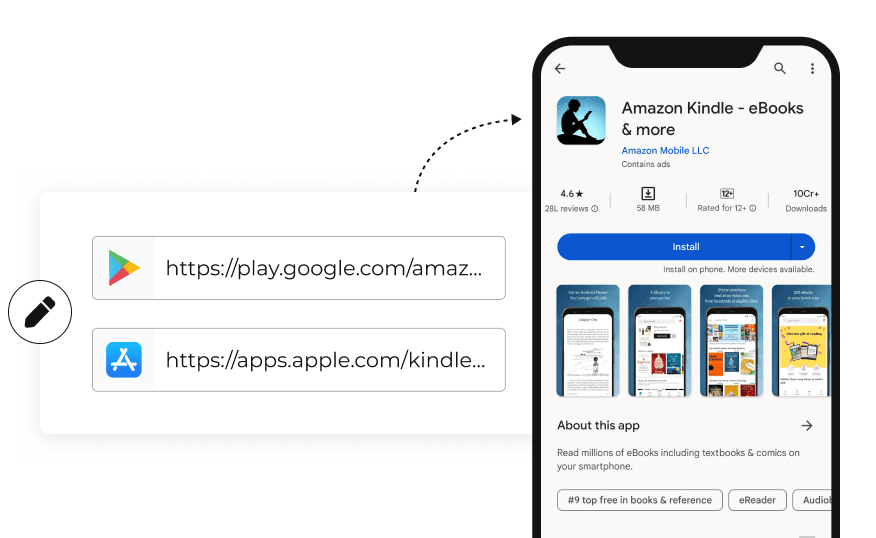
Create & Edit Easily
Facilitate seamless access to your application by integrating direct download links for both Google Play and App Store. This feature allows users to install your app effortlessly, enhancing user experience. Additionally, you have the flexibility to edit these links at any time, ensuring that they remain up-to-date.
Facilitate seamless access to your application by integrating direct download links for both Google Play and App Store. This feature allows users to install your app effortlessly, enhancing user experience. Additionally, you have the flexibility to edit these links at any time, ensuring that they remain up-to-date.
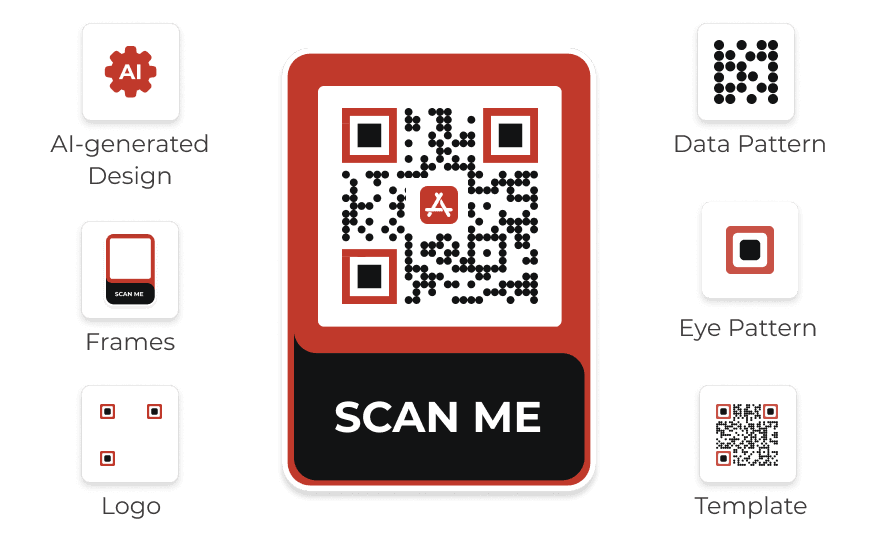
Customization
Stand out by designing visually appealing App Store QR Codes tailored as per your brand. Use AI-generated design, unique logos, frames, and more—making your QR Codes functional and attractive. This level of customization helps reinforce brand identity and encourages user interaction.
Stand out by designing visually appealing App Store QR Codes tailored as per your brand. Use AI-generated design, unique logos, frames, and more—making your QR Codes functional and attractive. This level of customization helps reinforce brand identity and encourages user interaction.
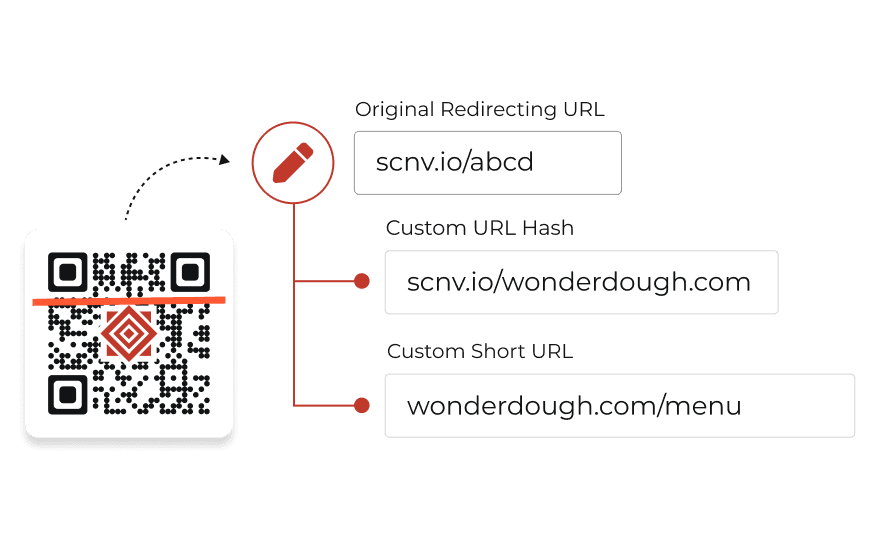
Customize Short URL
Create brand awareness by replacing the standard short URL (https://scnv.io/abcd) with your personalized link (https://glambox.com/apps). This strengthens your brand's online presence.
More on Custom Domain
Create brand awareness by replacing the standard short URL (https://scnv.io/abcd) with your personalized link (https://glambox.com/apps). This strengthens your brand's online presence.
More on Custom Domain
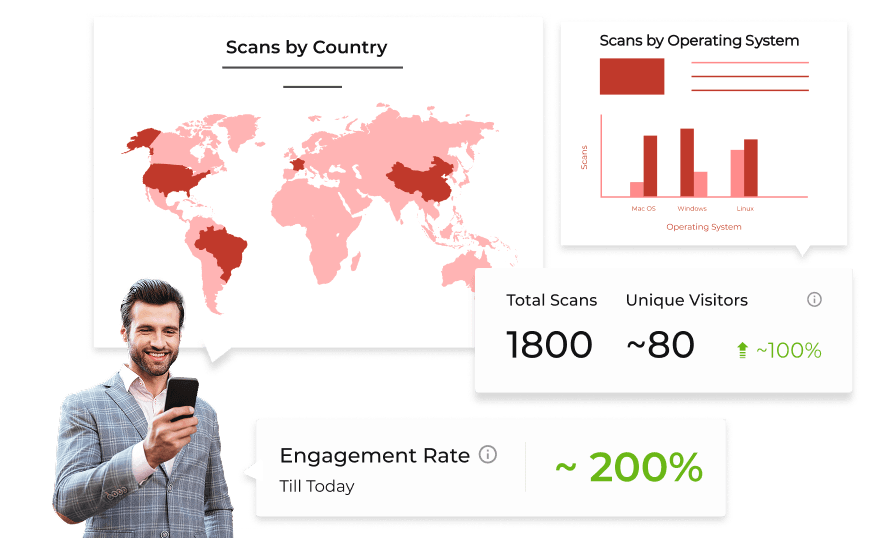
Analytics
Gain valuable insights into user behavior by capturing detailed analytics such as GPS location data, scanning device information, and more. This data allows you to understand your target audience better, ensuring effective strategies and content personalization.
Gain valuable insights into user behavior by capturing detailed analytics such as GPS location data, scanning device information, and more. This data allows you to understand your target audience better, ensuring effective strategies and content personalization.
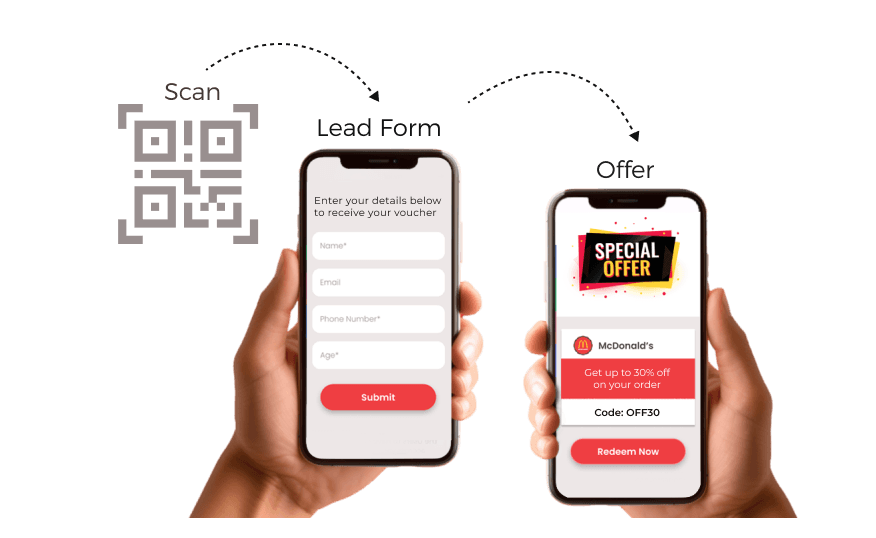
Capture Leads
Increase app downloads and generate leads efficiently by simplifying the app download process. Users can easily scan the code to access your app, reducing barriers to installation. This streamlined approach boosts download rates and makes it easier for potential users to engage with your application.
Increase app downloads and generate leads efficiently by simplifying the app download process. Users can easily scan the code to access your app, reducing barriers to installation. This streamlined approach boosts download rates and makes it easier for potential users to engage with your application.
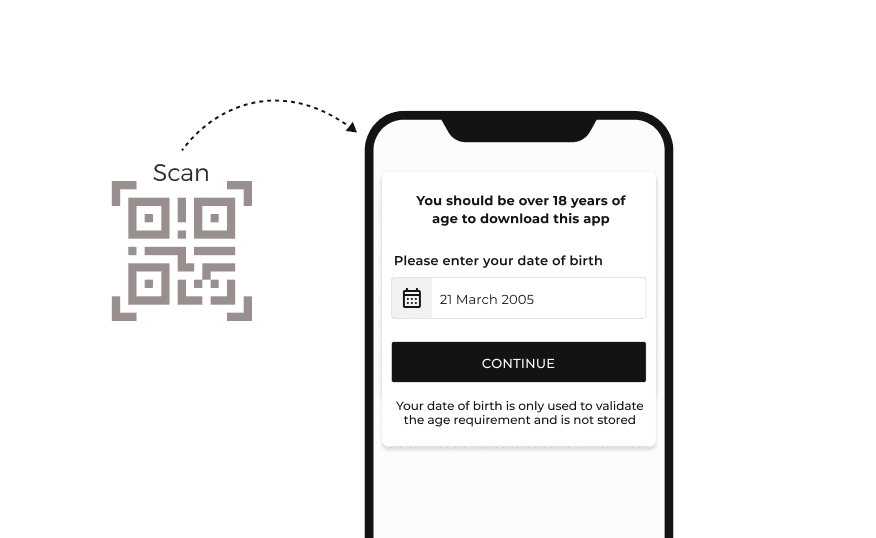
Age Restriction
Manage app access by prompting users to enter their date of birth, ensuring that only those above a specified age can download your app. This feature protects underage individuals from accessing inappropriate content. By managing app access effectively, you can create a safer environment for all users.
Manage app access by prompting users to enter their date of birth, ensuring that only those above a specified age can download your app. This feature protects underage individuals from accessing inappropriate content. By managing app access effectively, you can create a safer environment for all users.
Creating App Store QR
Follow these steps to create a QR Code for app download

Pick Your Route
Log In to Scanova. Click Create QR Code, choose Quick Code, and pick App Store.

Enter URLs
Enter Google Play URL and App Store URL. Click on Continue.

Create QR Code
Provide QR Code name and tags (optional). You can enable advanced settings like age restriction. Once done, click on Create QR Code.

Customize & Download
customize the QR Code before downloading or directly test and download it
Top choice of global brands like Amazon, AT&T, Nestle, and Walmart


Benefits of using App Store QR Codes
Quick and convenient way for users to access and download applications directly

Instant Access
App Store QR Codes provide users with immediate access to app download pages, eliminating the need for tedious manual searches. With just a scan, users can bypass lengthy navigation and be directed straight to the app they want—enhancing convenience and streamlining the download process.
App Store QR Codes provide users with immediate access to app download pages, eliminating the need for tedious manual searches. With just a scan, users can bypass lengthy navigation and be directed straight to the app they want—enhancing convenience and streamlining the download process.

Time-saving
By using QR Codes, users save valuable time that would otherwise be spent typing app names or scrolling through search results. A simple scan brings the desired app to the forefront in seconds, making the downloading experience much more efficient and user-friendly.
By using QR Codes, users save valuable time that would otherwise be spent typing app names or scrolling through search results. A simple scan brings the desired app to the forefront in seconds, making the downloading experience much more efficient and user-friendly.

Trusted Downloads
Security is a significant concern for app users, and App Store QR Codes help mitigate this risk by directing users to official app stores. This ensures that downloads come from trusted sources, minimizing the chances of encountering malicious software or fake applications.
Security is a significant concern for app users, and App Store QR Codes help mitigate this risk by directing users to official app stores. This ensures that downloads come from trusted sources, minimizing the chances of encountering malicious software or fake applications.

Easy Sharing
Sharing apps becomes effortless with App QRs. Users can simply share the code with friends and family, allowing others to access the app quickly without needing to search for it. This ease of sharing promotes word-of-mouth recommendations and increases app visibility.
Sharing apps becomes effortless with App QRs. Users can simply share the code with friends and family, allowing others to access the app quickly without needing to search for it. This ease of sharing promotes word-of-mouth recommendations and increases app visibility.

Trackable Analytics
Using App Store QR Codes allows businesses to gather valuable data on user interactions. By tracking metrics such as scan locations, device types, and engagement levels, businesses can assess the effectiveness of their strategies. This data-driven approach enables continuous optimization.
Using App Store QR Codes allows businesses to gather valuable data on user interactions. By tracking metrics such as scan locations, device types, and engagement levels, businesses can assess the effectiveness of their strategies. This data-driven approach enables continuous optimization.

Customizable Design
App Store QR Codes can be tailored to fit various branding needs. This personalization helps maintain brand consistency across marketing materials while making the QR Codes visually appealing. A well-designed QR Code can attract more scans and enhance brand recognition.
App Store QR Codes can be tailored to fit various branding needs. This personalization helps maintain brand consistency across marketing materials while making the QR Codes visually appealing. A well-designed QR Code can attract more scans and enhance brand recognition.
Best brands in the world trust Scanova QR Code Generator
“The simplicity of this tool makes it easy for even non-tech users”
Easy to use and achieve successful outcomes with Scanova. The simplicity of this tool makes it easy for even non-tech users. Scanova solves the concern of tracking websites and data sheets efficiently.


Your security and privacy are important to us
Experience unmatched data protection through compliance with ISO/IEC 27001:2022, GDPR, and SOC2


Frequently Asked Questions
Get answers to popular questions about App Store QR Codes
Why should I opt for App QR Codes?
Can I create App Store QR Codes for free?
How many App Store QR Codes can I create in my free trial?
What will happen to my App Store QR Codes after the 14-day free trial?
Get started with Scanova
Create QR Codes as per your need with ease