X (Twitter) QR Code: A New Way to Follow People on Twitter

In a nutshell (TL;DR): An X (Twitter) QR Code is a scannable code linked to your Twitter profile that lets anyone follow you instantly. Every Twitter account gets one automatically via the app. Businesses, event organizers, and creators use them on print materials to grow their following fast. This guide covers how Twitter QR Codes work, how to find yours, and how to customize one using Scanova to match your brand.
If you have ever handed someone a business card and waited while they searched for you on Twitter, you already know the problem. A Twitter QR Code solves it. Scan the code, and you follow the account; no typing, no misspelled handles, no dropped connections.
Twitter rolled out QR Codes for every user profile in 2016. What started as a convenience feature has become a real tool for businesses and creators looking to grow their following through print materials, event stands, and product packaging.
In this guide, you will learn how a Twitter QR Code works, where to find yours, what makes it different from a standard QR code, how businesses actually use it, and how to customize the design using Scanova if the default version does not match your brand.
Brittany Forks, a designer at Twitter, announced the launch of Twitter QR Codes on Nov 16, 2016. Via a tweet.
A. How does a Twitter QR Code work?
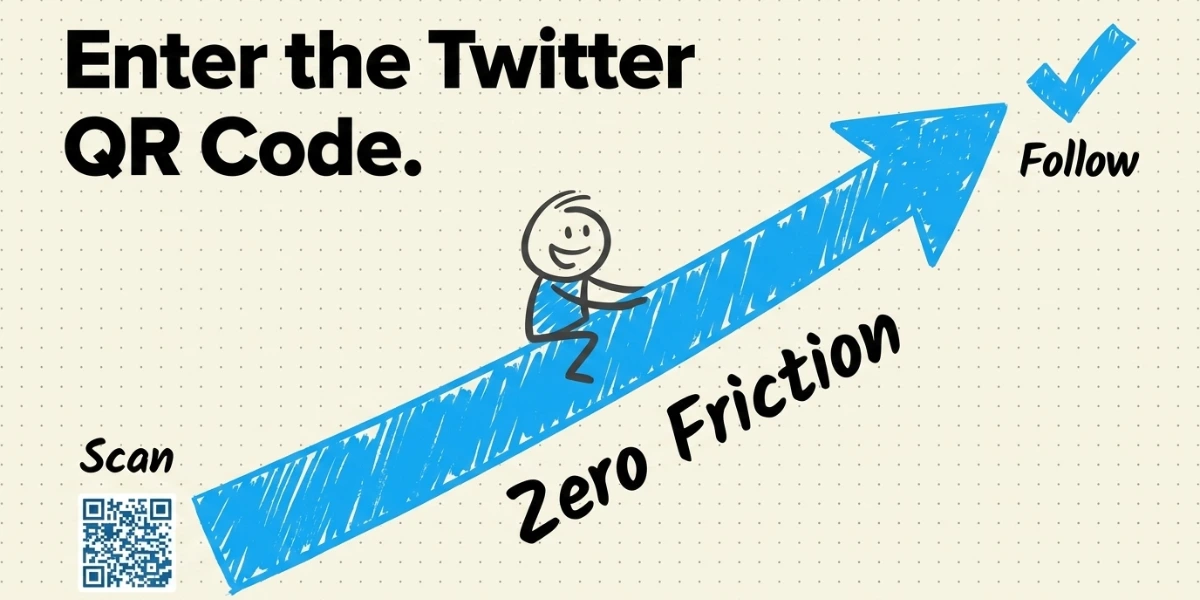
A Twitter QR Code stores your profile link and opens it directly when scanned, triggering the Follow prompt in the Twitter app. Every profile gets one automatically, no setup required.
To find yours:
- Open the Twitter app on your iOS or Android device.
- Go to your profile.
- Tap the three-dot icon in the top-right corner and select QR Code from the menu.
- Tap the Share icon to save or send your QR Code.
You will also see a scan icon beneath your QR Code. Use this to scan another person’s Twitter QR Code and follow them directly.
B. Why should you use a Twitter QR Code instead of a profile link?
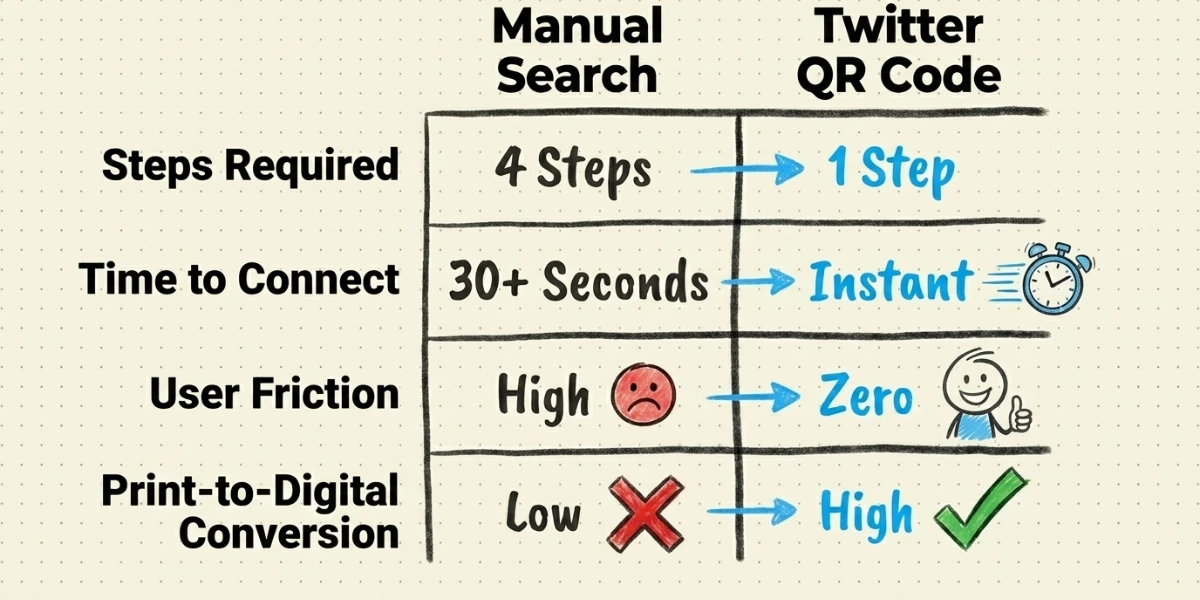
A Twitter profile link requires someone to unlock their phone, open a browser, and type a URL correctly. Most people do not. A Twitter QR Code removes all of those steps; one scan, and the follow-up is done.
For businesses running print campaigns, events, or product marketing, this is significant. The gap between someone seeing your Twitter handle and actually following you is mostly friction. A Twitter QR Code eliminates that friction.
C. What makes a Twitter QR Code different from a standard QR Code?
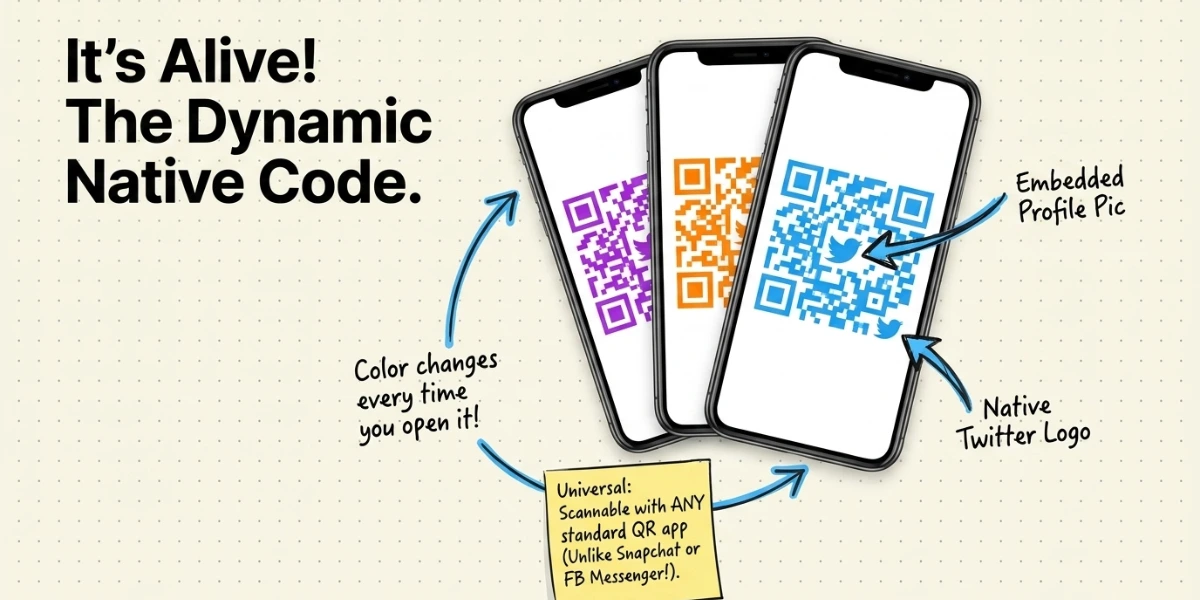
Twitter QR Codes use a designed version of the standard QR format. Three things set them apart:
- Any standard QR scanner can read them — unlike Snapchat Codes or Facebook Messenger Codes, which only work in their own apps.
- The code’s color pattern changes each time you open it, though the destination remains the same.
- Your profile photo appears in the center, and the Twitter logo appears in the corner, making it visually recognizable.
D. What are the popular use-cases of the Twitter QR Code?
1. Real Estate
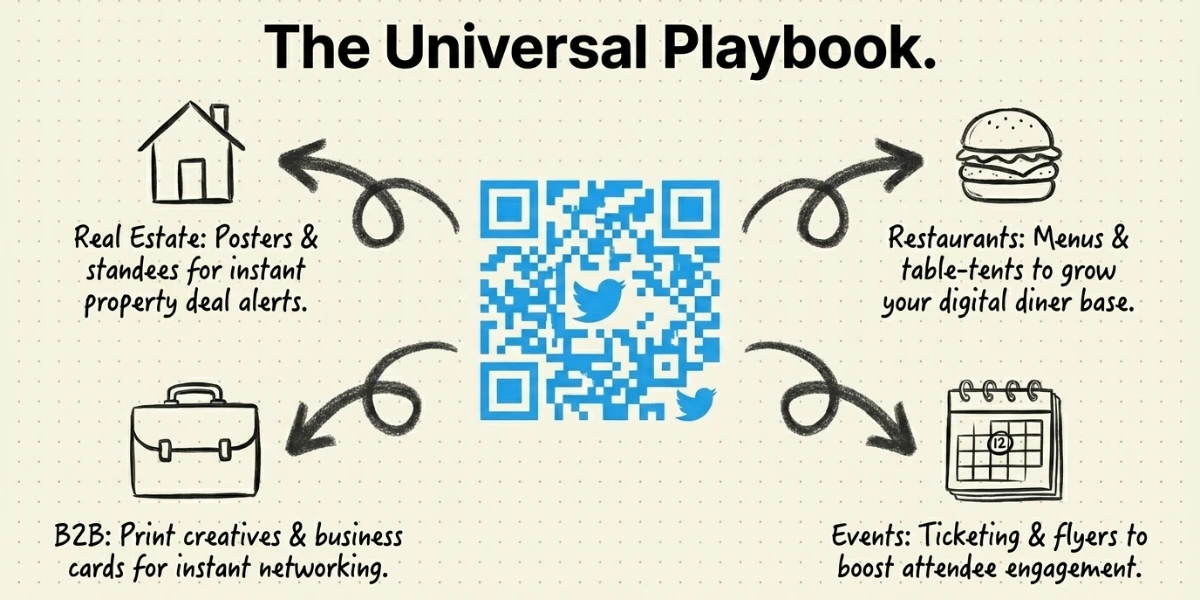
Today, Twitter is also being leveraged to push new properties on sale to users. After all, it has a vast audience and good engagement rates. This can help realtors build strong relationships with their existing and future clients.
With growing competition, you need to stay on top by continually acquiring more followers. This is where a Twitter QR Code can help you. Just add it to your posters, standees, and brochures. When scanned, people can easily follow you and never miss the best property deals.
2. Restaurants
It’s pretty common for restaurants to use social media to introduce their delicacies. To do this, you need to ensure it reaches the maximum audience. Thus, you need to increase your social media followers. And a Twitter QR Code can help you do it.
It can help you increase your number of followers seamlessly.
3. Business
Businesses use Twitter to announce new products and set trends through tweets. And Twitter QR codes can help you increase your reach. Just place it on your print media creatives and prompt your audience to follow you on this platform.
4. Events
One of the best ways to announce any event is through Twitter. That’s because its reach is quite enormous and thus, can help you increase the number of guests. Here again, the Twitter QR Code can offer you a seamless way to increase your followers.
E. How to customize the design of your Twitter QR Code?
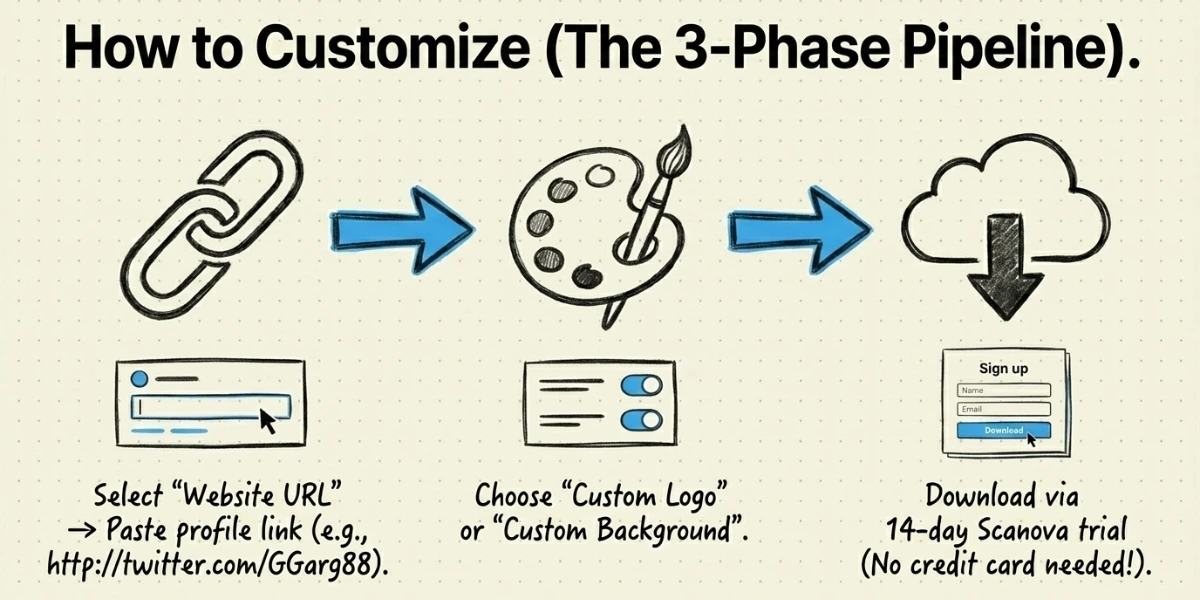
The default Twitter QR Code works, but a branded, custom-designed version performs better on print materials. A QR Code that aligns with your visual identity attracts more scans than a generic black-and-white grid.
Here is how to create a custom-branded Twitter QR Code using Scanova:
Step 1: Open Twitter (or X) on your browser and go to your profile page.
Step 2: Copy the URL from the address bar. It will look something like this: https://twitter.com/yourusername.
Step 3: Open a new tab and go to Scanova. Click Sign Up to create a free account. You can sign up with your email or Google account.
Step 4: Once logged in, click Create QR Code.
Step 5: From the list of QR Code types, select Website URL.
Step 6: Paste your Twitter profile URL into the input field and click Continue.
Step 7: Give your QR Code a name (for example, “Twitter Profile QR Code”) so you can find it easily later. Click Create QR Code.
Step 8: You will land on the preview screen. Click Edit Design to start customizing.
Step 9: Choose a design option based on what you need:
- Custom Logo Design — add your brand logo and pick a color scheme for the QR Code pattern and eyes.
- Custom Background Design — place the QR Code over a branded image or background.
Step 10: Once you are happy with the design, click Download. Select your file format (PNG works for most uses; SVG is better for large-format printing), set the size, and click Export.
Before you print or publish the QR Code, scan it once with your phone to confirm it works. A design that looks right on screen can still fail to scan if the colors are too similar or the white border around the code is too thin.
F. Best Practices: Twitter QR Code
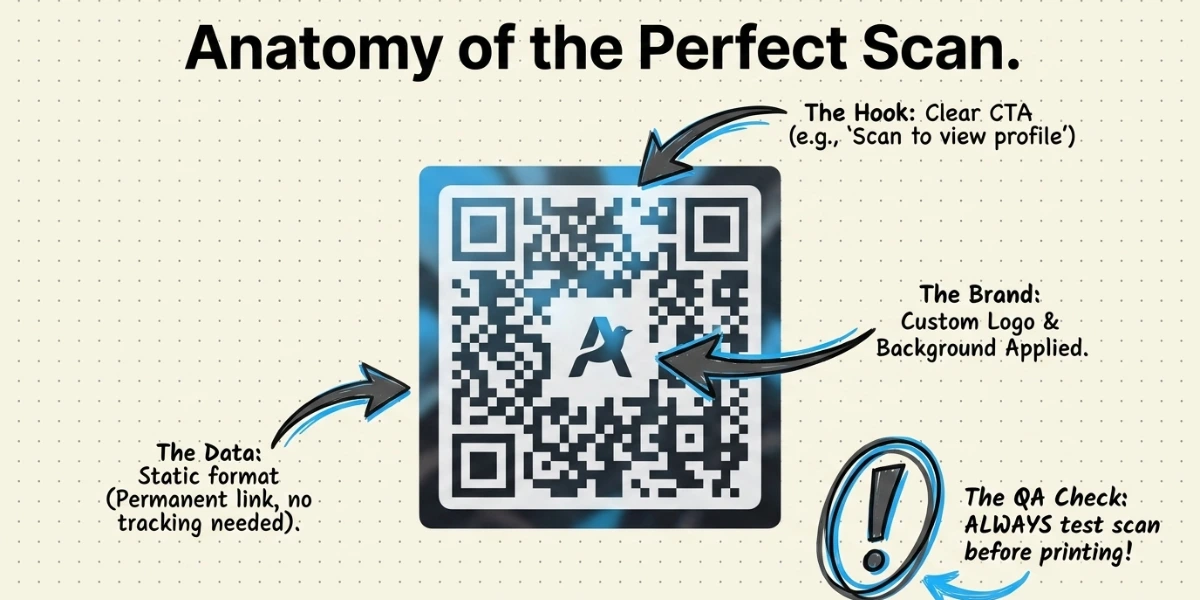
Here are some of the best practices that you must know before working with QR Codes:
1. Add an appropriate CTA
You need to ensure that you always add a CTA with your QR Code. CTA stands for ‘Call to Action’. It is a small instruction that guides the users on what they need to do.
It could be anything, such as ‘Scan here to view Twitter profile’.
2. Add a design to the QR Code
If you are planning to use QR Codes on print media creatives, consider adding design to them. That’s because they are visually more appealing and, as a result, attract the audience’s attention.
3. Test scan the QR Code
It is always advisable to test scan the QR Code before putting it out for your target audience to scan.
4. Choose an optimal printing format
If you’ll be using the QR Code on print media creatives, download it in vector format. For example, SVG, PDF, and EPS. It ensures that the QR Code doesn’t get pixelated, no matter how much resizing is done.
G. Frequently Asked Questions
- What is a Twitter QR Code?
A Twitter QR Code is a scannable code linked to your Twitter profile. When someone scans it using any QR scanner or the Twitter app, it opens your profile directly and prompts them to follow you — without needing to search for your username.
2. How do I find my Twitter QR Code?
Open the Twitter app, go to your profile, and tap the three-dot icon in the top-right corner. Select QR Code from the menu. You can then save or share your code directly from this screen.
3. Can I scan a Twitter QR Code with any scanner?
Yes. Unlike Snapchat Codes or Facebook Messenger Codes, Twitter QR Codes use a standard QR format that any QR scanner app can read. You do not need the Twitter app to scan one, though the Twitter app also has a built-in scanner.
4. Is a Twitter QR Code the same as my profile link?
A Twitter QR Code encodes your profile link and opens it when scanned. Functionally, they reach the same place, but the QR Code removes the step of typing or searching, which significantly reduces the barrier to following you, especially on print materials.
5. Can I customize the design of my Twitter QR Code?
Yes. While Twitter’s default QR Code is fixed in appearance, you can create a custom-branded version using a QR Code generator like Scanova. Scanova lets you add your logo, choose brand colors, and set a custom background, so the code matches your marketing materials rather than looking generic.