QR Code Frames

Make your QR Code stand out with Scanova's extensive range of eye-catching QR Code frame templates

14-day free trial | No credit card required

Creative and converting QR Code frames

Example of an eye-catching WhatsApp QR Code frame template generated by Scanova's QR Code frame feature.
Example of an attractive orange 'Scan Me' QR Code frame template.
Example of an attractive blue 'Scan Me' QR Code frame template.
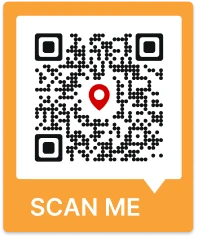
QR Code with a map and location pin frame generated by Scanova.
Example of a QR Code with a colorful 'SCAN ME' frame template.
Example of a decorative frame having a floral motif QR Code.
Example of a stylized QR Code design with 'See Menu' frame.
Example of a bold blue QR Code frame for LinkedIn-style use.

What is a QR Code Frame?

Frame QR is a QR Code that includes a customizable frame enclosing it. It can be flexibly used to insert text (such as a 'Scan Me' QR Code frame) and other design elements without interfering with the QR Code's readability and scanning functionality.

According to Future Market Insights, the global QR Code market was valued at USD 1.8 billion in 2025 and is projected to reach USD 4.1 billion by 2035, registering a compound annual growth rate (CAGR) of 8.7% over the forecast period. QR Codes have become increasingly common on billboards, print ads, and product packaging as brands use them to connect with customers and boost engagement.
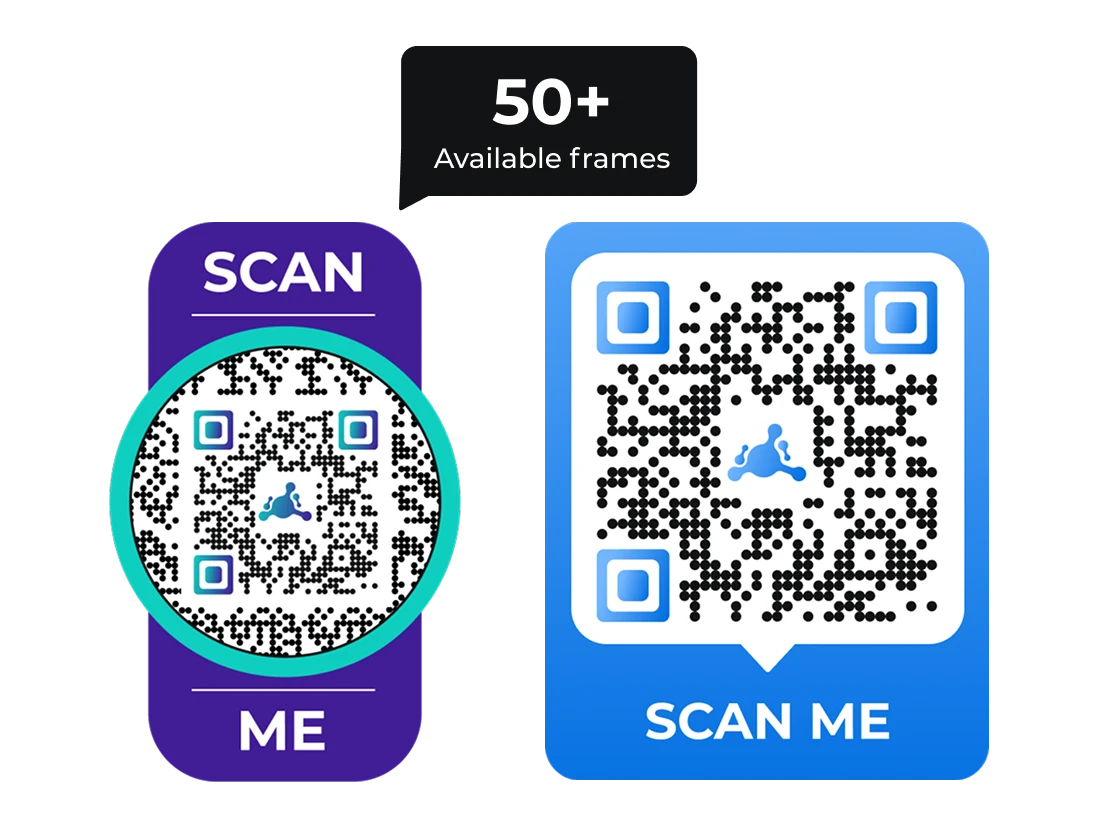
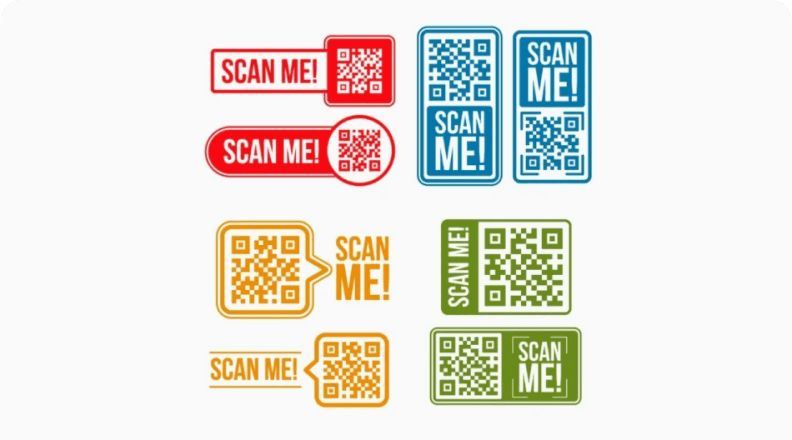
Purple and blue Scan Me QR Code frame examples showing Scanova's library of 50+ available QR Code frame templates.

How to create a Frame QR Code design?

Follow 4 simple steps to add a frame to your QR Code

Step
01

Enter content and create QR Code

Choose a QR Code type and add required content (website URL, text, contact info) and simply click on Create QR Code

Step
02

Choose a QR Code frame template

Browse and select from 70+ ready-made QR Code frame templates that suit your business, events, products, or personal projects

Step
03

Customize colors, logo, and background

Personalize the QR Code frame color, background color, and add your logo to ensure the design aligns with your brand identity

Step
04

Check and download

Scan and test your QR Code and download the image in high-resolution formats
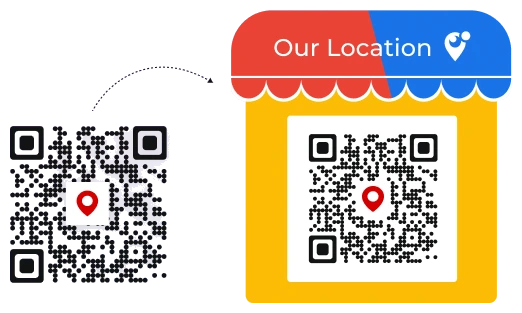
Frame-tastic: The power of QR Code Frames

A plain QR Code with a location pin, next to the same QR Code enclosed in a decorative 'Our Location' storefront-awning frame.

Elevated visual appeal

Scanova offers a range of decorative frames that enclose your QR Codes to make them stand out.

By enclosing your QR Codes in these stylish frames, you can significantly increase their visibility and attract attention from the target audience—resulting in more scans.
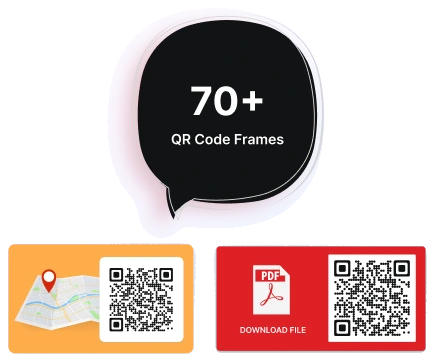
A speech bubble reading 70+ QR Code Frames, next to a map-location frame and a red downloadable-PDF frame example.

70+ QR Code frame templates

70+ customizable QR Code frames for every use case. Whether it's a professional setting or a fun project, find the perfect frame to enhance your visual impact.

Each design option is crafted to enhance the overall visual impact of your QR Code.
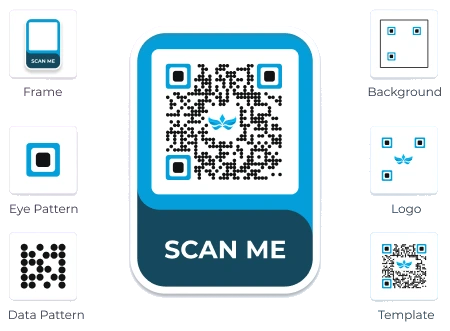
A blue Scan Me QR Code frame with customizable frame, eye pattern, data pattern, background, logo, and template options shown around it.

Brand colors and logo support

You can set the main color and QR Code background color to enhance brand recognition.

By tailoring these elements, you can easily create a cohesive look that reinforces your brand identity and makes your QR Code instantly recognizable.
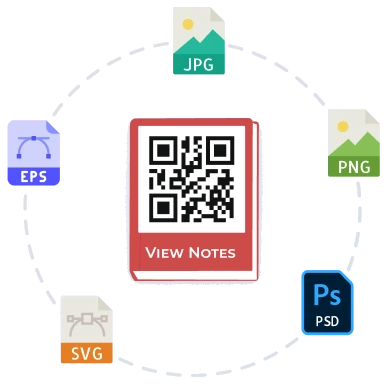
A framed QR Code surrounded by JPG, PNG, EPS, SVG, and PSD file format icons, showing high-resolution export options.

High-resolution for print and digital

QR Code frames can be generated in various sizes and formats.

This ensures that your QR Codes can be effectively used across different print materials (like posters and product packaging) as well as digital media like websites and social media platforms.
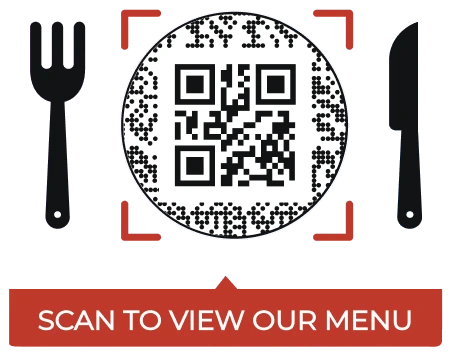
A circular QR Code framed between a fork and knife, with a 'Scan to View Our Menu' call-to-action banner below it.

Add CTA text to drive scans

A frame design can include a CTA text or graphic, offering clear guidance to the user and prompting them to scan the code.

This clear guidance prompts users to scan the code by providing an enticing reason to do so, like 'Scan for Exclusive Offers'.

Join 10,000+ businesses that use the best QR Code Generator

HP's logo
Amazon's logo
Walmart's logo
Nestle's logo
AT&T's logo
Zynga's logo
Intel's logo
Fujifilm's logo
L'Oreal Paris's logo
Pepsico's logo
Cisco's logo
HP's logo
Amazon's logo
Walmart's logo
Nestle's logo
AT&T's logo
Zynga's logo
Intel's logo
Fujifilm's logo
L'Oreal Paris's logo
Pepsico's logo
Cisco's logo
Start Free Trial Book a Demo
14-day free trial | No credit card required

Where can Frame QR Codes be used?

Frames can be used in numerous ways to improve both functionality and aesthetic appeal
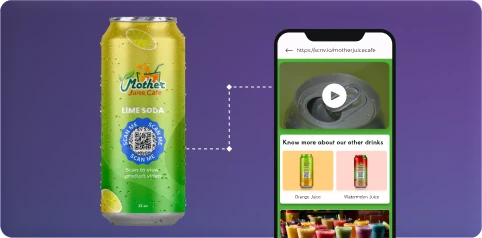
Product information accessibility

Product information accessibility

In the case of product packaging use cases, QR Code frames can prompt customers with 'Scan to Learn More' or 'Discover Ingredients'. This directs users to product details, usage instructions, or nutritional information without cluttering the packaging design.
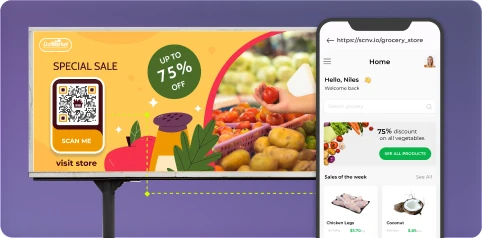
Marketing campaigns

Marketing campaigns

Include framed QR Codes in flyers, posters, or newspaper ads with action-based messages like 'Get 10% Off' or 'Scan for Details'. The frame helps the QR Code stand out in a cluttered layout and increases the likelihood of scans from offline audiences.
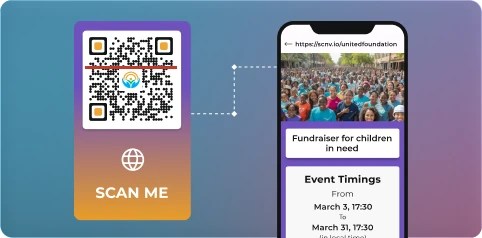
Event promotions and tickets

Event promotions and tickets

Use framed Event QR Codes on event tickets, brochures, or banners to allow attendees to easily check schedules, register online, or save event details. A clear CTA in the frame ('Scan to RSVP' or 'Add to Calendar') boosts conversions and streamlines the user journey.

Loyalty programs and customer rewards

Loyalty programs and customer rewards

Retailers and service providers can use QR Code frames that say 'Join Loyalty Program' or 'Redeem Rewards' to encourage customers to participate. The frame draws attention and clearly communicates the action, increasing program adoption.
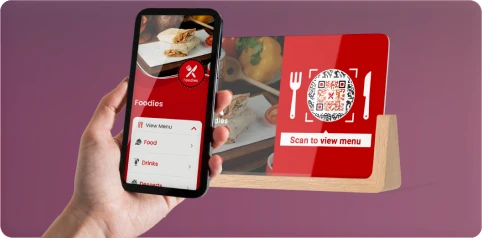
Digital menus and contactless services

Digital menus and contactless services

Display framed Restaurant QR Codes on tables, counters, or food packaging in restaurants with messages like 'Scan for Menu'. These CTAs improve usability and reduce contact points, making the experience more convenient and hygienic for customers.
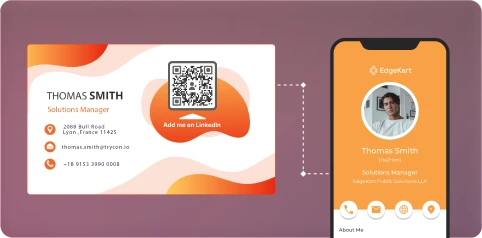
Business cards and networking

Business cards and networking

Add a framed QR Code to your business card with a prompt like 'Scan to Save Contact' or 'View Portfolio'. The frame makes the code more visible and increases the likelihood that prospects will take action, helping you make a lasting impression.
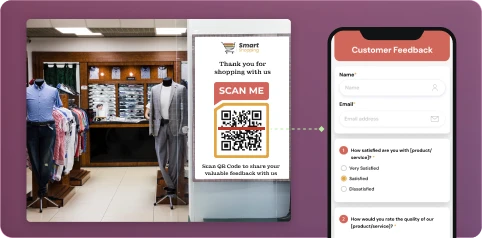
Customer feedback collection

Customer feedback collection

Place framed Feedback QR Codes in-store, on receipts, or after-service documents to collect feedback. Use a CTA such as 'Leave a Review' or 'Rate Your Experience' to encourage quick responses and improve your customer insights.

Social media engagement

Social media engagement

Use framed Social Media QR Codes on posters, packaging, or digital screens that lead users directly to your Instagram, Facebook, or LinkedIn page. A CTA like 'Follow Us' or 'Scan to Connect' can drive higher engagement across your social platforms.
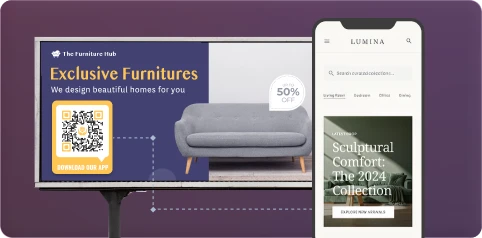
Instant app downloads

Instant app downloads

Promote mobile apps with framed App Store QR Codes printed on brochures, signage, or screens. Add a CTA like 'Scan to Download' to direct users to the App Store or Google Play, making app adoption easier and faster.
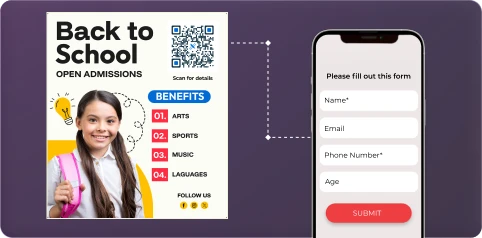
Education and training materials

Education and training materials

Add framed QR Codes to textbooks, handouts, or classroom posters with CTAs like 'Scan to Watch Tutorial' or 'Access Study Resources'. The customized frame makes the code visually appealing on printed materials, encouraging students to engage with supplementary digital content.

Get desired results for your business with Scanova's Frame QR Generator

14-day free trial | No credit card required

Your security and privacy matters to us

Scanova adheres to rigorous standards like ISO/IEC 27001:2022, GDPR, and SOC2

ISO Certification Badge, symbolizing our commitment to high-quality QR Code solutions and industry standards.
SOC2 Compliance Badge
GDPR Compliance Badge

Best brands in the world trust Scanova QR Code Generator

“The simplicity of this tool makes it easy for even non-tech users”

Easy to use and achieve successful outcomes with Scanova. The simplicity of this tool makes it easy for even non-tech users. Scanova solves the concern of tracking websites and data sheets efficiently.

5 QR Code frame design tips that improve scans

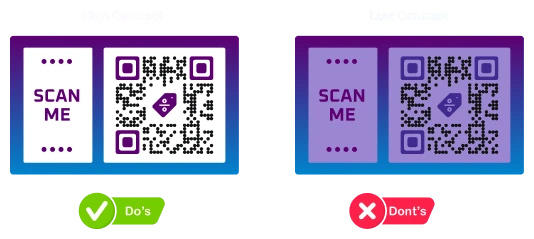
A high-contrast purple Scan Me QR Code frame example marked as a design do, next to a low-contrast purple-on-purple version marked as a design dont.

Increase contrast for easy scanning

Ensure there is enough contrast between the QR Code, background, and frame. This improves scannability.
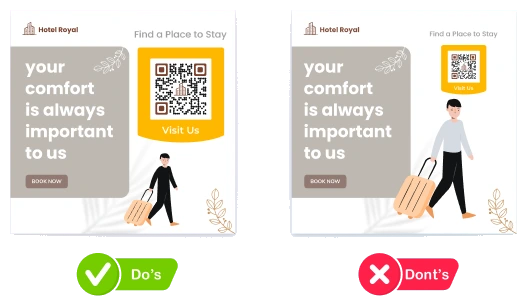
A hotel billboard ad with an appropriately sized Visit Us QR Code marked as a design do, next to a version with an undersized, hard-to-scan QR Code marked as a design dont.

Choose appropriate size for better visibility and scans

The QR Code should be large enough to be scannable and draw attention. The frame should be proportionate to the size of the QR Code and the overall design.
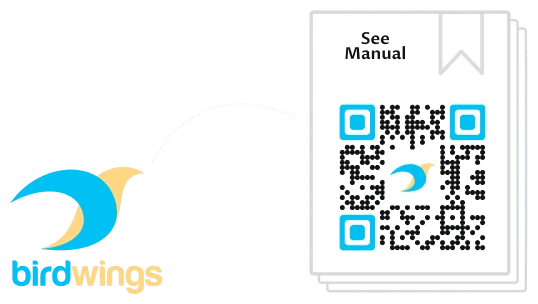
The Birdwings brand logo next to a QR Code frame styled with the brand's own colors and logo.

Align frame design and color with your brand identity

Incorporate your brand's colors, fonts, and logo into the frame design. Ensure that these branding elements don't overshadow the QR Code.
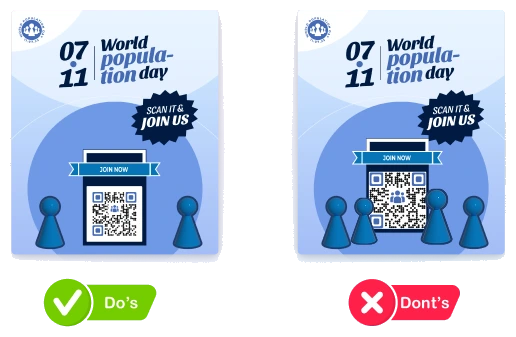
Two World Population Day posters side by side: one with clear whitespace around its QR Code (marked Do's), and one with a cluttered, crowded QR Code (marked Dont's).

Include whitespace for clarity

Use whitespace effectively to separate the QR Code from other design elements. This enhances clarity and prevents clutter.
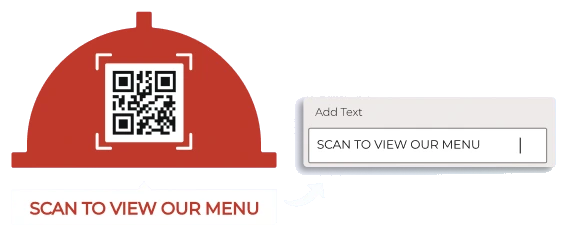
A round QR Code framed under a red dome icon, with a 'Scan to View Our Menu' call-to-action text box being added.

Include clear CTAs to prompt scans

Include a clear call-to-action near the QR Code to instruct users on what to do. This can increase the likelihood of engagement.

Frequently Asked Questions

Get quick answers related to Scanova's QR Code frames

Why should I add a frame to my QR Code?

Adding a frame around your QR Code improves its visibility and attracts more scans by clearly indicating the QR Code's purpose. It acts as a call-to-action, prompting users to scan and increasing engagement.

Why QR Codes with frames outperform traditional QR Codes?

Framed QR Codes stand out visually and often include a clear CTA, which draws attention and tells users exactly what to expect—resulting in higher scan rates than plain, unframed QR Codes.

Can I customize the color and design of a QR Code frame?

Yes, you can customize both the frame color and the background color of the QR Code. This feature helps enhance brand recognition by allowing you to incorporate brand colors.

Does a QR Code frame affect the QR Code's ability to be scanned?

No, a well-designed QR Code frame does not interfere with scannability. Scanova's frames are built to enclose the QR Code without covering its data modules, so scanning remains fast and reliable.

How do I create a QR Code with a frame?

Enter your content and create a QR Code, then choose a frame template from Scanova's library. Customize the frame color, background, and logo, and download the final design in your preferred format.

What are common uses for QR Code frames?

QR Code frames are commonly used for digital menus, marketing campaigns, event tickets, loyalty programs, business cards, customer feedback, social media engagement, app downloads, and education materials.

Are QR Code frames compatible with all QR Code readers?

Yes, since the frame is a decorative design element placed around the QR Code and not part of its data pattern, framed QR Codes remain compatible with all standard QR Code readers and scanning apps.

Does using a frame increase the number of scans?

Yes, frames with a clear call-to-action make QR Codes more noticeable and tell users what to expect, which typically results in a higher number of scans compared to a plain QR Code.

Are there any best practices when designing Frame QR Codes?

Yes—ensure sufficient contrast, choose an appropriately sized QR Code, align the frame with your brand identity, leave enough whitespace, and include a clear call-to-action to prompt scans.

What is the difference between a QR Code frame and a QR Code shape?

A frame is a graphic that sits around your QR Code, usually carrying the call-to-action text for your brand, such as Scan to Order CTA. A shape changes the QR Code itself; the data pattern takes the shape you pick. On Scanova, you can choose from 30+ options and edit both, the shapes as well as frames for the same code.

Know more about Frame QR Codes

Our expert guides will help you elevate your projects

Read More Articles

Take your QR Codes from static to smart

Connect Scanova to your analytics, automation, ad, design, and AI tools. Start building smarter campaigns today.

14-day free trial · No credit card required · Cancel anytime