What is the Best QR Code Generator for Product Labels?

In a nutshell (TL;DR): The best QR Code generator for product labels is one that offers Dynamic QR Codes (so you can update the destination without reprinting), full design control for brand consistency, batch generation for multiple SKUs, GS1 Digital Link support, and real-time scan analytics. Scanova meets all these requirements, making it a strong choice for commercial label deployments in 2026.
More than 68% of consumer goods brands plan to integrate GS1 Digital Link QR Codes into their packaging by 2027, according to recent industry reports. At the same time, brands are using QR Codes not just for marketing campaigns, but for traceability, compliance, and post-purchase engagement.
That means choosing a QR Code generator for product labels is no longer a simple design decision; it’s an operational one.
A broken redirect, a low-resolution export, or the inability to update a landing page after printing can turn thousands of physical units into dead-end touchpoints. On the other hand, a well-implemented Dynamic QR Code can extend a product label’s value long after it leaves the print line.
In this guide, we focus specifically on what product label teams need in 2026: reliability at scale, update flexibility, print-ready design exports, GS1 compliance, and actionable scan analytics. We’ll compare leading tools and explain why Dynamic QR Codes are non-negotiable for any label printed in volume.
A. Why Do Product Labels Specifically Need a QR Code Generator?
Not all QR Code use cases are the same. A QR Code on a restaurant menu has different requirements than one printed on 50,000 bottles of vitamin supplements. The restaurant can reprint a menu in an afternoon. The supplement brand is committed to that label for the next product cycle.
Here is what makes product labels a distinct and high-stakes use case for QR Codes:
- Print is permanent: Static QR Codes are locked the moment they go to press. If the landing page changes, the product gets recalled, or the campaign ends, a static code becomes a dead end on every unit already in the market.
- Volume means errors are expensive: At 10,000 units, a QR Code design error that makes codes unscannable is a logistics and cost crisis, not just an inconvenience.
- Brand consistency matters: A pixelated or randomly coloured QR Code on a premium product label undermines brand equity. Every visual element on that label is deliberate. The QR Code should be too.
- Labels carry regulatory context: In food, pharma, and consumer goods, QR Codes are increasingly tied to traceability requirements (GS1 Digital Link, FDA DSCSA, etc.). The generator must adhere to the correct code standards.
- Scan data informs production decisions: Knowing which SKUs are scanned most often and in which regions helps marketing teams make informed decisions about regional campaigns, packaging refreshes, and reorder volumes.
Labels are the highest-stakes place to put a code, because fixing a mistake means a reprint. Our guide to QR Codes on product packaging covers the wider workflow, from category choice to scan reporting.
B. What Features Should You Look for in a QR Code Generator for Labels?
Before comparing tools, it helps to have a clear evaluation framework. Here are the seven features that separate a label-grade QR Code generator from a generic one:
1. Dynamic QR Codes (Non-Negotiable)
A Dynamic QR Code stores a short URL internally, which redirects to the actual destination. You can change that destination at any time without changing the printed code.
For product labels, which live on physical packaging for weeks, months, or years, this is the single most important feature. It means a rebranded landing page, a seasonal campaign, or an updated compliance document can go live without a reprint.
2. Batch Generation
Label teams do not create QR Codes one at a time. They need to generate hundreds or thousands of unique codes for different SKUs, variants, or serialized units in a single workflow. Batch generation tools let you upload a spreadsheet and get a ZIP file of codes within minutes.
Portfolio size is the reason this matters. The median CPG account in our 2026 data runs 62 live codes and the mean is 306, so one-at-a-time creation stops working early. See the account-level CPG benchmarks.
3. Custom Design and Branding
A QR Code on a product label is not a functional decoration; it is a brand touchpoint. Look for a generator that lets you embed your logo, choose custom foreground and background colors, adjust the corner patterns, and round the modules, all without making the code unscannable. Not all tools get this balance right.
Design is not only cosmetic. A custom-designed CPG code earns 38 scans at the median against 16 for a plain black-and-white one, a 2.4 times lift and the clearest design finding in our 2026 benchmark study.
4. High-Resolution Export
Print labels require vector-quality output (SVG or PDF) or high-resolution raster images (minimum 300 DPI). A generator that only exports low-resolution PNGs is not suitable for professional label printing. Always check the export formats before committing to a tool.
5. Scan Analytics
Dynamic QR Codes should include a dashboard that displays total scans, unique scans, scan location (city/country), device type, and scan time distribution. This data is invaluable for post-launch analysis and campaign iteration.
6. GS1 Digital Link Support
If your products move through retail supply chains, you may need QR Codes that encode GS1 identifiers (GTIN, batch number, expiry date). A growing number of retailers and regulators are requiring this format. Not all consumer QR Code tools support it — look for a generator that explicitly mentions GS1 Digital Link compatibility.
Retail point of sale is the deadline driving this. See GS1 Sunrise 2027 for what changes and when.
7. Reliability and Uptime SLA
Every time a consumer scans your QR Code, your generator’s redirect service is handling that request. If the service goes down, every code on every product currently in retail becomes a dead link. For high-volume label deployments, enterprise-grade uptime (99.9%+) is a requirement, not a nice-to-have.
“The real benchmark isn’t how good a QR Code looks on a designer’s screen, it’s how consistently it performs across devices. We’ve seen beautifully designed codes fail on mid-range Android cameras simply because testing wasn’t part of the process. High-performing QR Codes are built for device diversity, not just visual appeal.” — Siddharth Pangtey, Product Manager at Scanova
C. Which QR Code Generators Are Best for Product Labels in 2026?
Here is a comparison of the leading options, evaluated specifically for label use cases. The ratings reflect label-specific suitability, not general QR Code generation capability.
|
Tool |
Dynamic QR |
Batch Gen |
Custom Design |
Print Export |
GS1 Support |
|
Scanova |
✅ Yes |
✅ Yes |
✅ Full Studio |
✅ SVG/PDF/PNG |
✅ Yes |
|
QR Code Generator Pro |
✅ Yes |
⚠️ Limited |
⚠️ Basic |
⚠️ PNG only |
❌ No |
|
Flowcode |
✅ Yes |
⚠️ Paid only |
✅ Yes |
✅ SVG/PDF |
❌ No |
|
Beaconstac |
✅ Yes |
✅ Yes |
✅ Yes |
✅ SVG/PDF |
⚠️ Enterprise |
|
QRTiger |
✅ Yes |
✅ Yes |
✅ Yes |
✅ SVG/PDF |
❌ No |
Note: Ratings based on publicly available feature documentation as of Q1 2026. Features may vary by plan tier.
D. Why Do Label Teams Consistently Choose Scanova?

Scanova was built with commercial label and packaging use cases in mind from the start, which shows in features that other general-purpose QR tools either bolt on as afterthoughts or omit entirely.
1. The Design Studio Built for Print
Scanova’s Design Studio is the most complete QR Code customization tool available outside enterprise-only platforms. You can embed a logo (with automatic quiet zone preservation), choose custom eye shapes, round module corners, and apply brand hex colors — all with a live preview that shows you the estimated scanability score before you export. For label designers working in Illustrator or InDesign, the SVG export is fully editable and print-ready.
2. Dynamic QR Codes with Full Redirect Control
Every Dynamic QR Code created in Scanova uses a short redirect URL stored on Scanova’s infrastructure. You retain full control over where that redirect points — and you can change it instantly, with no effect on the physical printed code. This is the foundation of any sensible labeling strategy for products with a shelf life longer than your campaign cycle.
Scanova’s dashboard also lets you set expiry conditions (date- or scan-count-based), add password protection to the landing page, and schedule redirect changes in advance — features that matter for limited-edition releases, seasonal campaigns, and compliance-sensitive products.
3. Batch QR Code Generation at Scale
For teams managing multiple SKUs, Scanova’s bulk generation tool accepts a CSV upload with individual destination URLs per row and outputs a labeled ZIP archive of QR Codes — each correctly named, in your chosen format and resolution. A team generating 200 variant-specific codes for a new product launch can do it in under ten minutes. Without batch generation, that is a two-day manual job.
4. Analytics That Actually Help
Scanova’s analytics dashboard breaks scan data down by time of day, device type (iOS vs. Android), geographic region (city-level in most markets), and referrer. For label teams reporting to marketing stakeholders, this data answers real questions: Which SKU is driving the most engagement? Are regional scan rates tracking with regional sales data? Is the QR Code on the back panel getting scanned more than the one on the side?
5. GS1 Digital Link, Ready for Retail Compliance
Scanova supports GS1 Digital Link QR Code creation, which allows a single code to encode a product’s GTIN, batch/lot number, expiry date, and serial number in a standards-compliant format. This is increasingly required for products sold through major retail chains and is central to the GS1 “sunrise 2027” initiative, which requires all retail point-of-sale systems to be able to scan 2D barcodes.
E. Should You Use Static or Dynamic QR Codes on Product Labels?
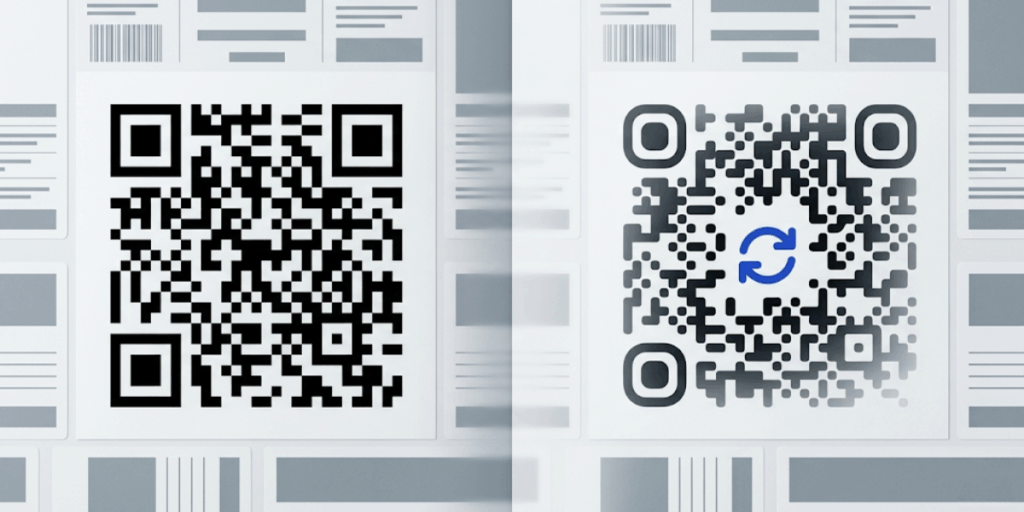
The answer, for virtually every commercial label application, is Dynamic. Here is why the distinction matters so much for labels specifically:
|
Feature |
Details |
|
Destination URL |
Fixed forever — cannot change without reprinting the label |
|
Redirect Control |
None — the code IS the URL |
|
Analytics |
Not available — no tracking layer |
|
Cost at scale |
Lower upfront, but reprint costs accumulate quickly |
|
Best for |
One-time use cases: event QR Codes, disposable packaging, personal projects |
|
Dynamic QR Codes |
Details |
|
Destination URL |
Stored as a short redirect — change it any time from your dashboard |
|
Redirect Control |
Full — update, schedule, password-protect, or expire the redirect |
|
Analytics |
Full scan data: location, device, time, total vs. unique scans |
|
Cost at scale |
Subscription cost, but eliminates reprint costs on URL changes |
|
Best for |
Product labels, packaging, printed catalogs, retail shelf signage |
The only scenario where a Static QR Code makes sense on a product label is when the destination is permanently fixed (e.g., a PDF certificate of authenticity that will never change) and you have no need for scan data. For any other label use case, the flexibility and analytics of Dynamic QR Codes justify the subscription cost.
“On packaging, time is the hidden variable. A label can sit in a warehouse, on a shelf, or in a customer’s kitchen for months. When brands use static QR Codes, they assume the destination will never change. Our data shows that assumption rarely holds true.” — Scanova Data Team, 2026 Packaging Analysis
F. How Do You Create a QR Code for a Product Label Using Scanova?
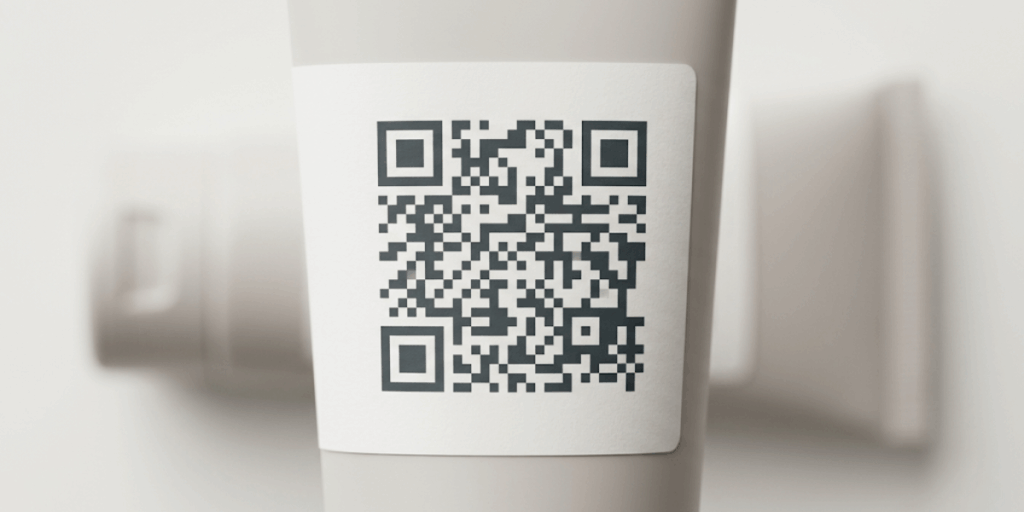
The process takes about five minutes once you know what destination URL you want to use. Here is the step-by-step workflow:
- Log in to your Scanova account and click Create QR Code.
- Choose Dynamic QR Code as the code type. Select the content category — URL, vCard, File, and so on, and enter your destination URL.
- Open the Design Studio. Upload your brand logo, set your foreground color using your brand hex code, choose your preferred eye shape, and enable rounded modules if your brand guidelines allow.
- Use the built-in scanability checker to confirm the design is machine-readable. Aim for a scanability score above 85%.
- Export the code in SVG format for your label designer, or PDF if you are sending directly to a print house. Set the output resolution to at least 300 DPI.
- After printing, scan the code with three different devices (iOS, Android, a QR Code scanner app) to verify it reads correctly under your label’s material and finish (matte, gloss, embossed).
- Monitor the analytics dashboard after the product launches to track scan performance by region and device.
|
Pro Tip from Scanova’s Label Customers: Always test your QR Code on a physical proof of the label, not just on screen. Foil finishes, dark backgrounds, and embossed textures can reduce scanability even when the digital file looks perfect. Scanova’s SVG exports are resolution-independent, so you can scale them to any size without loss of quality. |
G. What Does It Cost to Use Scanova for Product Labels?
Scanova offers tiered subscription plans suited to different label volumes:
- Starter Plan: Suited to small brands and early-stage products with limited SKUs. Includes Dynamic QR Codes, basic analytics, and standard design options.
- Pro Plan: Includes the full Design Studio, batch QR generation, advanced analytics with geographic breakdown, and higher code volume limits.
- Business Plan: Built for teams managing large SKU catalogs. Adds GS1 Digital Link support, white-label options, team access controls, and API integration for automated code generation.
- Enterprise: Custom pricing for brands needing SLA uptime guarantees, dedicated support, and integration with ERP or packaging management systems.
H. What Are the Most Frequently Asked Questions About the Best QR Code Generator for Product Labels?
1. Can I change the QR Code destination after the product label has been printed?
Yes, if you used a Dynamic QR Code. Dynamic codes store a redirect URL, not the final destination, inside the code itself. You can log into your Scanova dashboard at any time and change where the code points, with no effect on the printed label. Static QR Codes, however, cannot be changed after printing.
2. What file format should I use when exporting QR Codes for print labels?
For professional label printing, always export as SVG (scalable vector graphic) or high-resolution PDF. These formats are resolution-independent, so the code stays crisp at any print size. If your label supplier requires a raster image, export as PNG at a minimum of 300 DPI. Avoid JPEG; the compression can make modules harder to read.
3. How small can a QR Code be on a product label and still scan reliably?
The minimum recommended size for a QR Code on a label is 2 cm x 2 cm (approximately 0.8 inches square) for standard smartphone cameras under normal lighting. Smaller codes are possible but require higher contrast and a less complex design. If you are embedding a logo, account for the quiet zone, the white border around the code, which should be at least four module-widths on all sides.
4. Do I need GS1 Digital Link QR Codes for retail products?
GS1 Digital Link QR Codes are required by some major retailers as part of their supplier compliance programs and are becoming the standard for consumer-facing product packaging ahead of the GS1 ‘sunrise 2027’ deadline.
If your products are sold through large grocery chains, pharmacies, or exported to regulated markets, check with your retail partners whether GS1 Digital Link is required. Scanova supports GS1 Digital Link code creation on Business and Enterprise plans.
5. What is the difference between a QR Code and a GS1 Digital Link QR Code?
A standard QR Code can encode any URL or data. A GS1 Digital Link QR Code encodes a structured URL that follows the GS1 standard.
It includes your product’s GTIN and, optionally, batch/lot number, serial number, and expiry date, in a format that supply chain systems can parse. The physical appearance is similar, but the data inside is formatted to global standards rather than a plain URL.
The Bottom Line: What Makes a QR Code Generator Right for Product Labels?
The right QR Code generator for product labels is not just the one that makes the prettiest code or charges the least per month. It is the one that gives you confidence at every stage of the label lifecycle, from design sign-off to print run to retail shelf to relaunch.
That means Dynamic QR Codes with full redirect control, so a campaign pivot never becomes a reprint crisis. It means a Design Studio that produces brand-consistent codes in print-ready formats. It means scan analytics that help you understand how consumers are actually engaging with your packaging.
And for brands selling through modern retail supply chains, it means GS1 Digital Link support that keeps you compliant as industry standards evolve.
Scanova was built for exactly this kind of work.
The Design Studio, batch generation, Dynamic QR Code infrastructure, analytics dashboard, and GS1 support are not separate modules bolted together; they are designed around how label teams work.
If you’re planning to print QR Codes on product labels, don’t treat it as a one-time design task. Treat it as infrastructure.
Scanova is built for exactly this kind of deployment, from single-product launches to multi-SKU retail rollouts. You can create Dynamic QR Codes that remain editable after printing, generate hundreds of codes in bulk, export print-ready SVGs at 300 DPI, support GS1 Digital Link requirements, and track every scan by region and device, all from a single dashboard.
Create your first label-ready QR Code in minutes, test it on a physical proof, and see how it performs before your product even hits the shelf.