You probably know what QR Codes are. They are a common sight nowadays due to a wide array of their use cases. From marketing to logistics, QR Codes can be found everywhere.

Amongst these, the one that stands out is—QR Code Payments. QR Codes offer an easy, secure, and quick payment option. And you must have seen them already at the checkout counter in supermarkets, grocery stores, restaurants, cafes, etc.

According to the NPCI data, the adoption of UPI payments had a record of 2.64 billion transactions in April 2021. It is a 100 percent increase over the previous year’s numbers.

Furthermore, internet users have grown by 7.3% from Jan 2020 to Jan 2021. Here, 96.6 % of device ownership belongs to smartphone users.

Hence, we can safely say that QR Code Payments will reach even greater heights in the coming years.

This is what Walmart-owned, Flipkart, an e-commerce giant, has taken advantage of. They have introduced QR Code-based ‘Pay-on-Delivery’ facility for their customers.

Keep reading to know more about it.

A. What is Flipkart QR Code Pay-on-Delivery

On June 8, 2021, Flipkart launched a new payment facility— QR Code-based Pay-on-Delivery. It is a contactless payment feature for all its pay-on-delivery shipments. It is especially useful for customers who are skeptical of physical contact while receiving a package. Such customers can avail the benefit of this facility.

Ranjith Boyanapalli, the Head of Fintech and Payments Group at Flipkart explained the rationale behind this step. He said that with the convergence of e-commerce and fintech, it’s important to serve customer’s evolving needs and attitudes. Though the pandemic has made several customers switch to online shopping, some still remain trust deficit during checkout.

Generate a QR Code For Your Unique Case

START TODAY!
People Scanning QR Code

He claims that the pay-on-delivery technology will help them ensure customers’ peace of mind. And on the other hand, it will also ensure them safe shopping from home.

Big e-commerce giant even said the number of UPI payments has increased over the years. In Dec 2020, 42.5 percent of all UPI transactions were to offline person-to-merchant ones.

Hence, the origin of the QR Code-based Pay-on-delivery facility has taken place.

In the next section, we’ll discuss its benefits.

B. Benefits of QR Code Pay-on-Delivery

QR Code Pay-on-Delivery offers various benefits while providing quick and convenient payment options. Here are some of them:

1. Contactless experience

Amidst the pandemic, contactless services have become the norm. And QR Codes are helping bring these services into action. With QR Code-based payments, the entire customer journey becomes both contactless and hassle-free.

2. A quick and simple process

QR Codes offer a seamless way to make payments. Customers just have to open their phone’s camera or a QR Code scanning app, hold it in front of the QR Code, and authenticate the payment. Quite easy, right?
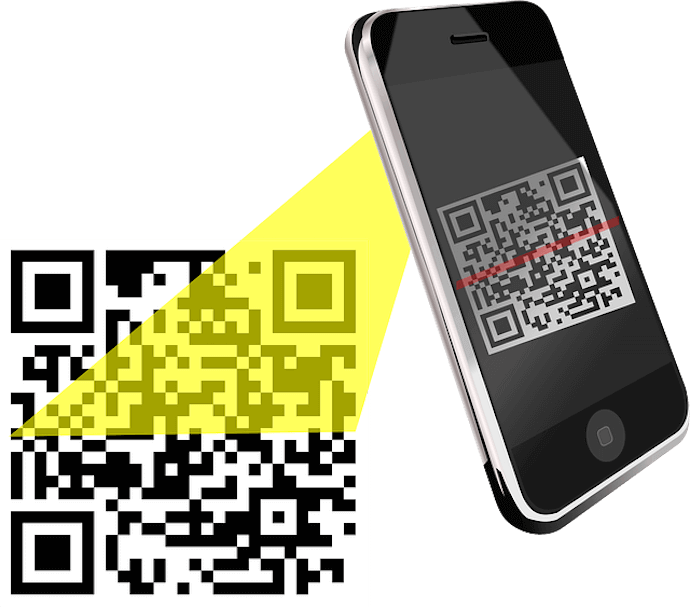
QR Code scanning

3. Customer trust

There are various customers who opt for cash on delivery. That’s because they don’t yet trust digital payments. Pay-on-Delivery helps in making such users transition to digital payment. Hence, it helps build customer trust for future payments.

C. How to use QR Code Pay-on-Delivery

Now that you know why Flipkart has introduced the Pay-on-Delivery feature, here’s how you can avail it:

1. Open any UPI app (such as Google Pay, Paytm)

2. Click on Scan the QR Code option within the app

3. Your phone’s camera will be launched. Hold it in front of the QR Code attached to your package

Once it gets scanned, you will be able to make payment for your order digitally.

This is all you need to know about Flipkart QR Code-based Pay-on-Delivery. You can now enjoy this all-new feature without any trust issues.

Generate a QR Code For Your Unique Case

START TODAY!
People Scanning QR Code
{ “@context”: “http://schema.org”, “@type”: “VideoObject”, “name”: “QR Code Payments: Manage Transactions using QR Code API”, “description”: “Hey there QR Code enthusiasts! Welcome back to Scanova’s YouTube channel. Today, we have an exciting topic to discuss that’s been changing the way we make transactions- QR Code payments. 00:00 – Introduction 00:25 – What is a QR Code Payment 00:37- How does QR Code Payment works In this video, we’ll talk about QR Code payments, how they work, and how to use them safely and conveniently. But before we dive in, don’t forget to hit that subscribe button and ring the notification bell so you never miss our updates. So, what is a QR Code payment, and how does it work? Let’s break it down! A QR Code, or Quick Response Code, is a two-dimensional barcode that can store information. For payments, it stores details like the recipient’s payment address and the transaction amount. Here’s how it works: To make a payment, you need a mobile device with a camera and a payment app installed. When you scan a merchant’s QR Code, the app reads the information within it. Then, you’ll see the recipient’s details and the amount on your screen. Verify this information to ensure it’s correct. Next, you may enter your PIN number and confirm to get the payment processed instantly. But what if you’re business or a developer who is looking to implement QR Code payments? You can easily do that through QR API. Here’s how: Go to QR Code API and sign up for the free trial Here, you will get the first 50 API requests for free when you sign-up. Also, you’ll not need to enter your card details while signing up On the page that loads, you’ll see your cycle usage with details such as total allowed requests, requests used, and days remaining. Here, you’ll also see the option Get API Key. Click on Create to see your API Key Copy the API key and click on Documentation on the dashboard As you scroll down, you’ll see the Authorize button on the right Click on the Authorize button. A window will open prompting you to paste the API key in the value box. Once you’ve pasted it, click Authorize Select the Website URL QR Code category and click on the Test button Add the payment links that generate via payment gateways in the QR Code. You can also start customizing the QR Code here Next, you can specify the level of error correction and other design parameters Once you’ve finalized the QR Code content and other parameters, click on Execute Here, you’ll see various responses such as Curl, Request URL, and Response Body. When you scroll down a little, you’ll also see the image of a QR Code with encoded content Now copy the Request URL and integrate it into your information system or mobile application That’s it. QR Code will be generated whenever the API receives a request. Now that you know how QR code payments work, let’s talk about why they’re gaining popularity. QR Code payments are incredibly convenient. No need to carry cash or cards. Just your smartphone, and you’re good to go. The transactions are lightning-fast, usually taking just a few seconds to complete. They’re secure because your payment app encrypts the data, making it difficult for hackers to intercept. These are hassle-free for vendors too. No need for them to have handheld machines to get payments. A QR Code printed on a card would do the job just fine! Thanks for joining us today. If you found this video helpful, give it a thumbs up, and don’t forget to subscribe for more exciting QR Code content. Until next time, stay tech-savvy! The ‘must-read’ articles: QR Code Payments – https://shorturl.at/gmnE6 Paytm QR Codes – https://shorturl.at/EINS9 QR Code in Digital Marketing: https://bit.ly/401RtQE QR Code For Best Practices: https://bit.ly/48YYUw9 Connect with Scanova on other social media platforms – Website – https://bit.ly/3MUdhII LinkedIn – https://in.linkedin.com/company/scanova Facebook – https://www.facebook.com/scanovatech/ #scanova #qrcodepayment #qrcodegenerator #bestqrcodegenerator”, “thumbnailUrl”: “https://i.ytimg.com/vi/e1PFOUI027A/default.jpg”, “uploadDate”: “2023-11-28T11:30:29Z”, “duration”: “PT2M59S”, “embedUrl”: “https://www.youtube.com/embed/e1PFOUI027A”, “interactionCount”: “77” }