Which is the best QR Code Generator with Tracking in 2026?


In a nutshell (TL;DR): The best QR Code generator with tracking gives you real-time scan data, location, device type, time, and unique vs. total counts, so every campaign decision is backed by evidence, not guesswork. This guide breaks down what tracking features actually matter, compares the leading platforms side by side, and shows exactly how Scanova’s Dynamic QR Codes deliver the analytics depth most tools reserve for enterprise tiers.
After testing the leading options available today, Scanova stands out as the most capable QR Code generator with tracking for marketers and businesses that need real data from their campaigns.
If you’re still using static QR Codes for your campaigns, you’re flying blind. A code that can’t tell you whether it was scanned 12 times or 12,000 times, or whether those scans came from Mumbai or Manchester, from iPhones or Android mid-rangers, is a printed shortcut, not a marketing asset.
The best QR Code generator with tracking turns that passive printout into a live data feed. You learn which placements are working, which geographies are engaging, which landing pages are converting, and which campaigns need to be rethought before the next print run. That’s the difference between a QR Code and a trackable QR Code.
This article covers everything you need to choose the right platform for the job.
A. What Features Should a QR Code Generator with Tracking Actually Have?
“Tracking” gets thrown around loosely by QR platforms. Some show you a total scan number. Others deliver a full analytics dashboard broken out by city, device, OS, time of day, and campaign source. The gap between those two is the gap between a number and an insight.
Before you compare platforms, use this feature framework to evaluate what any QR Code generator’s tracking actually delivers:
1. Scan volume over time
Daily, weekly, and monthly trend lines. A spike on the day after a campaign email drops tells you something. A flat line across a three-month run tells you something else. Without this, you can’t read your campaign’s momentum.
2. Geolocation data
Are your QR Codes being scanned in the cities and regions you’re targeting? City-level geo data lets you correlate print placement with real engagement, so you can reallocate budget toward the locations that are performing.
3. Device and OS breakdown
iOS or Android? Chrome or Safari? Mobile or desktop? This data is directly actionable: if 91% of your scanners are on iOS and your landing page hasn’t been QA’d on Safari, you have a conversion gap hiding behind decent scan numbers.
4. Unique vs. total scans
Total scan counts can be inflated by a single person repeatedly scanning the same code. Unique scan counts measure actual reach, the number of distinct users who engaged with your code.
5. Redirect tracking with URL editing
The most powerful tracking feature isn’t just measuring scans; it’s the ability to change where a code points after it’s been printed, while retaining the full scan history. This requires Dynamic QR Codes (covered in the next section).
6. Export and integration
Can you pull scan data into a spreadsheet? Push it to Google Analytics via UTM parameters? If your team lives in dashboards and reporting tools, tracking data that’s locked behind a proprietary portal is friction that slows everything down.
According to Statista, the number of QR Code scans in the United States alone exceeded 89 million in 2024, a figure that has made trackable QR formats the default for brands running any print-to-digital campaign. The data exists. The question is whether your platform is capturing it.
“Trackable QR Codes have fundamentally changed how marketers evaluate print and out-of-home campaigns. Our 2026 analysis shows that brands using Dynamic QR Codes with city-level geo tracking reallocated an average of 31% of their print budget within the first campaign cycle, shifting spend toward placements that data confirmed were working. The scan data exists. The brands winning are the ones building workflows around it.” — Scanova Research Team
B. What’s the difference between static and dynamic QR Codes for tracking?
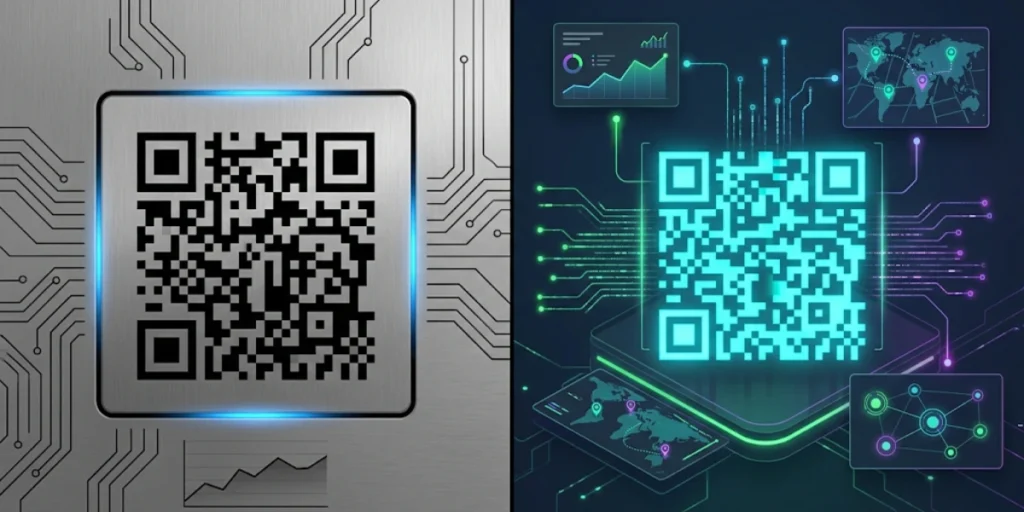
This distinction shapes everything else in this guide, so it’s worth being precise.
Static QR Codes encode the destination URL directly into the visual pattern. Once generated and printed, the code is fixed. You cannot change where it points.
More importantly for tracking purposes, there is no intermediate server layer, so there is nothing to log. Each scan goes directly from the camera app to the destination, invisibly, without any data capture.
Dynamic QR Codes work fundamentally differently. Instead of encoding the destination directly, they encode a short redirect URL hosted on the QR platform’s server. Every scan hits that server first.
The server logs the scan data: timestamp, IP-derived location, device type, browser, operating system, and then immediately forwards the user to your actual destination. This server layer is where all tracking happens.
The practical implications of this architecture are significant:
– You get real-time analytics on every scan
– You can change the destination URL at any time without reprinting the physical code
– You can run A/B tests by rotating destinations
– You can track multiple codes under a single campaign and view aggregate performance
– Your tracking history persists across destination changes, so you can see how scan behavior shifted when you updated the landing page
For any campaign where accountability matters, product packaging, restaurant menus, trade show materials, event flyers, retail signage, and Dynamic QR Codes with tracking are not a premium feature. They are the baseline.
C. How Does Scanova’s QR Code Tracking Work in Practice?

Scanova is designed from the ground up for businesses that need QR Codes to report back, not just redirect. Its analytics architecture treats every Dynamic QR Code as a live data point in an ongoing campaign.
Here’s what Scanova captures on every scan:
1. Total and unique scan counts are separated, so you’re not reading repeat-scanner inflation as broad reach.
2. Location data mapped to country and city, visualized on a geographic heatmap so you can see at a glance which markets are engaging. For a brand running codes across multiple cities, this turns a vague campaign result into a specific geographic story.
3. Device and browser breakdown: iOS vs. Android, Chrome vs. Safari, mobile vs. desktop. This data feeds directly into landing page decisions; if your QR audience skews heavily toward iOS, that’s your testing priority.
4. Time-based trend charts hourly, daily, and monthly views, so you can identify peak engagement windows and plan campaign refresh timing accordingly.
5. Campaign-level aggregation if you’re running five QR Codes for a single campaign (one per store location, for example), Scanova lets you group them into a campaign folder and view aggregated analytics for the whole set, not just five separate dashboards.
6. UTM parameter support: Append UTM tags to your destination URL, and every QR scan flows into Google Analytics as properly tagged traffic. You can track QR-sourced sessions, goal completions, and e-commerce conversions alongside all your other channel data in a single report.
What sets Scanova’s approach apart from platforms that bolt analytics on as an afterthought is how the data is presented. The dashboard doesn’t require a data analyst to interpret. Visualizations are clear, exporting takes one click, and campaign grouping is built into the core workflow, not a paid add-on.
“The gap between a QR Code and a trackable QR Code is not a feature gap, it is a decision-making gap. When you can see which city is driving 70% of your scans, which device your audience is on, and which time window drives peak engagement, you are not just measuring a campaign, you are shaping the next one. Most platforms give you a number. What marketers actually need is context around that number, and that is what Scanova’s analytics architecture is built to deliver.” — Siddharth Pangtey, Product Manager at Scanova
D. How Do You Create a Trackable QR Code on Scanova?

Setting up a Dynamic QR Code with full scan tracking takes less than 5 minutes. Here’s the exact process:
Step 1: Log in to your Scanova account or start a free trial at scanova.io.
Step 2: Click “Create QR Code” on your dashboard and select the content type you want to encode: Website URL, vCard, PDF, Multi-URL, or any other Dynamic type. Dynamic QR Codes are labeled clearly in the interface.
Step 3: Enter your destination content- For a URL, paste your landing page link. This can be changed at any time after the code is live, without reprinting.
Step 4: Customize the design- Add your brand colors, logo, and a call-to-action frame. Branded QR Codes consistently generate higher scan rates than plain black-and-white patterns because they signal trust and intent to the scanner.
Step 5: Name your QR Code and assign it to a campaign folder- This is the step most users skip, and it’s the one that makes analytics most useful. If you’re running three codes for the same campaign, grouping them means you can view campaign-level totals alongside individual code performance.
Step 6: Download in your preferred format- SVG for print materials, PNG for digital use. Always test scan at the final print size before the run goes to the printer.
Step 7: Monitor in real time via the Analytics tab. Once scans start coming in, the dashboard updates. Total scans, unique scans, geo heatmap, device breakdown, and time-trend charts are all on a single screen.
The most common mistake in QR tracking setup is treating the analytics as a passive feature, something to check after a campaign ends. The real value lies in monitoring during the campaign, so you can react to what the data shows while there’s still time to act.
E. What Do QR Code Analytics Actually Tell You?

Scan data is only valuable if you know which questions each metric answers. Here’s a practical interpretation guide:
1. Scan volume by day measures whether a campaign sustains engagement or decays after launch. A healthy campaign shows a spread over time. A spike-then-crash pattern suggests the code is being scanned at the point of distribution (when someone sees it for the first time), not at the point of decision, which usually means the value proposition on the surrounding creative needs work.
2. Geolocation data tells you whether your physical placements are in the right markets. If a three-city campaign shows 78% of scans from one city, you either have a placement imbalance, a creative relevance gap in the other two cities, or both. Either way, you now know where to investigate.
3. Device breakdown is the conversion diagnostic. If 93% of your scanners are on iOS and your landing page shows layout issues in Safari, you have a measurable conversion problem. Without device data, that gap stays invisible.
4. Unique vs. total scans is the honesty check on your numbers. If total scans are high but unique scans are significantly lower, the same small group of users is scanning repeatedly. That might mean the code is in a single high-traffic spot (fine), or that the destination isn’t giving users what they came for, so they’re scanning again, hoping something changes (not fine).
5. Time-of-day data is the most underused tracking feature. If 67% of your scans happen between 6 PM and 9 PM, that’s not just interesting; it tells you the best time to update destination content, send campaign emails, or schedule social posts that reference the same offer.
“When Scanova analysed scan behaviour across Dynamic QR Codes deployed in multi-location campaigns, codes assigned to campaign folders and monitored weekly showed 2.7× higher destination update frequency than ungrouped codes, and those updated destinations consistently recovered scan volume within 48 hours of the change. Codes that were never updated after launch saw a 61% average decline in weekly scans by the end of the first month, regardless of initial placement quality.”
F. Frequently Asked Questions: Best QR Code Generator with Tracking

1. Can you track QR Codes for free?
Yes, but with significant limitations. Free plans on most platforms provide only basic scan counts, no geo data, no device breakdown, and no unique scan tracking. For analytics that are actually useful for campaign decisions, you’ll need a paid Dynamic QR Code plan. Scanova’s paid plans include full analytics access from the entry tier.
2. What’s the difference between a Dynamic and Static QR Code for tracking purposes?
Static QR Codes cannot be tracked; the destination URL is encoded directly into the pattern, and no intermediate server logs the scan. Dynamic QR Codes route every scan through a redirect server that captures location, device, and time data before forwarding the user. Tracking is only possible with Dynamic QR Codes.
3. Can I change a QR Code’s destination URL without reprinting?
Yes — and this is one of the most practical reasons to use Dynamic QR Codes. You can update the destination at any time through your Scanova dashboard. The printed code stays unchanged; only the location it points to changes immediately. Your full scan history stays intact across URL changes, so you can see how behavior shifted when the destination updated.
4. How accurate is QR Code geolocation?
QR tracking derives location from the scanner’s IP address, which typically resolves to the city level. It’s accurate enough for campaign-level questions (which city is performing?) but not for pinpointing specific street addresses. If you need location precision at the venue or store level, the reliable approach is to use one QR Code per physical location rather than relying on IP geolocation.
5. Does Scanova work with Google Analytics?
Yes. Scanova supports appending UTM parameters to the destination URLs of your Dynamic QR Codes. Every scan that follows the redirect arrives at your destination as tagged traffic, which Google Analytics logs as a distinct source. You can track QR-originated sessions, conversions, bounce rates, and e-commerce completions in GA alongside all your other channels.
Which QR Code Generator with Tracking Should You Use?
If you’re running a one-off campaign and a scan count is all you need, several free tools will do the job. But if you’re running ongoing campaigns, managing multiple QR Codes across different placements, or need data that actually shapes the next decision, you need a Dynamic QR platform with robust analytics.
Scanova is designed for exactly that workflow. Its tracking dashboard surfaces the metrics that matter, geo, device, unique vs. total, time trends, without requiring any technical configuration. Campaign folder grouping makes multi-code management practical for teams. UTM support means scan data flows directly into whatever analytics stack you’re already using. And the ability to update destination URLs without reprinting is the kind of operational flexibility that pays for itself the first time a campaign needs to pivot mid-run.
A QR Code that can’t report back is just a pattern. One that can tell you exactly what’s working, where, and why.