What Information Should Go on a Business Cards?: A Complete, Practical Guide for 2026


In a nutshell (TL;DR): Every business card needs six things: your name, job title, company name, phone number, email address, and website. Beyond that, what you add depends on your role. A QR Code is the single smartest addition for 2026 because it turns your printed card into a live digital link that you can update anytime, without reprinting. The rest of this guide tells you how to get every detail right.
Here is a stat that should make you rethink your current business card: according to Statistic Brain, 88% of business cards handed out are thrown away within a week. Not filed. Not saved to a phone. Binned.
That is not a design problem. Most of the time, it is an information problem. The card either says too little to be useful, too much to be readable, or includes details that felt important but are completely irrelevant to the person holding it.
I have spent years working with businesses on how they present themselves, and the conversation about business card information comes up more than you would expect. Founders, sales reps, freelancers, HR leads, real estate agents, almost everyone has had that moment of handing over a card and wondering, did I put the right things on it?
This guide answers that question properly. I will walk you through the essentials, the smart additions, the things you should leave off, and how a few small changes, including one most people still underestimate, can make your card dramatically more effective.
A. What are the 6 important pieces of information on business cards one must have?

Before you think about fonts, paper weight, or design, get the content right. These six elements are non-negotiable. If any one of them is missing or wrong, your card is already working against you.
|
Element |
What to Include |
Common Mistake to Avoid |
|
Full Name |
Your professional name, exactly as you use it in business contexts |
Using a nickname, initials only, or skipping it entirely |
|
Job Title |
Short and specific — what you actually do, not your internal HR title |
Vague titles like ‘Consultant’ that tell the reader nothing about your specialty |
|
Company Name |
As it appears on your website and official documents |
Abbreviating without explaining (e.g., ‘TCI’ instead of ‘Trycon Industries’) |
|
Phone Number |
One number only — the one you answer reliably |
Listing 3 numbers with no indication of which to call |
|
Email Address |
Company domain preferred: name@company.com |
Personal Gmail for a corporate role; looks unprofessional |
|
Website URL |
Clean URL, no https:// needed |
Long, complex URLs — use a QR code instead |
1. Your Full Name
This sounds obvious until you see how many people get it wrong. Some cards have only a first name. Others have initials. Some use a nickname that nobody outside the company knows.
Use your professional name, the one on your email signature and LinkedIn profile.
If you have a very common name (think John Smith), consider adding a middle name or initial to make yourself easier to find online. That matters more than it used to, because most people will search for you after the event, not during it.
2. Your Job Title
Your job title is the most underused piece of real estate on most cards.
A good title tells the other person what you do, who you help, and whether a conversation is worth having.
“Consultant” tells nobody anything.
“Marketing Consultant for B2B SaaS Companies” tells them exactly who you work with. If you can make your title that specific without making it too long for a card, do it.
If your official title is something internal like “Associate Manager, Level III,” use something more descriptive on the card. Your company name is there, and people know the industry. Your title should explain your role within it.
3. Company Name
Include your company name exactly as it appears on your website. Abbreviations are fine only if they are universally known in your industry. Do not assume the person you are meeting knows what your abbreviation stands for.
If you are self-employed, your business name works perfectly well. If you do not have a business name, your personal name is enough; do not invent one just to fill the space.
4. Phone Number
Include one number. The number you actually answer.
If you have a direct line and a mobile, pick the one you are more likely to respond on. Adding both creates a small but real friction point for the other person. They should not have to guess which line you prefer.
Format the number consistently. In India, use the +91 prefix when calling international clients. In the US, the standard format is (555) 123-4567. Consistent formatting is easier to read and looks more professional.
5. Email Address
Use a company-domain email: name@yourcompany.com. If you are using a Gmail or Hotmail address for professional networking, it sends a subtle signal that this is not a full-time operation.
Research on email credibility from HubSpot consistently shows that domain-matched emails build more trust from the first impression.
If you genuinely do not have a company domain yet, setting one up is easier and cheaper than you think, and it changes how your card reads immediately.
6. Website URL
Your website is where the real follow-up happens. Include it. Keep it clean; drop the “https://” prefix, as it adds clutter without providing any information. People know it is a website.
If your URL is long or complex (many e-commerce or portfolio sites have long paths), do not try to fit the full URL on the card. There is a better solution, which I will get to shortly.
B. What to Include Based on Your Profession?

The right mix of information on a business card is not the same for everyone.
Once you have the six essentials covered, what you add next should depend on how you actually work and what the person receiving your card needs from you.
1. Corporate Professionals
- Stick to the six essentials.
- Add LinkedIn only if your profile is active and polished — a sparse profile does more harm than good. Use a clean LinkedIn URL (not the default long string of numbers).
- Skip the physical address unless clients visit your office regularly.
2. Freelancers and Creatives
- Your portfolio URL matters more than a physical address. Include it instead of the office address.
- A tagline works especially well here. “Brand identity design for food and beverage companies” tells a prospective client immediately whether you are the right fit.
- Instagram or Behance handles make sense if your work is visual and your profile is actually good.
3. Sales and Real Estate Professionals
A headshot is worth considering in these roles. According to research by the Nielsen Norman Group, familiar faces are trusted more quickly.
When someone finds your card two weeks later, they are more likely to remember the conversation if they can picture your face.
- Include your direct mobile number, not a switchboard.
- Add your area of specialization under your title if it is not obvious (e.g., “Residential Sales, South Delhi”).
4. Healthcare and Legal Professionals
- Include your qualifications and license number where required by your industry. In many regions, this is a legal requirement, not a preference.
- Your specialty matters here more than anywhere else. “Dr. Priya Sharma, Cardiologist” is far more useful than “Dr. Priya Sharma, Physician.”
- Formal language and design are important in these sectors. Playful fonts or unconventional layouts can undermine trust before you have said a word.
5. Small Business Owners and Entrepreneurs
- A tagline can replace a formal job title and often communicates your value faster.
- If you are the face of the brand, a headshot helps.
- Think carefully about whether your social handles add value. For a local bakery, an Instagram with regular, appealing photos of your work is worth including. For a management consultancy, probably not.
Your business card can also bring in Google reviews. Use Scanova’s free Google Review QR Code Generator to create one in under a minute. Paste your Google review link, add your name and logo, and pick a card template. You get a review card image you can print as a standalone card or adapt for the back of your business card. Handy for freelancers, agencies, and local professionals who want clients to review them publicly.
Marketing expert Ann Handley puts it simply in her book Everybody Writes: “Clarity trumps persuasion.” On a business card, that means every element should earn its place. If it does not tell the other person something useful, it is clutter.
C. What are the smart additions that make your card more useful?
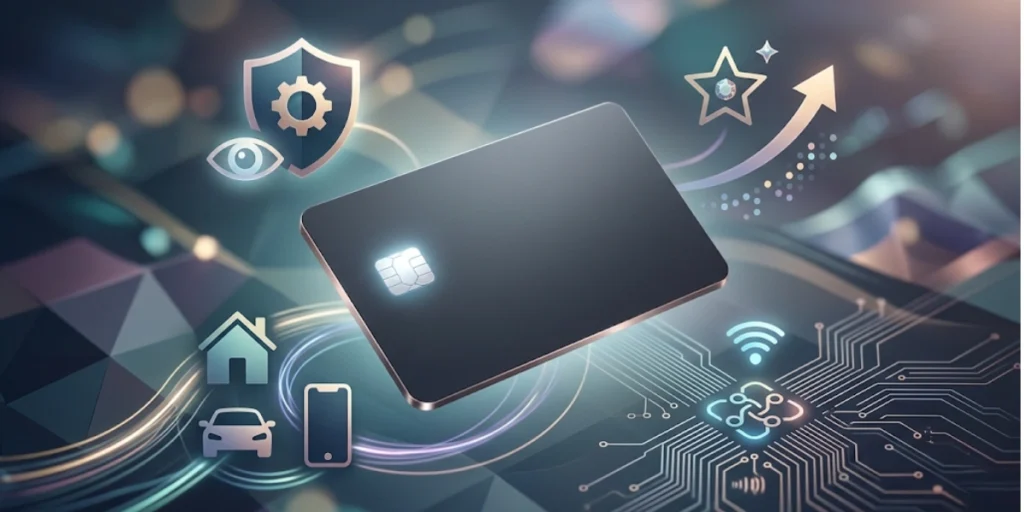
Once the essentials are covered and you have thought about your profession, there are a few additions that genuinely improve how your card performs. These are not decorations — they serve a specific purpose for the person holding your card.
1. A Tagline or Value Statement
A tagline is one sentence that explains what you do and, ideally, who you do it for. It is most valuable for anyone whose job title is not self-explanatory.
Good tagline: “Tax planning for independent consultants.”
Weak tagline: “Passionate about making your finances work.”
No tagline is better than a vague one.
2. Social Media Handles
Add a social handle only when your profile on that platform is active, professional, and relevant to the people you are giving your card to.
A LinkedIn profile with no activity or a Twitter account with three posts is not a good look.
One or two handles at most. Listing five platforms makes the card look like a teenager’s bio.
3. A QR Code: The Most Underused Addition on Business Cards
This is the one I want to spend the most time on, because I think it is the single biggest upgrade most business cards are missing right now.
A QR code on your business card turns a static, printed piece of paper into a live connection point. Scan it, and you can send the person to your website, your LinkedIn profile, a contact form, a calendar booking link, a portfolio, a product demo, anything you want.
And unlike a printed URL, you can change where the QR code points without reprinting the card.
According to Statista, QR code scans in the US alone have grown significantly every year since 2020. Consumers are now comfortable with them in a way they simply were not five years ago. That familiarity makes a QR code on a business card feel natural rather than gimmicky.
There are two types of QR codes you can put on a card: static and dynamic. Here is why the difference matters.
|
|
Static QR Code |
Dynamic QR Code (via Scanova) |
|
Destination URL |
Fixed forever at print time |
Update anytime, even after printing |
|
Can track scans? |
No |
Yes — location, time, device type |
|
Reprint needed if URL changes? |
Yes, always |
No — just update the destination |
|
Link to a custom landing page? |
No |
Yes, with Scanova’s Mobile Page builder |
|
Design customisation? |
Limited |
Full colour, logo, shape options |
|
Best for |
One-off use or very stable URLs |
Professional networking, ongoing campaigns |
A static QR code is bound to a single URL. If your website changes, or if you want to send people to a different page, you need to reprint the card. That costs money and means a stack of cards you printed last month is already wrong.
A dynamic QR code points to a short URL that you control. Change the destination at any time, before or after the card is printed. The QR code on the card itself never changes, so every card you have ever handed out still works correctly.
I have found that Scanova’s Dynamic QR Code builder makes this genuinely simple. You create the QR code, choose the destination, and design the code to match your brand colors and style.
When someone scans it, they go where you want them to go. When your website moves or your portfolio link changes, you update it in the dashboard, and every printed card in the world stays up to date. No reprinting. No waste.
You also get scan analytics: how many people scanned the code, when, and from where. That is something a printed phone number can never tell you.
If you are curious what that looks like in practice, Scanova lets you try it for free before you commit to anything.
“A business card with a QR Code doesn’t stop working when the event ends. It gives the person a reason to pull the card out again, scan it, land on your LinkedIn or portfolio, and actually follow through. That second interaction is where most connections are lost, and a well-placed QR Code is often the only thing bridging the gap between ‘met at an event’ and ‘became a lead.'” – Siddharth Pangtey, Product Manager, Scanova
D. What You Should Leave Off Your Business Card?
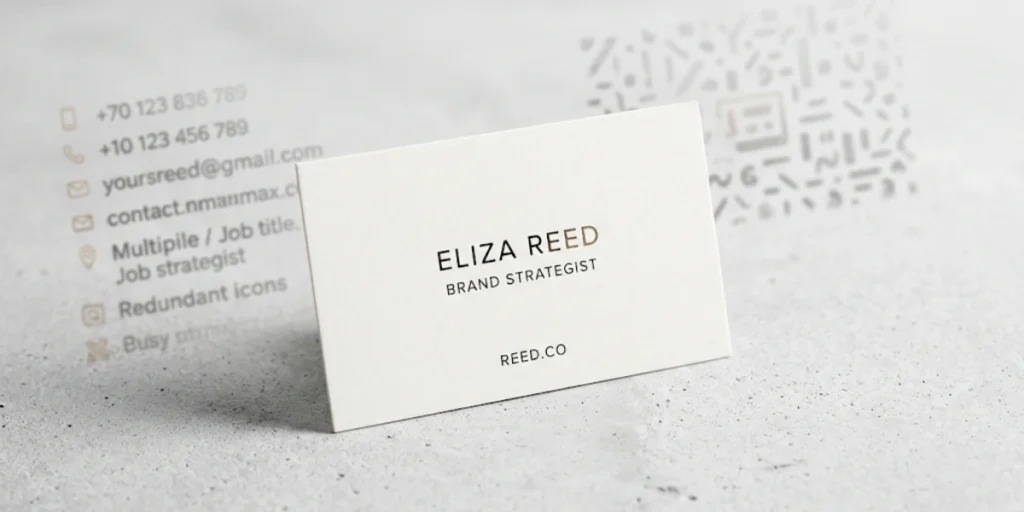
Every element you add to a business card takes up space and competes for attention. The question is not just what to include, but what to cut. Here are the most common mistakes I see.
1. Multiple Phone Numbers with No Labels
Listing three phone numbers: office, mobile, WhatsApp, without telling the person which to call, is not helpful. It is the opposite of helpful. Pick one number. If you must list two, label them clearly.
2. Every Service You Offer
If you provide ten different services, the business card is not the place to list them. Lead with the most relevant one for your target audience. The conversation and your website handle the rest.
3. Long, Complicated URLs
A URL that wraps onto a second line or requires a magnifying glass to read defeats the purpose. If your website address is long, either shorten it or use a QR code. Ideally both.
4. Personal Social Media Profiles
Your personal Instagram, Facebook, or WhatsApp profile number belongs on a card only if it is genuinely part of your professional identity. For most corporate and B2B contexts, it does not.
5. Outdated Information
A business card with a crossed-out phone number or an outdated email address is the single most avoidable networking mistake. It signals that you do not pay attention to details. Update your cards when your details change, full stop.
This is where a dynamic QR code genuinely saves you. If your website URL or LinkedIn link changes, you update the QR code destination rather than reprinting the card. The essentials, like your name and phone number, still need a reprint, but at least your digital presence stays current.
6. Fax Numbers
Unless you work in an industry where fax is legally required, in some healthcare and legal contexts in certain countries, a fax number wastes space and dates the card immediately.
7. A Cluttered Layout with Tiny Text
If you have included everything in this section and your card still feels crowded, cut something. A card that requires effort to read does not get read. Aim for ample white space and text no smaller than 8pt.
“At Scanova, we’ve observed that business cards with dynamic QR codes generate 3x more website visits compared to cards with only a printed URL.”
E. How to Organize Information for Maximum Readability?
How you arrange information matters as much as what you include. The human eye reads in a predictable pattern. Work with that pattern, not against it.
Here is a simple hierarchy that works for most professional cards:
- Name — the largest, most prominent element on the card
- Job title and company — slightly smaller, directly below or beside your name
- Contact details — consistent, uniform size; phone, email, website in a scannable block
- Supporting elements — QR code, tagline, social handle; smaller, supporting role, not dominant
Your name is the anchor. Everything else supports it. A card where the logo or a decorative element overpowers the name has its priorities backward.
Design guidance: Most professional designers recommend a minimum of 8pt for body text and 10-14pt for your name. Below 8pt, text becomes genuinely hard to read in variable lighting conditions — the restaurant, the event hall, the taxi. Leave enough white space that the card feels clean rather than packed.
Use the back of the card. Many people treat the back as empty space or a place for a large logo. It is actually a useful canvas. Some professionals put a short list of services, a QR code, or a translated version of the card (essential if you network internationally) on the reverse.
F. What is the complete business card information checklist?
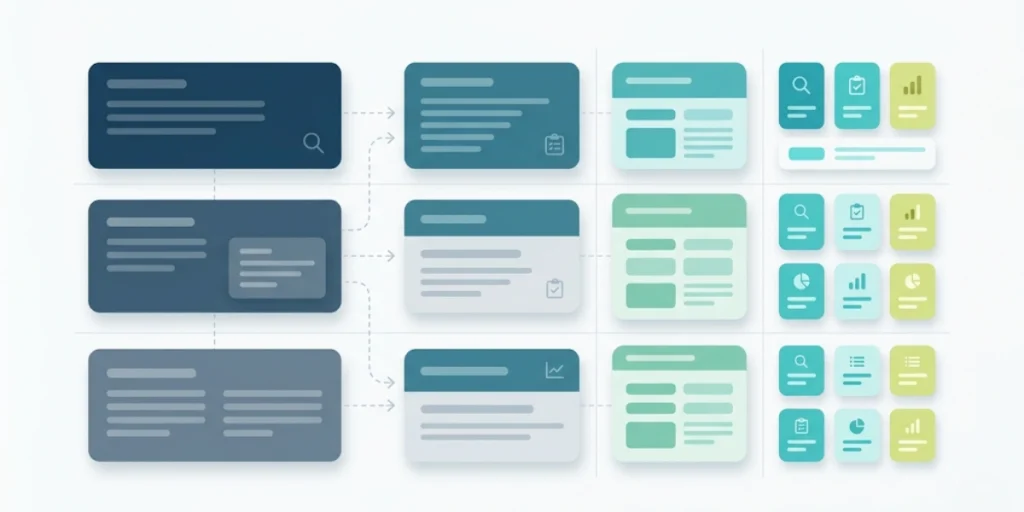
Use this table to decide what goes on your card. Green rows are always included. Red rows are almost always skipped. Everything else depends on your context.
|
Element |
Include? |
Notes |
|
Full name |
Always |
Professional name, no nicknames |
|
Job title |
Always |
Short and specific |
|
Company name |
Always |
Exactly as on official documents |
|
Phone number |
Always |
One number only |
|
Email address |
Always |
Company domain preferred |
|
Website URL |
Always |
Drop the https:// |
|
LinkedIn URL |
If active |
Only if your profile is updated and polished |
|
Other social handles |
Role-dependent |
Only platforms where you are genuinely active |
|
QR code |
Strongly recommended |
Dynamic QR code so you can update the link anytime |
|
Physical address |
Only if clients visit |
Skip it if nobody comes to your location |
|
Headshot |
Sales, real estate, recruiting |
Improves recall when your card resurfaces weeks later |
|
Tagline |
Freelancers, small business owners |
One sentence: what you do and for whom |
|
Pronouns |
Optional, increasingly common |
Next to your name; a small but meaningful addition |
|
Home address |
Almost never |
Privacy risk and a waste of card space |
|
Multiple phone numbers |
No |
Creates confusion; pick one |
|
Fax number |
No |
Unless legally required in your industry |
G. What is the business card etiquette?
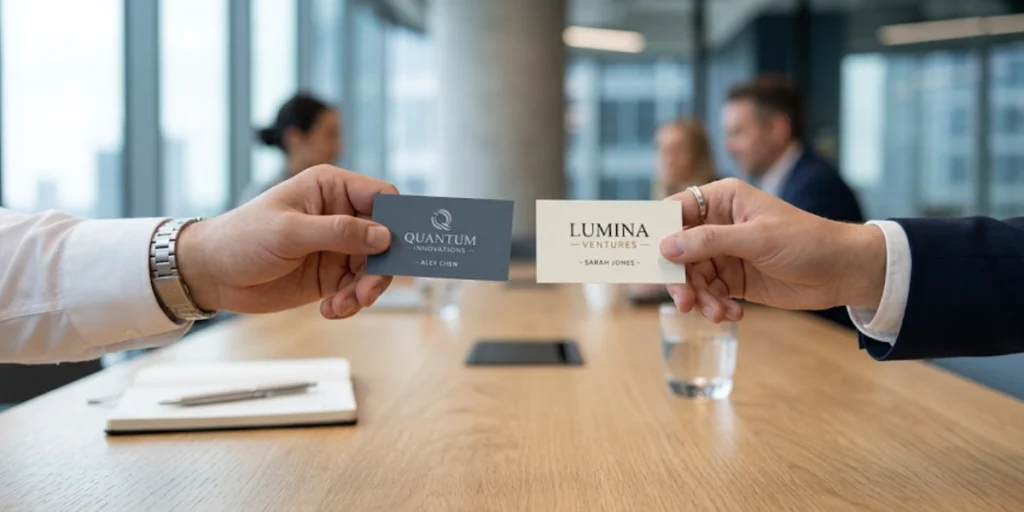
Even a perfect card fails if it is handed over carelessly. A few basics of business card etiquette go a long way.
1. Universal Rules
- Keep your cards in good condition. A bent, ink-smeared, or obviously outdated card is worse than no card at all.
- Hand the card with the printed side facing the recipient so they can read it immediately, not face down, and not shoved from a stack.
- Have cards on you at all times during networking contexts. The classic mistake is handing out business cards for the first year and then running out and not reordering.
- When you receive a card, give it a moment of attention before putting it away. Glancing at it briefly shows respect.
2. International Etiquette Worth Knowing
If you work across borders, the rules change meaningfully. In Japan, business card exchange (meishi koukan) is a formal ritual.
Cards are given and received with both hands, studied carefully, placed on the table face-up during a meeting, and never written on or stuffed in a pocket. Japanvisitor.com has a detailed breakdown if you are visiting for the first time.
In China, cards are similarly treated with care, and it is common to have one side printed in Mandarin. In much of Europe and North America, the exchange is more casual, but a damaged or dirty card still makes a poor impression anywhere.
If you travel for work regularly, consider a bilingual card. Even a card with your contact details in both English and the local language shows effort that is noticed and appreciated.
H. Physical vs. Digital Business Cards: Do You Still Need Both?
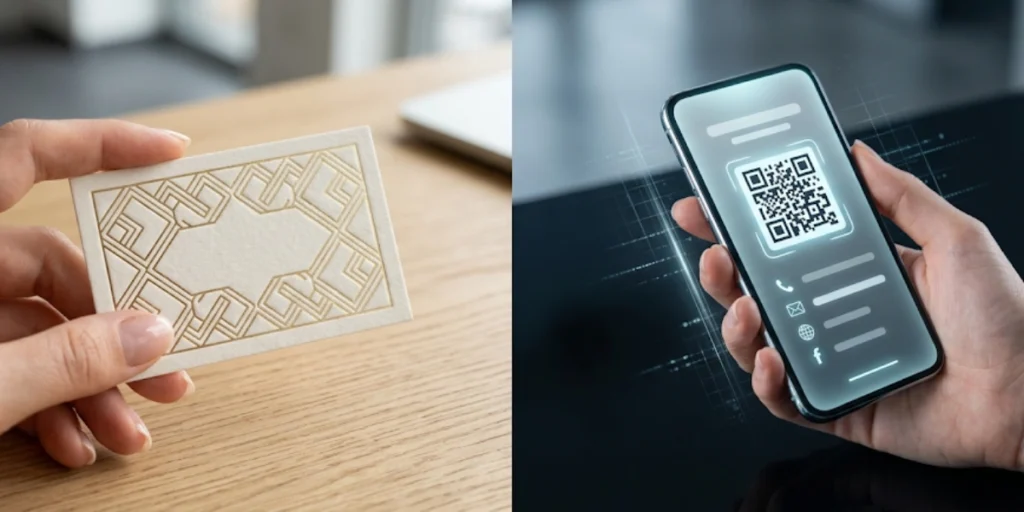
Digital business cards have become genuinely popular. Apps like HiHello, Blinq, and Popl let you share contact information via NFC tap or a QR code on your phone screen. They have real advantages: no printing cost, instant updates, and trackable shares.
But physical cards still have something digital cannot fully replicate: tangibility. A well-made physical card is held, felt, and placed somewhere. That moment of physical exchange creates a different kind of impression than a tap on a phone.
According to the 2023 State of Business Cards report by Vistaprint, 36% of people judge a company or individual by the quality of their business card. That judgment happens before a word is spoken. A digital card does not trigger at the same moment.
The most practical approach right now is to use both. A physical card for in-person events where the exchange matters. A digital card or QR code for follow-ups or contexts where pulling out a phone feels more natural.
The bridge between the two is exactly what a QR code provides. A physical card with a dynamic Scanova QR code gives you the tangibility of a printed card and the flexibility of a digital one.
The person holds your card and scans to your current landing page, LinkedIn, or booking link, whatever is most relevant for them at that moment. You can even run A/B tests by changing the destination during different events to see what drives more follow-through.
I. Frequently Asked Questions
Here are the questions I get most often on this topic, answered directly.
|
Question |
Answer |
|
What is the most important information on a business card? |
Your name, job title, and one reliable contact method — either an email or phone number. Everything else is secondary. If someone can identify you and reach you, the card has done its job. |
|
What should you not put on a business card? |
Outdated information, multiple phone numbers with no guidance on which to use, too many social handles, long URLs that cannot be read easily, or a full list of every service you offer. Clutter makes the whole card harder to read. |
|
Should I put my home address on a business card? |
Only if customers actually visit your location. For most professionals, a business address or no address at all is the right call. Home addresses raise privacy concerns and occupy space that could be used more effectively. |
|
Do business cards need a QR code in 2026? |
They do not need one, but they work significantly better with one. A QR code gives the person an easy way to save your contact details, visit your site, or book a call from a single scan. With a dynamic QR code, you can update the destination it links to without reprinting the card. |
|
How many phone numbers should be on a business card? |
One. If you must list two, label them clearly (e.g., Mobile, Office). Anything more than two is clutter that confuses rather than helps. |
|
Can I put my pronouns on a business card? |
Yes, and more professionals are doing so. Listing pronouns next to your name is a small addition that can make your first impression more thoughtful and inclusive. |
|
What font size works for business card text? |
Use a minimum of 8pt for contact details and 10-14pt for your name. Below 8pt becomes genuinely hard to read, especially in low-light environments like restaurants or event venues. |
|
How often should I update my business card information? |
Whenever any detail changes. If you use a dynamic QR code, you can update the linked destination without reprinting. For everything else — a new title, email, or phone — reprint promptly. A card with crossed-out info looks careless. |
|
Is it worth paying for a professionally designed business card? |
Yes, if networking is a regular part of your work. A well-designed card is held onto longer. A cheap or cluttered card is the first thing people discard. |
Conclusion: Make Every Card Worth Keeping
We started with a blunt number: 88% of business cards are thrown away within a week. The goal of everything in this guide is to put your card in the other 12%.
That does not require an expensive designer or fancy paper. It requires getting the information right. The right name, the right contact details, the right additions for your role, and the confidence to cut everything that does not serve the person holding the card.
If I had to pick one single change that would make the most difference for most professionals reading this, it would be adding a dynamic QR code. It costs almost nothing to set up, it makes your card smarter than any stack of printed URLs, and it gives you data on what is actually working after the event is over.
The easiest way to try it is on Scanova. Create a QR code, customize it to match your card design, and update its destination whenever you need to, without touching the card itself. It is the kind of small change that makes a real difference the next time someone actually scans your card.