GoFundMe QR Code: How to Create One and Get More Donations

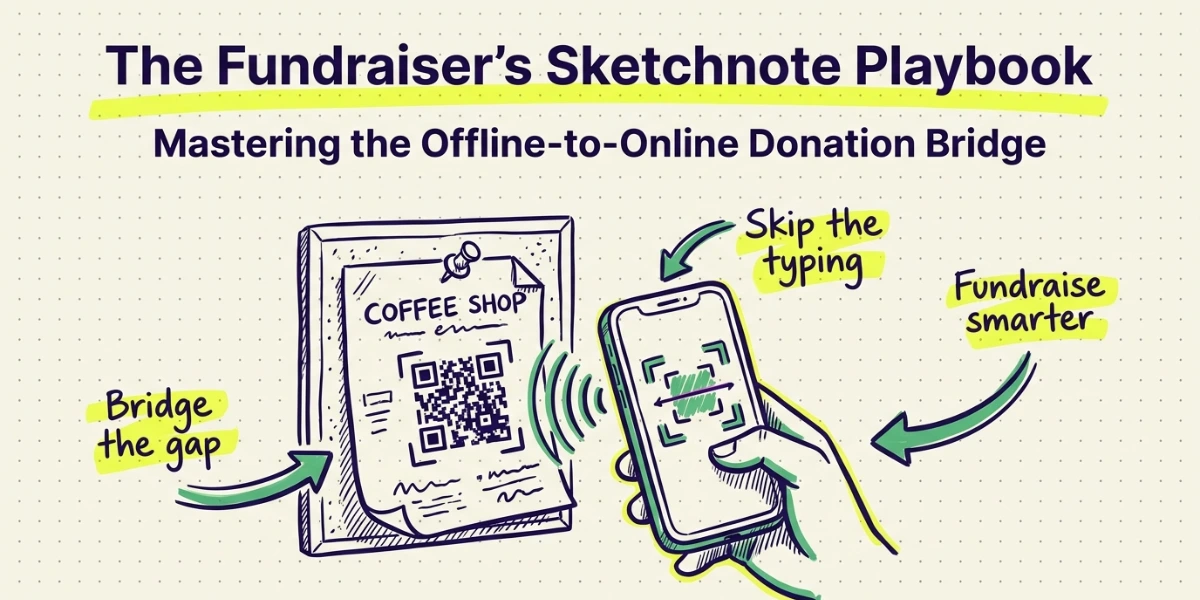
In a nutshell (TL;DR): A GoFundMe QR code lets people donate instantly by taking them directly to your fundraiser with a single scan. It removes the hassle of typing long URLs, increases visibility across flyers, posters, events, and social media, and helps capture donations when people feel emotionally connected to your cause. This guide covers how to create a GoFundMe QR Code, the difference between static and dynamic codes, where to use them, and how tools like Scanova help you track scans, customize designs, and manage fundraising campaigns more effectively.
A. Why does a QR Code matter for your GoFundMe?
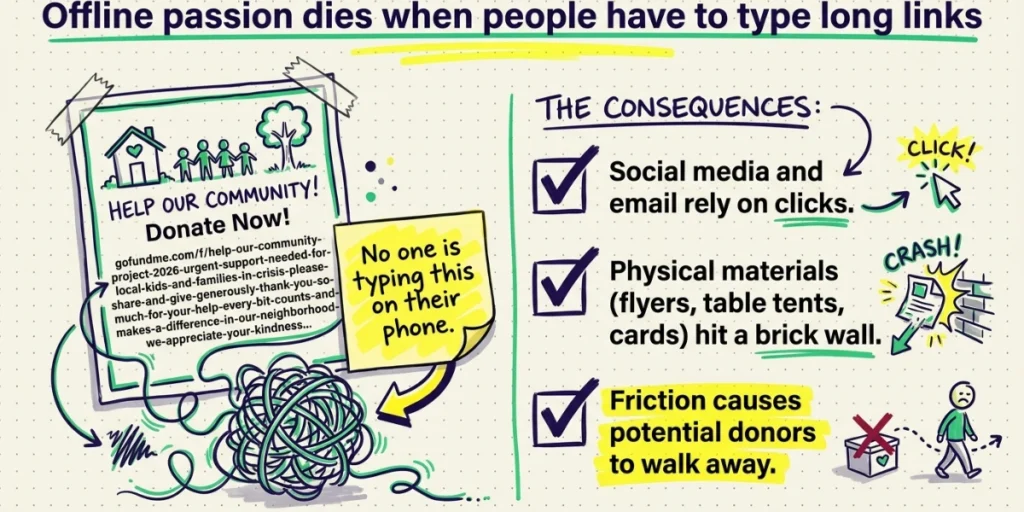
Most GoFundMe campaigns live or die by how many people actually see them.
Social media posts help. Email helps. But what about a flyer on a community board, a table tent at a local event, or a printed card you hand to someone after a conversation? In those moments, a URL does nothing. People do not type long links into their phones.
A QR Code solves this. It turns any printed or digital surface into a direct path to your donation page. One scan. No typing. No friction.
The numbers back this up. According to Statista, QR Code scans in the United States grew by over 26% between 2021 and 2023, and mobile giving now accounts for more than 28% of all online nonprofit donations. Donors are already on their phones. A QR Code meets them there.
One nonprofit that tested this approach saw its QR Code generate four times more revenue than a text-to-give option at the same event. That is not a marginal gain. That is a different class of result.
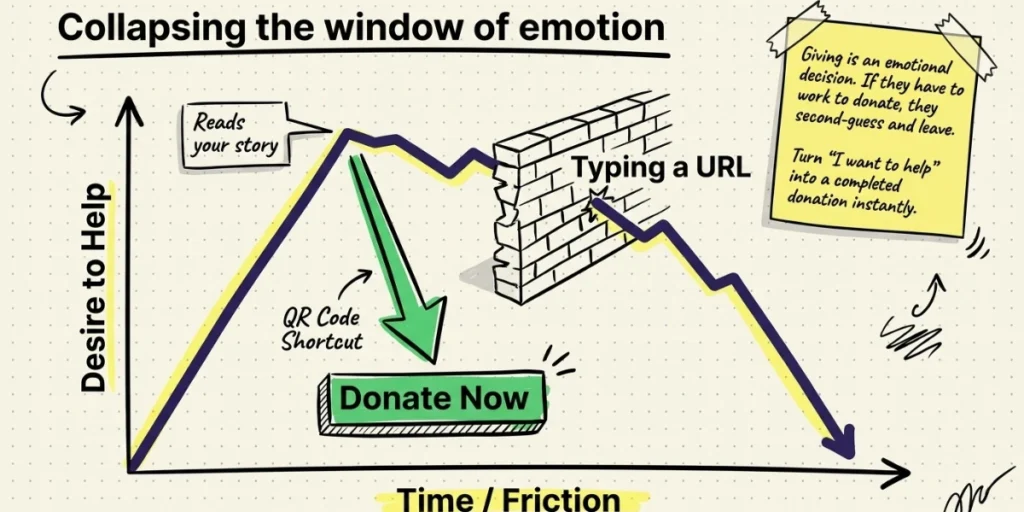
There is also a psychological element at play. Giving is an emotional decision. When someone hears your story, reads your flyer, or attends your event, that emotional window is brief.
The longer they have to work to donate, the more likely they are to step back, second-guess, and walk away. A QR Code collapses that window. It turns “I want to help” into a completed donation before the feeling fades. That is not a small thing.
B. What is a GoFundMe QR Code?
A GoFundMe QR Code is a scannable code linked directly to your fundraising campaign page. When someone scans it with their phone camera, they land on your GoFundMe instantly, ready to donate.
There are two types to know:
Static QR Code: The link is baked into the code permanently. You cannot change it, and it does not track scan data. GoFundMe’s built-in QR Code is static.
Dynamic QR Code: The link is stored on a server, so you can update it any time without reprinting. It also tracks scans by date, location, and device. This is what dedicated QR Code platforms like Scanova offer.
For a short, one-time campaign, a static code may be enough. For anything you plan to print, display at events, or run over several weeks, a dynamic code is a much smarter choice.
C. How to get the GoFundMe QR Code?
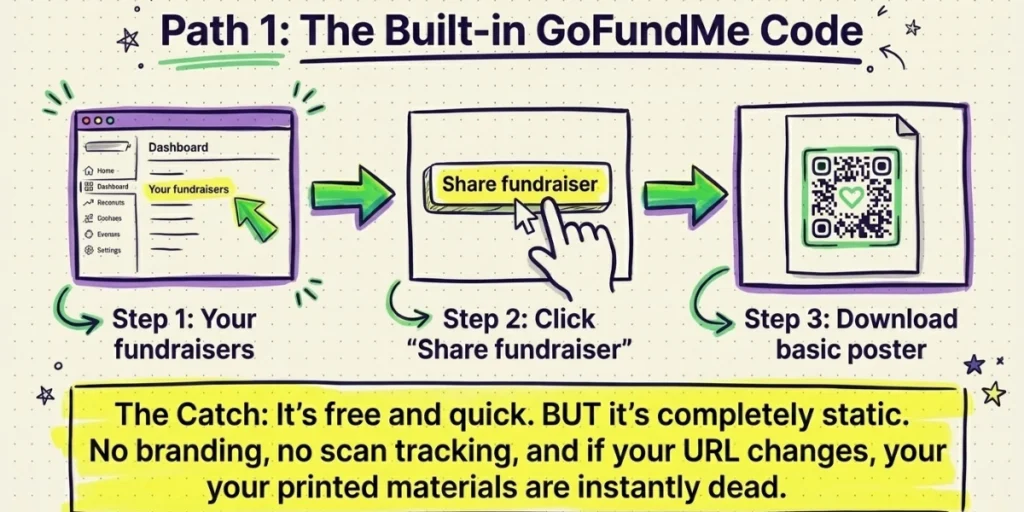
GoFundMe has a built-in QR poster feature. Here is how to use it:
- Log into your GoFundMe account.
- Go to “Your fundraisers” from the menu in the top right corner.
- Select the fundraiser you want the QR Code for.
- Click “Share fundraiser.”
- Choose the QR Code option. GoFundMe will generate a poster with your QR Code ready to download.
GoFundMe’s help center confirms that you can screenshot it on your phone, print it as a flyer, or post it on bulletin boards. It is quick and free.
The limitation: this code is static. If your campaign URL changes, or if you want to know how many people scanned your poster versus your business card, you are out of luck.
D. How to create a custom GoFundMe QR Code?
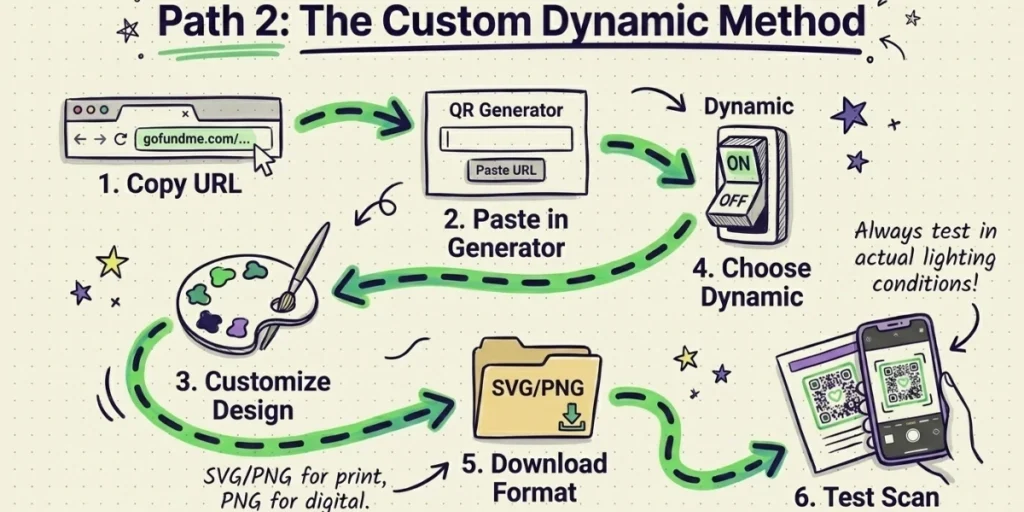
For more control, a dedicated QR Code generator gives you branding, tracking, and flexibility that GoFundMe’s native tool does not.
Here is the process:
Step 1: Copy your GoFundMe campaign URL
Go to your campaign page. Copy the URL from the address bar. It will look like: gofundme.com/f/your-campaign-name.
Step 2: Paste it into a QR Code generator
Open Scanova and paste your GoFundMe URL. Select “Website URL” as your QR Code type.
Step 3: Customize the design
Add your brand colors, a logo, and a frame with a call to action like “Scan to Donate.” A branded QR Code stands out and builds trust. Research shows that custom-branded QR Codes significantly increase scan rates versus plain black-and-white codes.
Keep a high contrast between the foreground and background, so phone cameras can read the code easily.
Dark patterns on light backgrounds work best. Avoid placing a logo so large that it covers more than 30 percent of the code surface. Most tools, including Scanova, have built-in scannability checks to catch design errors before you download.
Step 4: Choose dynamic over static
Before generating, select the dynamic QR Code option. This lets you update the destination URL later without reprinting and gives you scan analytics.
Step 5: Download in the right format
For print materials (posters, flyers, banners), download in SVG or high-resolution PNG format. For digital use, PNG works fine.
Step 6: Test before you print
Always scan your code from multiple phones before printing anything. Test in the actual lighting conditions where you plan to display it.
E. Where to use your GoFundMe QR Code?
The point of a QR Code is reach. Here is where it delivers the most:
Printed flyers and posters: This is the most common use. Pin them at coffee shops, community centers, gyms, libraries, and anywhere your audience spends time. GoFundMe itself recommends printing QR Code flyers and asking supporters to share them with groups they belong to, such as school communities, sports leagues, and faith-based groups.
Business cards: A small card with your QR Code and a one-line story about your cause fits in anyone’s wallet. Hand them out after conversations instead of spelling out a URL.
Event signage: If you are running a charity event, silent auction, or community gathering, display your QR Code prominently at registration tables and on stage signage. QR Codes remove the friction that keeps people from giving, and capture impulse donations when emotion is highest.
Direct mail: Adding a QR Code to a mailed letter or postcard gives recipients an immediate way to act. Organizations that add QR Codes to direct mail campaigns report conversion lifts of 20 to 30 percent compared to URL-only appeals.
Email newsletters: Embed your QR Code image in an email for subscribers who prefer scanning to clicking. It also works well in email signatures.
Social media graphics: Add your QR Code to shareable Instagram or Facebook graphics so followers can forward them or screenshot and scan later.
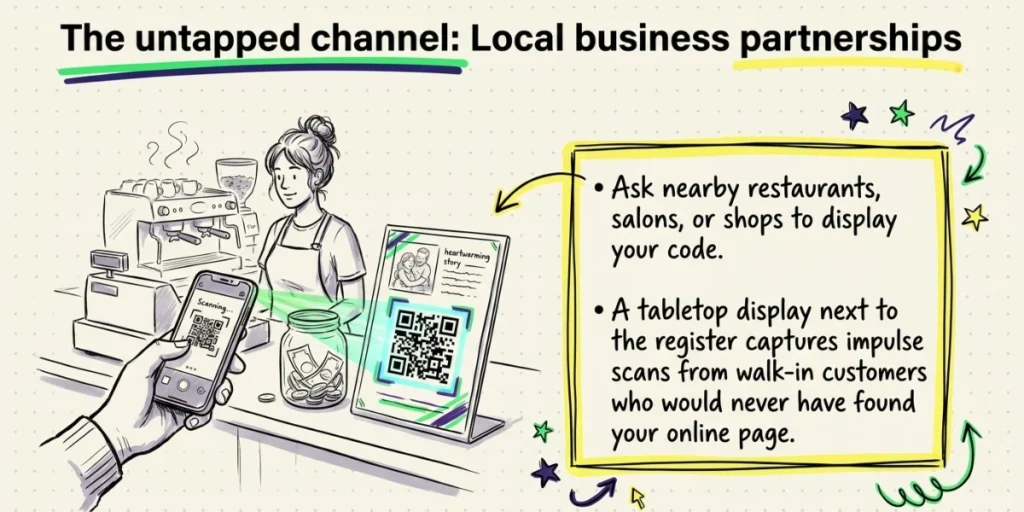
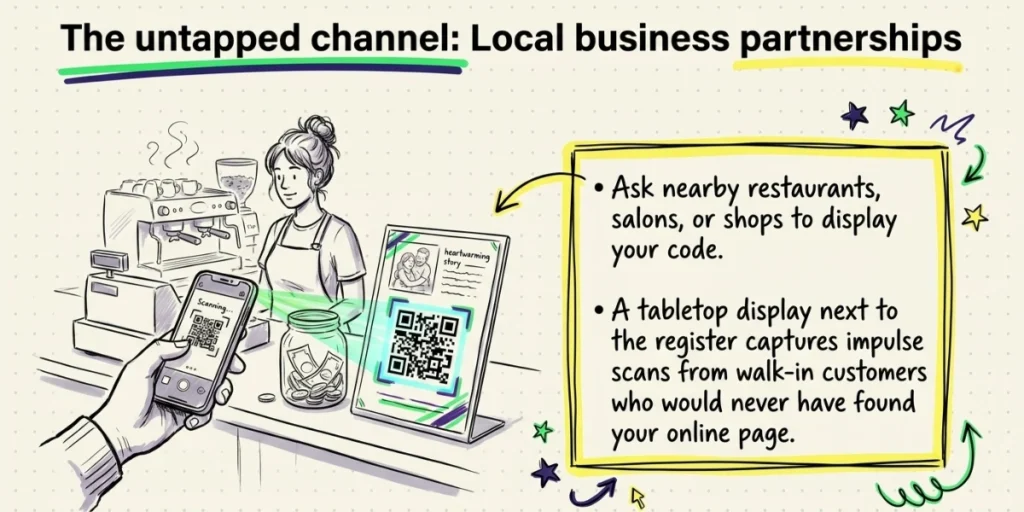
Local business partnerships: Ask nearby restaurants, salons, gyms, or shops to display your QR Code on their counter or in their window. Many small businesses are willing to support community causes.
A tabletop display next to the register at a busy coffee shop can get dozens of scans from walk-in customers who never would have heard about your campaign otherwise. This channel is almost entirely unused by most fundraisers, creating a real opportunity.
F. Static vs. Dynamic: Which should you use?
Most articles on this topic leave this part vague. Here is a clear breakdown:
|
Feature |
Static QR Code |
Dynamic QR Code |
|
Can update the destination URL |
No |
Yes |
|
Tracks scan count |
No |
Yes |
|
Tracks scan location |
No |
Yes |
|
Tracks device type |
No |
Yes |
|
Custom design |
Limited |
Full control |
|
Cost |
Free |
Paid (subscription) |
For a personal fundraiser running for a few weeks, a static code from GoFundMe or a free generator is probably fine.
For a nonprofit running multiple campaigns, a charity event with several donation stations, or anyone printing significant volumes of materials, dynamic is the right call. The ability to redirect the code if your campaign URL changes alone is worth it. You do not want to reprint 500 flyers because of a link error.
With Scanova, you can create dynamic QR Codes with a full design suite, scan analytics broken down by date and location, and pause or redirect any code from a single dashboard. That kind of control matters when you are running an active campaign.
G. How to maximize scans and donations?
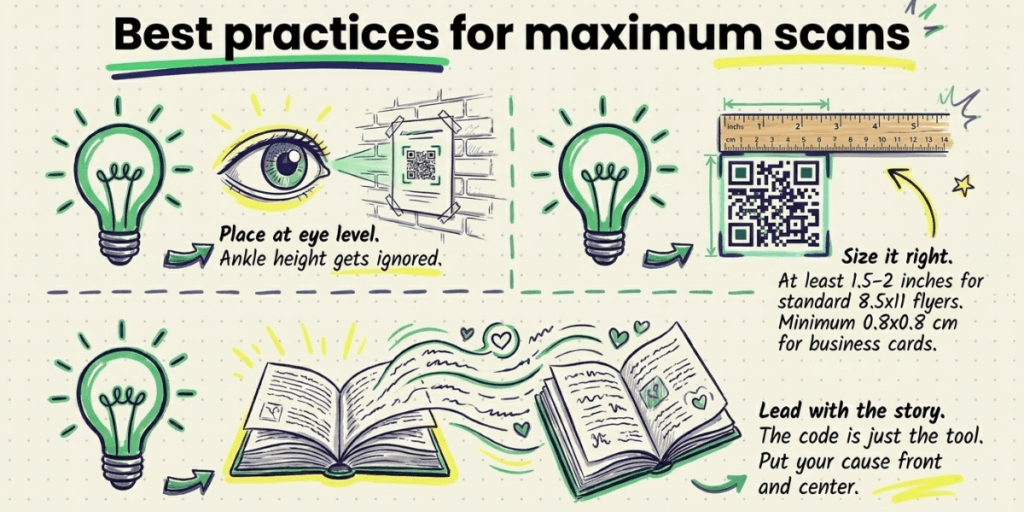
Creating the code is only part of the job. Here is how to get the most from it:
Lead with the story, not the QR Code. The code is a tool. The reason to donate is your story. Put your cause front and center on any flyer or poster. Let the QR Code be the easy path to act on the emotion you create.
Add a clear call-to-action. Do not just show a code. Write “Scan to Donate” or “Help us reach our goal” next to or inside the frame. QR Codes without a clear call to action consistently underperform those with one.
Size it correctly. For a standard flyer (8.5 x 11 inches), your QR Code should be at least 1.5 to 2 inches square. For larger posters, scale it up. For business cards, test at a minimum of 0.8 x 0.8 cm. Anything smaller risks scan failures.
Place it at eye level. A QR Code at ankle height or above a door frame gets ignored. Eye level on a flat surface, in good lighting, is scanned.
Track what works. With dynamic QR Codes, you can see which placements drive the most scans. If your event table QR Code outperforms your flyers, you know where to invest effort next time.
Keep your GoFundMe page strong. The QR Code brings people to your page. Your page has to convert them. Fundraisers with a photo or video, a clear story, and regular updates consistently raise more. The QR Code and the campaign page work together.
H. What are the common mistakes to avoid?
Most QR Code efforts fail not because the tool is wrong but because of easily avoidable errors. Here are the ones that come up most often:
Printing it too small. This is the most common mistake. A QR Code smaller than one inch square is unreliable on most phone cameras. When in doubt, go larger.
No call-to-action text. A code with no label is a mystery. People are less likely to scan something they do not understand. Tell them exactly what happens: “Scan to support our campaign” or “Scan to donate now.”
Using static code for a campaign that changes. If you update your GoFundMe URL, move to a new platform, or want to redirect traffic to a thank-you page after hitting your goal, a static code leaves you stranded. Plan for the future when you create the code.
Low contrast design. Light gray on white, or two similar hues, will fail to scan in less-than-ideal lighting. Always test your code in dimly lit conditions before you print.
Skipping the test scan. Many fundraisers print hundreds of flyers only to find the code does not scan. This is avoidable. Scan from at least three different phones before you commit to a print run.
Not updating your campaign page. The QR Code drives traffic. The campaign page closes the donation. A sparse page with no photo, no story, and no updates will underperform no matter how good your offline distribution is.
I. What are the real use cases worth knowing?
Medical fundraisers: A family raising funds for a loved one’s treatment can print QR Code cards and distribute them at a hospital support group, a church, or a neighborhood gathering. No awkward URL exchange needed.
Memorial campaigns: Tribute fundraisers shared at services or memorial events benefit hugely from a printed code. Guests can scan in the moment rather than trying to remember a link.
School and community campaigns: PTA groups, sports teams, and local causes can include QR Codes in printed newsletters, bulletin boards, and team gear. GoFundMe’s own team fundraising support specifically calls out QR Code flyers as a way to reach people outside your immediate network.
Charity events: Displaying a QR Code at a silent auction, gala, or 5K finish line puts the donate button in front of high-intent donors at exactly the right moment.
Workplace campaigns: If you are raising money through colleagues, a QR Code on a shared Slack channel image, a printed desk flyer, or a card in the office kitchen gives coworkers a fast, low-friction way to contribute. Some fundraisers even add their code to their email signature for the duration of a campaign, turning every outbound message into an awareness touchpoint.
J. FAQs: GoFundMe QR Code
1. Does GoFundMe generate a QR Code automatically?
Yes. GoFundMe provides a QR Code poster through the “Share fundraiser” option in your account dashboard. It is a static code linked to your campaign. You can download it and print it directly.
2. Can I use a third-party QR Code generator for GoFundMe?
Yes. Any QR Code generator that supports URLs will work. Paste your GoFundMe campaign URL and generate the code. Third-party tools like Scanova give you added features like custom design, dynamic editing, and scan analytics that GoFundMe’s built-in tool does not.
3. What is the difference between a static and dynamic QR Code for GoFundMe?
A static code has a fixed URL that cannot be changed. A dynamic code lets you update the destination URL anytime and tracks who scans it, from where, and on what device. For active campaigns or print runs, dynamic is the better choice.
4. Do donors need a GoFundMe account to donate after scanning?
No. Donors can contribute as guests using a credit or debit card without creating an account. The QR Code takes them straight to the campaign’s donate button.
5. How big should a GoFundMe QR Code be on a printed flyer?
At least 1.5 to 2 inches square for a standard 8.5 x 11 flyer. Always test-scan before printing in bulk.
6. What happens to my QR Code if the campaign ends?
With a static code, it links wherever the original URL goes. If GoFundMe shows a closed campaign page, that is what donors will see. With a dynamic code, you can redirect it to a new campaign or a thank-you page at any time.
7. Can I use the same QR Code across multiple materials?
Yes. One QR Code can go on flyers, business cards, posters, and email graphics simultaneously. With a dynamic code, all of those materials update automatically if you change the destination URL. You never need to reprint or re-upload anything.
8. Is there a risk of someone scanning a fake GoFundMe QR Code?
It is a valid concern, especially for high-profile campaigns. To protect donors, always generate your QR Code yourself from your official campaign URL. Do not use third-party short-link services that you cannot verify. With Scanova, your dynamic QR Code destination is visible and editable only from your account, so you stay in full control of where it points.
Wrapping Up
A GoFundMe QR Code is one of the simplest upgrades you can make to your fundraising strategy. It turns passive materials like flyers, posters, and business cards into active donation pathways. It meets donors where they already are, on their phones, and removes every step between the moment of impulse and the act of giving.
GoFundMe’s built-in option works for quick, simple use. But if your campaign involves printed materials, in-person events, or any kind of sustained outreach, a dynamic QR Code with scan tracking and a custom design is a much more powerful tool.
Scanova lets you build a branded GoFundMe QR Code in minutes, with the ability to update your link, track every scan, and manage all your codes in one place. See how Scanova’s dynamic QR Codes work for fundraising campaigns.