New Scanova Is Live. Yes, Your Old QR Codes Still Work.

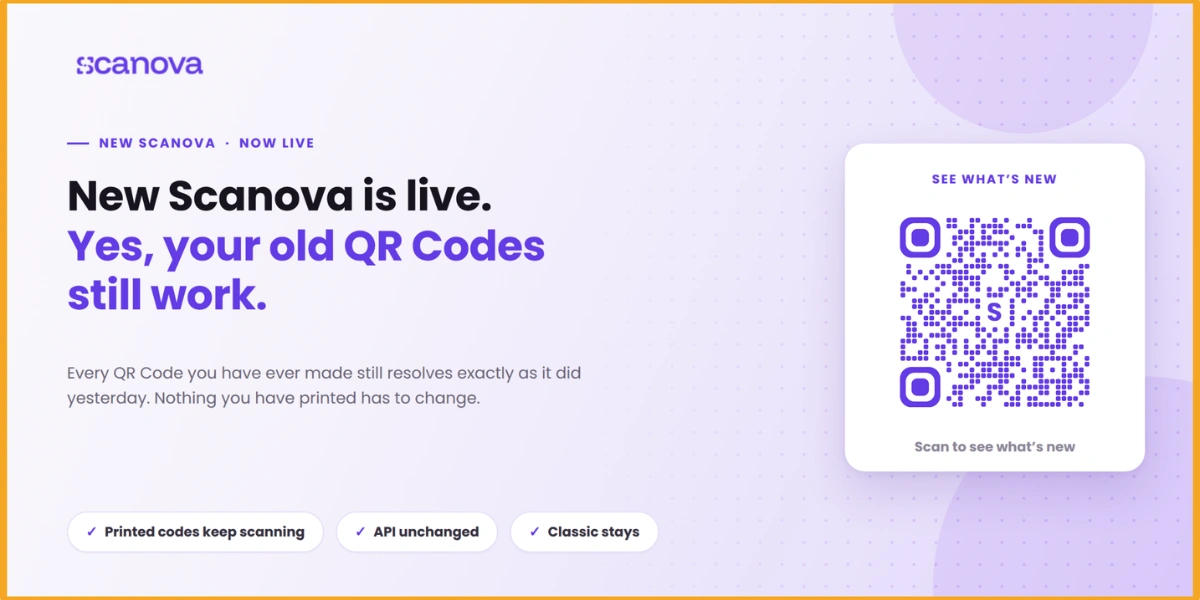
New Scanova is live, and every QR Code you have ever created still resolves exactly as it did yesterday. Nothing you've printed has to change. Nothing you've built has moved.
That comes first because of what a QR Code is. The one you made three years ago is still sitting on a pallet in a warehouse, screen-printed on a shop window, laminated onto a restaurant table, etched into a metal sign bolted to a wall.
Someone is going to scan it this afternoon. Most software gets judged on what it does today. Ours gets judged years after the person who made it moved on.
Now the interesting part.
A. Why did we rebuild it?
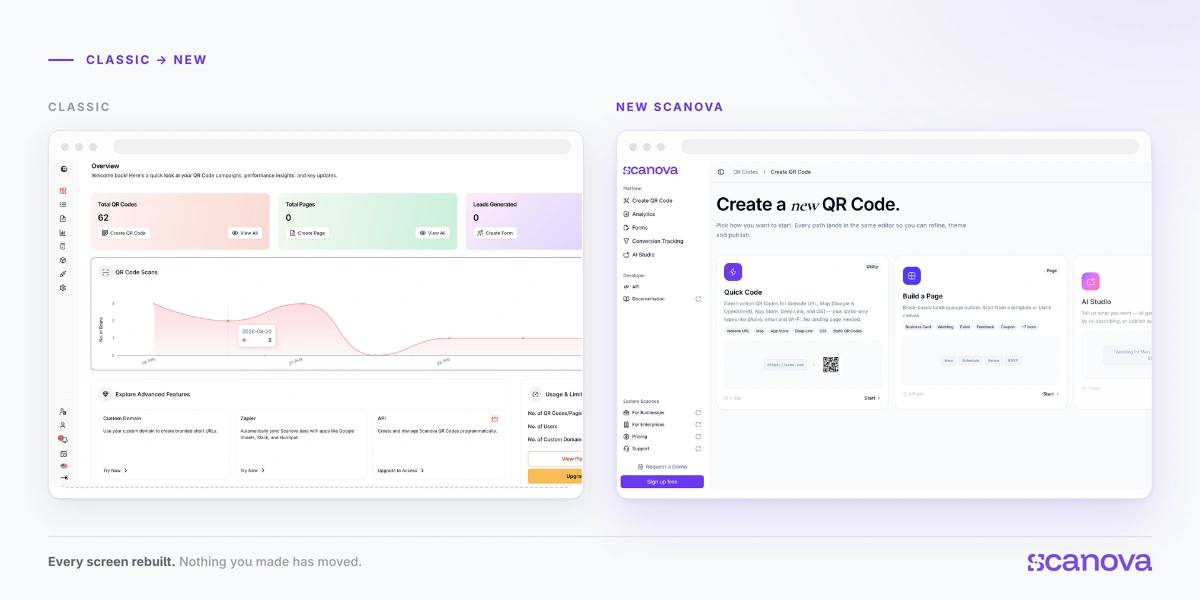
Classic has been running reliably for years, and it will keep running for as long as required.
What changed is what people are doing with QR Codes. Our Customer Success team sits close to that work, and the same requests kept surfacing: finer control over landing pages, brand consistency across large accounts, and a way to see the state of thousands of codes without opening them one at a time.
Market research pointed in the same direction. QR programs have grown from a handful of codes into long-running campaigns spread across print, packaging, and retail.
We took those signals into internal testing, fleshed out the ideas, and put them in front of customers before committing to any of them. The ones that held up became the shape of the new product.
New Scanova is the result: same platform, same codes, and a more integrated, adaptable foundation. Landing pages, branding, health monitoring, and attribution now work as a single system rather than as separate features, with room to keep building on them in the years ahead.
B. Moments worth showing
Plan-specific features are called out below. Everything else is on every plan, including the free trial.
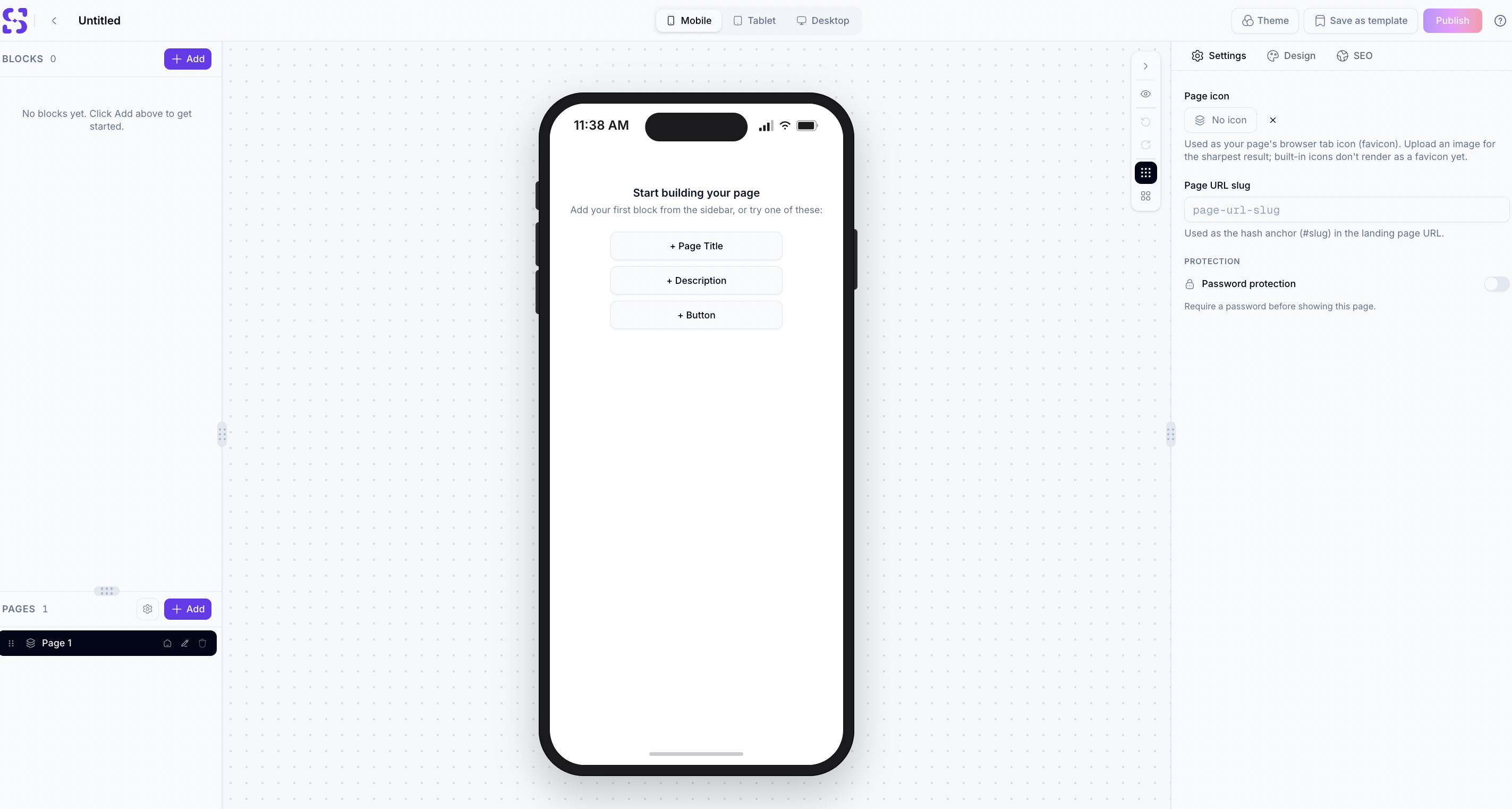
Landing pages are built, not filled in
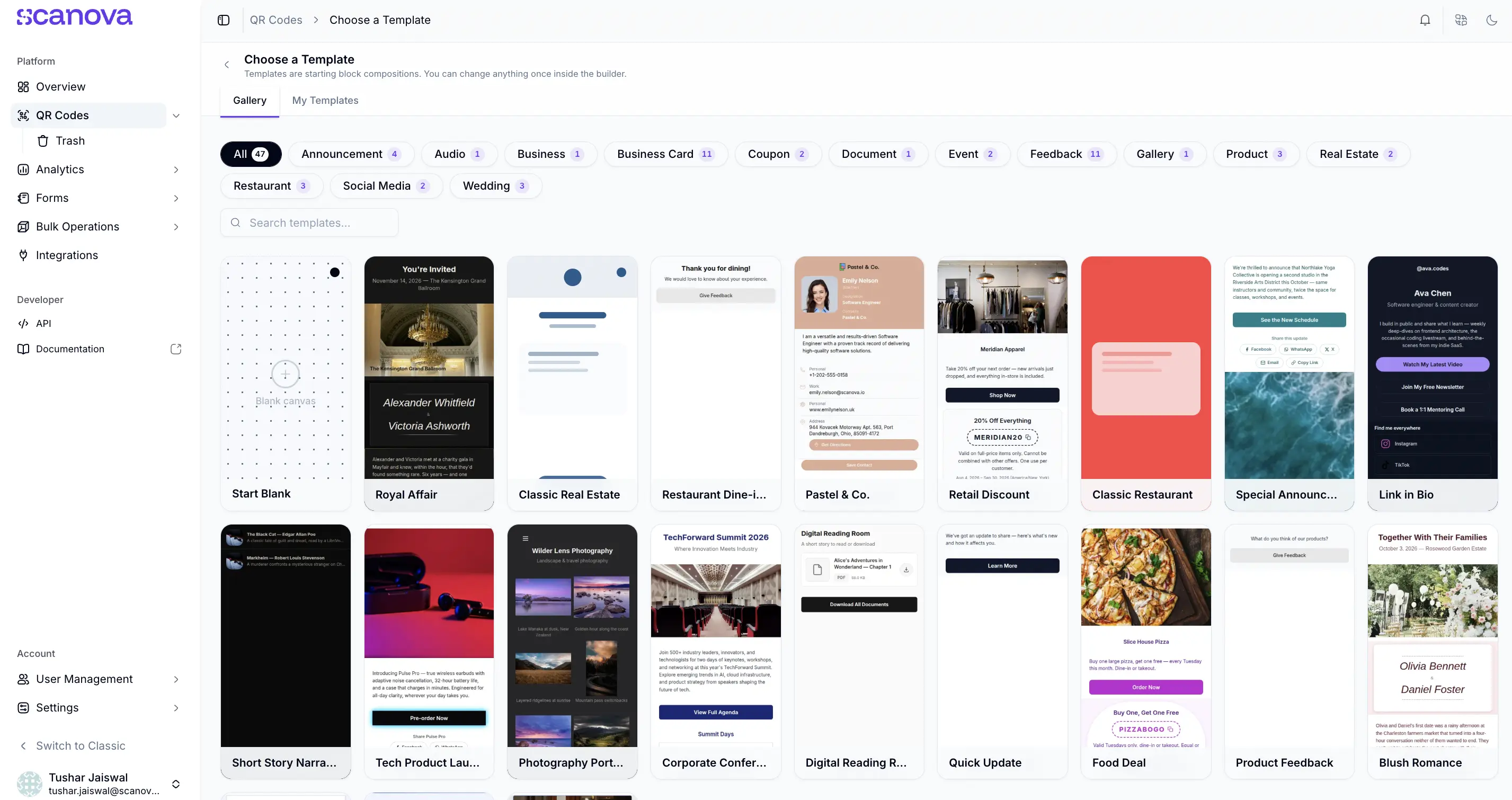
In Classic, you picked a layout and typed into its fields; the layout decided what your page could be. The new editor works in blocks: add them, drag to reorder, and edit each one in place on the page.
You get a live preview across mobile, tablet, and desktop widths, themes to start from instead of styling every element by hand, per-page SEO settings, optional password protection, and an explicit Publish step, so a half-finished idea can sit safely as a draft rather than going live the moment you save.
Pages you built in Classic open here and keep working as before. It's the difference between filling in a form and designing a page.
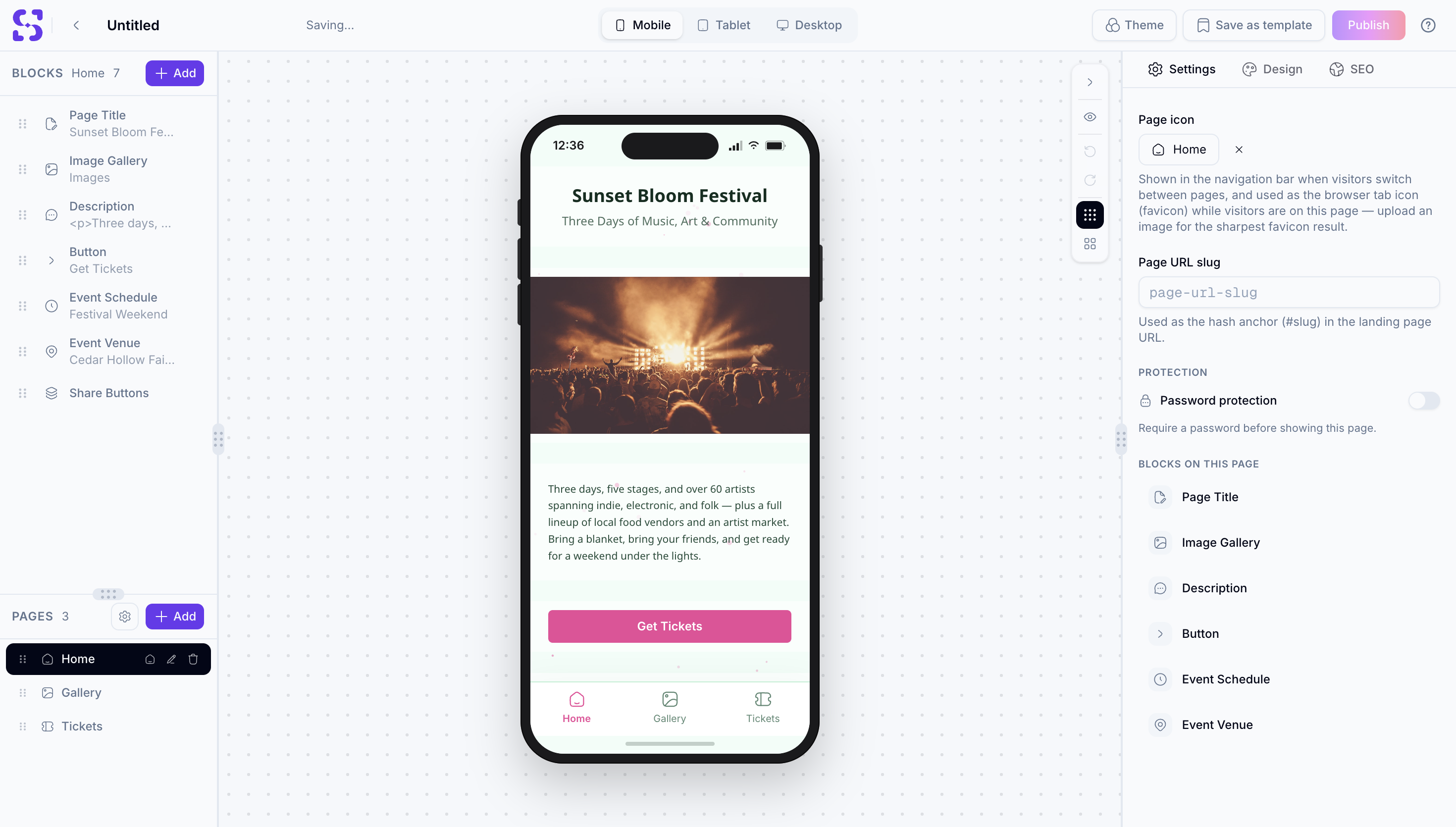
A single QR Code can now hold more than one page
Multi-page landing pages combine several pages into a single codebase, with simple navigation between them. A restaurant menu that used to be one long scroll is now divided into starters, mains, and drinks. Same for an event program, a product range, or anything else that was only ever one page because the format insisted on it. The content decides the structure now, rather than the other way around.
You'll know about a broken QR Code before your customer does
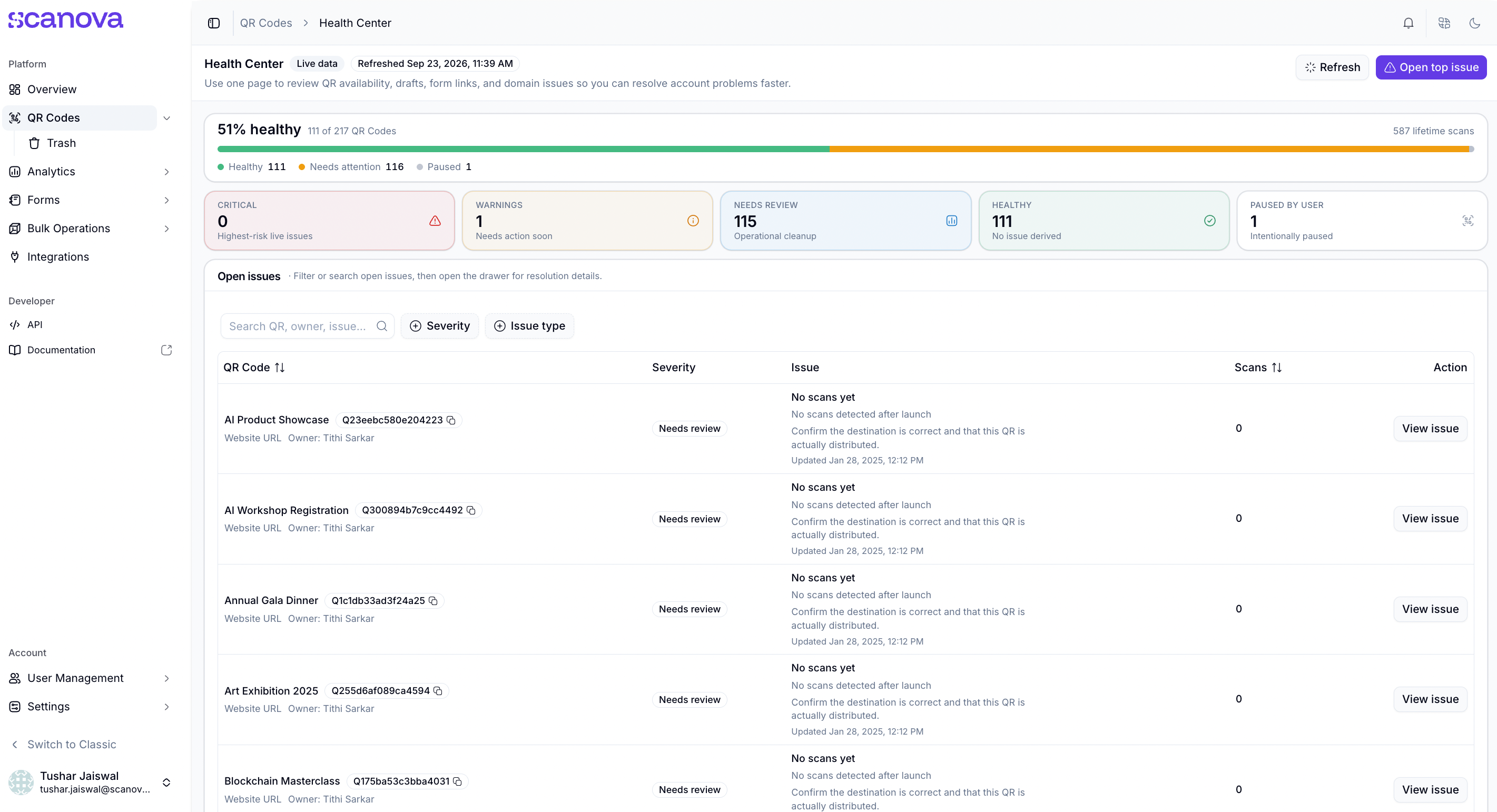
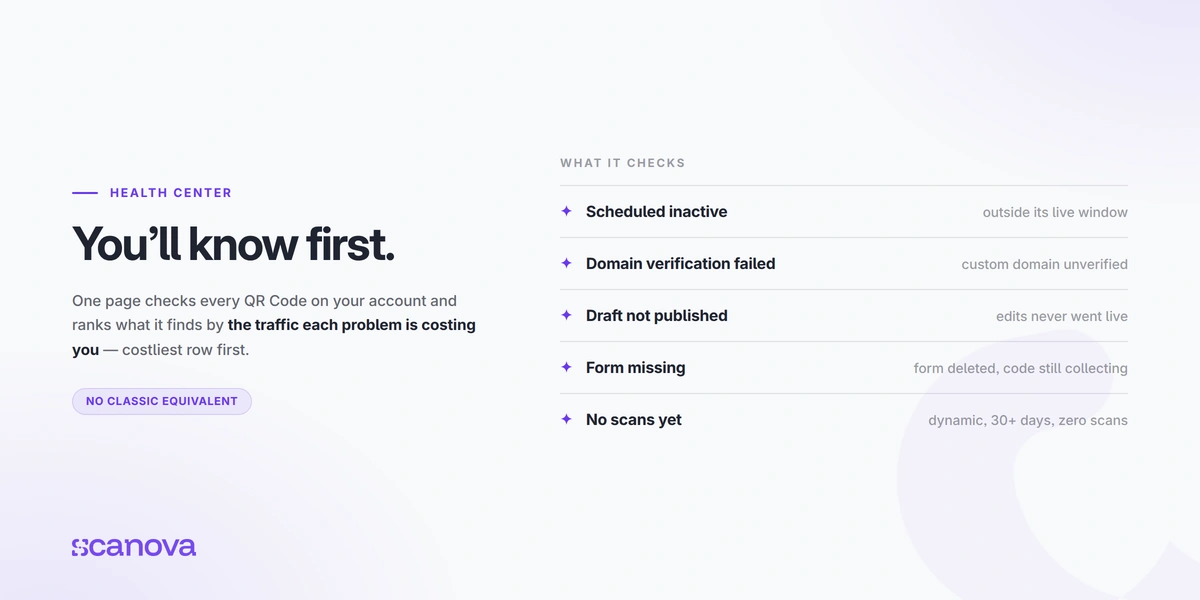
This is the one we're quietly proudest of, and it comes straight back to that sign bolted to a wall. Health Center is a single page that checks every QR Code on your account and tells you which ones have a problem: a code sitting outside its live schedule, a custom domain that never finished verifying, changes saved but never published, a lead form that no longer exists behind a code still collecting leads.
None of these throw errors anywhere else in Scanova, which is exactly why they go unnoticed. It ranks what it finds by how much real traffic each problem is costing you, so the costliest issue on the account appears first.
There was no equivalent in Classic; the only way to find these was for someone to scan and file a complaint.
And the scan no longer ends at the end of the scan
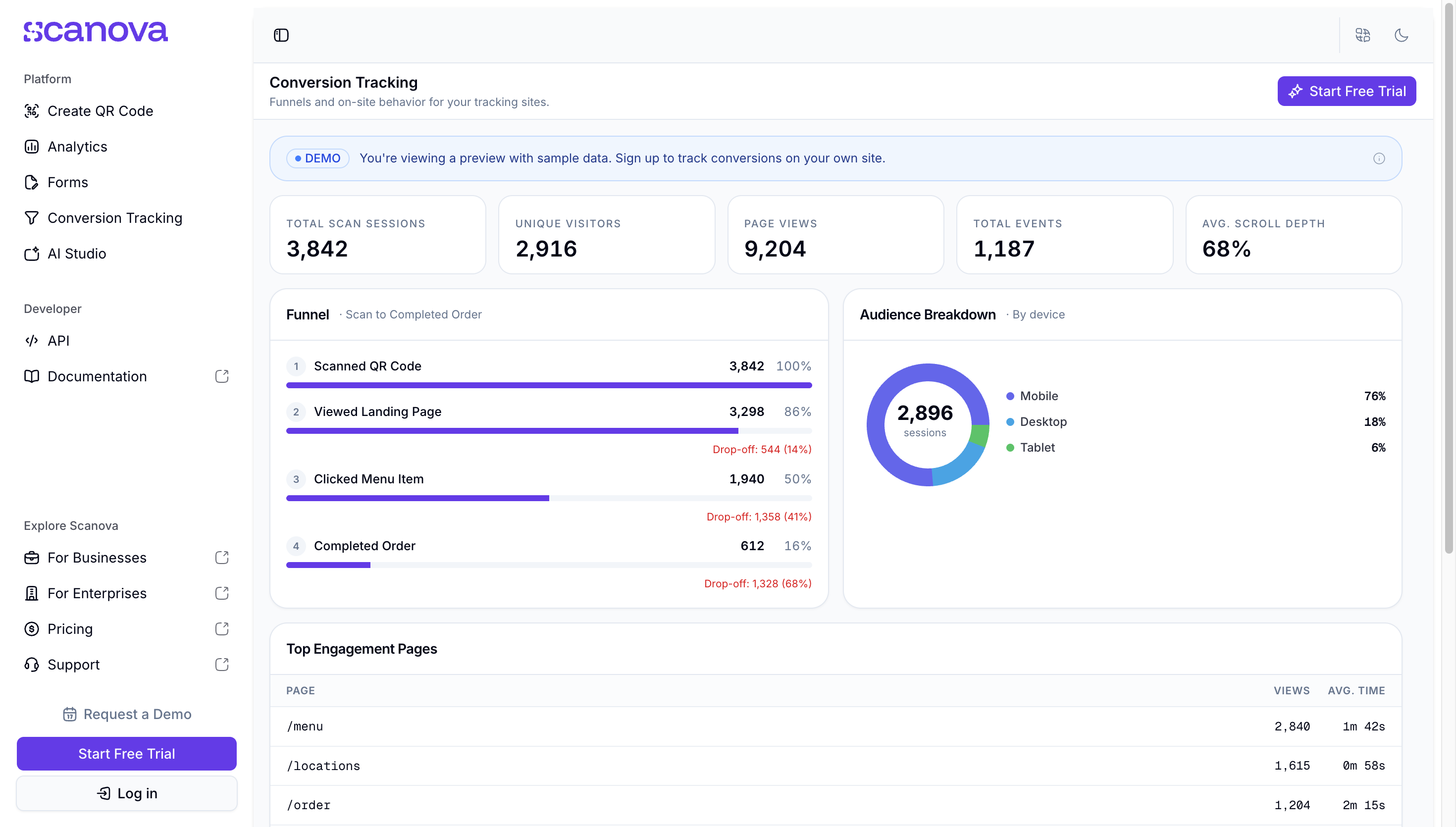
Until now, the trail went cold the moment someone landed on your site. Add a small Scanova script to your website, and Conversion Tracking carries a session identifier across, so the pages a visitor views, the links they click, and how far they scroll are attributed to the exact QR Code that started the journey.
Print stops being a part of your marketing that you can't measure.
Every screen has been rebuilt, and nothing you made has moved
Layouts are cleaner, navigation is clearer, and there's less hunting for the thing you signed in to do. Your QR Codes, landing pages, and scan history are all where you left them.
A redesign is usually the release where people lose track of their own work. This one was built specifically not to be that.
Dark mode is a real theme, not a dimmer switch
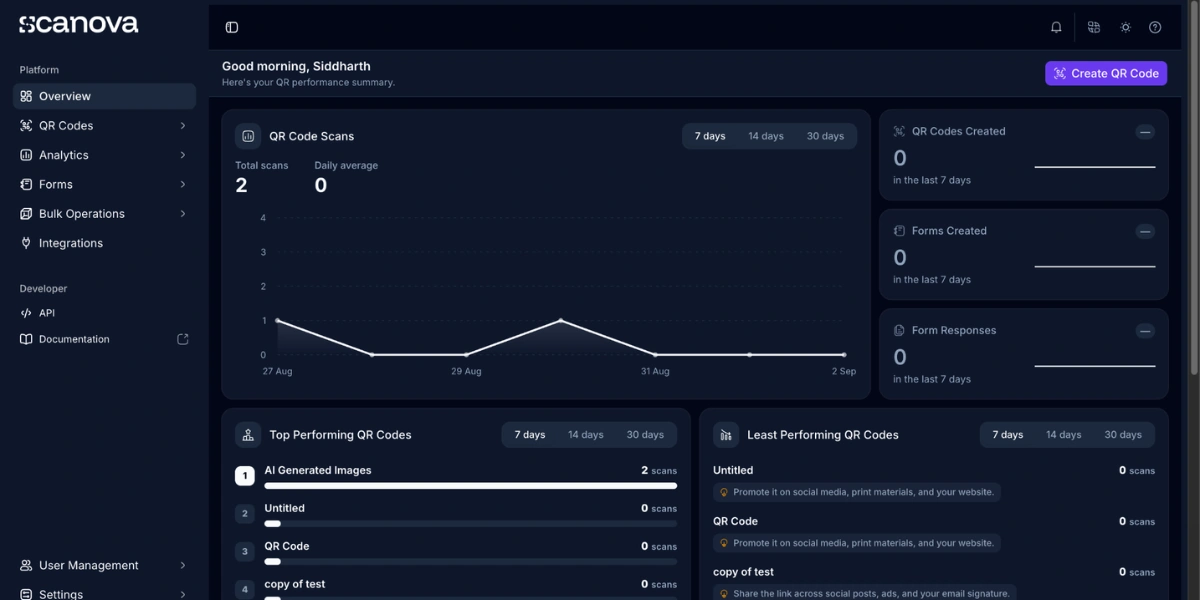
It was designed screen by screen rather than layered on top of the light one. The setting is personal to your login, so one person can work in the dark while the rest of the team stays in light, on the same account.
Four smaller things you'll notice
- Passkey sign-in: Sign in with Face ID, Touch ID, or your device passcode instead of a password.
- AI Studio: Describe the page you want, then refine the draft the editor generates.
- Landing page themes: Start with a theme and adjust it, rather than styling every block by hand.
- Arabic and Simplified Chinese: They join English, German, French, and Spanish. Six languages in all.
C. What doesn't change
This is the actual point of this post, so we'll be plain about it.
- Your QR Codes, landing pages, forms, and scan history all came through as is. Nothing was deleted, nothing behaves differently.
- Already-printed codes keep scanning. There is nothing you need to do, and no reprint anywhere in this.
- The API is unchanged. Existing integrations continue to work exactly as they do today.
- Classic isn't going anywhere. New Scanova arrives alongside it, not instead of it. The account owner makes the switch, everyone on the account moves together, and you can switch back any time.
A few things do sit in different places after a rebuild of this size, and a handful work differently on purpose. Both are written up honestly on the What's New page rather than glossed over here.
D. How to try it?
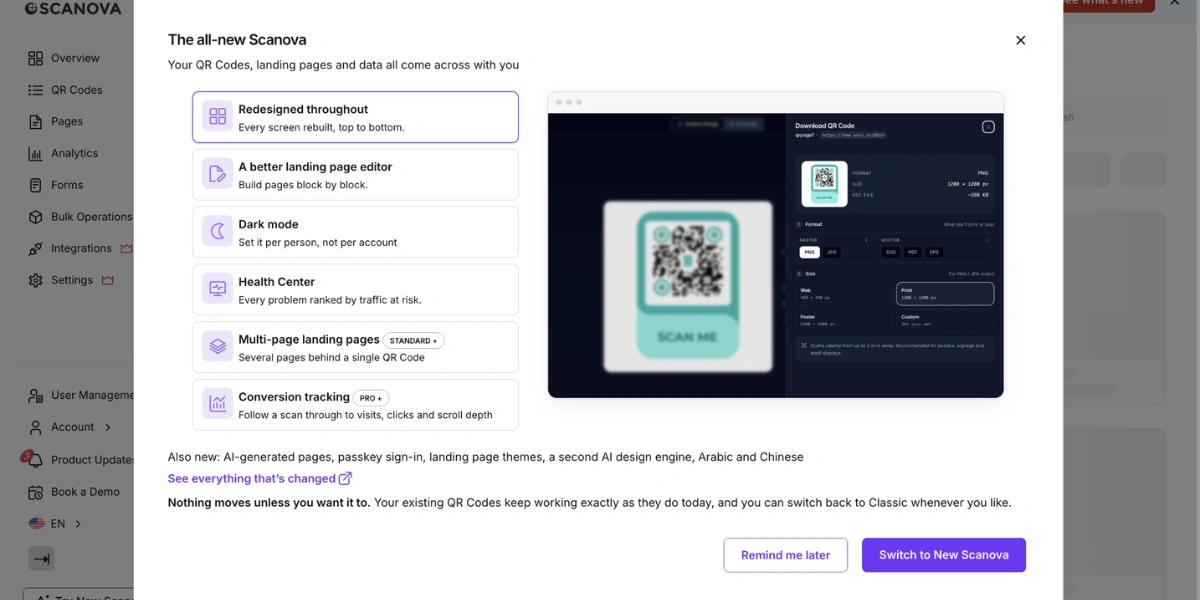
If you haven’t already tried the new Scanova, it’s easier than you think. Just click the *Switch to New Scanova* button in the left menu, and your dashboard will switch to the new version. You can switch back to the Classic version the same way.
Have questions about switching? →
We didn't rebuild Scanova to give you a new interface. We rebuilt it so that the codes you print this year are still working long after any of us have stopped thinking about them.