Amazon, AT&T, Walmart, and other global brands trust Scanova


Describe your goal in a few words and let AI build a professional landing page using your desired layout, brand logos, social media widgets, and CTAs. Skip the manual design work entirely and go from an idea to a live, scannable page instantly.
An AI Generated Page QR Code is a Dynamic QR Code that links to a landing page generated entirely by AI, based on a short prompt you provide. Instead of building the page block by block, you simply describe your purpose, like an event, a product launch, a wedding, or a personal profile, and AI handles the structure, design, text, and visuals.
Once the prompt-based landing page is generated, it behaves like any other landing page that is accessible after a QR Code scan. It can also be edited, tracked, and secured using advanced QR Code settings.
Describe what the page is for, answer a few follow-up questions, and edit anything you want before it goes live
Pick any use case like an Event, Wedding, Product Launch, Restaurant, Portfolio, Feedback, Lead Generation, or App Promotion and get a ready-made template prompt with placeholders for details like name, date, venue, and call-to-action. Fill in the blanks or write your own prompt from scratch for a completely personalized look.
Scova greets you and asks follow-up questions based on your selected use case to fill in all the blanks and help you design your page. Your responses feed directly into the page generated, so the result reflects your actual details rather than generic placeholder content.
Everything generated using the AI Studio is editable and can be improved. You can edit the text, swap out images, add your company's logo, add social media widgets, and rearrange layout directly in the preview, giving you full control to fine-tune tone, add missing details, or align the page with your brand before it goes live.
If the first version of the prompt-based landing page isn't in the direction you wanted, reset your responses and regenerate it from scratch by chatting with Scova. This lets you try a different theme, tone, or structure without starting a brand-new QR Code or losing your original inputs.
AI Generated Page QR Codes support the full set of advanced settings already available on Custom Page QR Codes, including QR Code scheduling, password protection and age restriction. An AI-generated page comes with the same controls you'd configure on a manually built page.
Personalize the QR Code's frames, eyes, and colors to match your event's branding and use case. You can also use AI Generated QR Code designs to make the code stand out and drive more scans than a generic black and white QR Code.
Once published, your AI generated landing page is tracked the same way as any Dynamic QR Code on Scanova's smart and intuitive dashboard. Monitor scan counts, timing, and visitor activity to understand how people are engaging with the page after they scan. Optimize your engagement strategy according to the insights.
Every prompt requires 1 token. See exactly how many tokens remain after each prompt below the landing page design preview. We offer full transparency to our users without any surprises, downtime, or hidden costs.
An AI-generated landing page is only valuable if it converts visitors. With Scanova's Conversion Tracking feature, you can track clicks, scroll depth, form submissions, and various actions on your page are attributed to the QR Code that opened it. Funnel analysis puts those actions in order on a graph, so you can see how far down the page visitors get before they leave.
Follow these steps to create a QR Code landing page with AI
Log In to Scanova. Go to Create QR Code and choose the AI Studio card.
Choose a use case directly while chatting with Scova or type your own prompt. Each use case comes with a ready-made sample prompt you can copy and fill in, covering all required details to build and design your landing page using AI.
Scova asks follow-up questions based on your use case to fill in the specifics your page needs. Answer them in the chat panel, and watch your AI-powered landing page preview take shape on the right. You can also edit and optimize it in subsequent prompts.
Once generated, review the design and content. Test and download the QR Code right away, or tailor it to your needs before downloading
Choose from ready-made use cases, each with its own sample prompt, or write your own prompt from scratch to design your page according to your needs
For a conference, workshop, or meetup, build an event page after filling in the event name, date and time, venue, a short description, and a call-to-action button such as "Register Now." Attendees scan the QR Code and land on a page structured around those details.
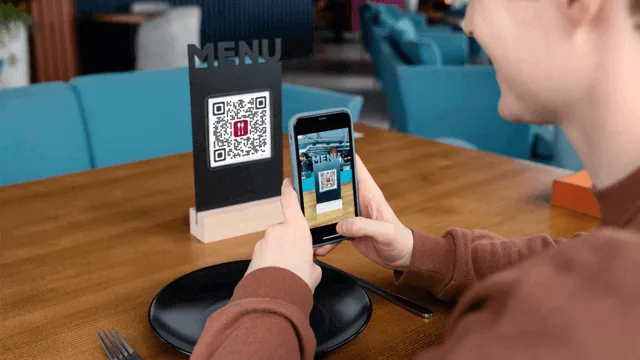
Restaurants can generate a page for a menu launch or special dining event, while small businesses and solo sellers can describe a new product and get a launch page with product details and a call-to-action already structured. These can also be very useful for a pop-up stall or a packaging insert where a full website isn't practical.
Couples can use the Wedding sample prompt to generate a page with event details and RSVP information. Feedback and Lead Generation work the same way, generating a page built around a form instead of an event, ready to be placed on a receipt, table tent, or business card.
Freelancers and individuals can build personalized and professional portfolio pages that can be used for resumes, business cards, or on networking badges. App Promotion can also be done from a landing page that provides more information and use cases for the app and links to the app store for download options.
AI landing page QR Codes remove the design and content bottleneck that stops many small businesses and first-time users from launching a landing page at all
Manually building a Custom Page QR Code means adding text blocks, sourcing images, and writing copy yourself. Save time using AI Generated Page QR Codes that turn a prompt and a short set of follow-up questions into an attractive landing page in minutes.
Decision fatigue over fonts, colors, and layout is one of the main reasons users abandon the page-building flow before finishing. Because AI makes those structural and visual decisions upfront, first-time marketers and non-designers can get a usable, complete page without needing to learn layout principles first.
Because AI selects colors, icons, and design accents based on the goal you describe, the page's visual identity remains consistent and matches its purpose by default without you having to put in more effort. This reduces the back-and-forth of manually designing elements that fit the occasion.
AI generation isn't a locked, one-shot output. Every text block, image, and layout section AI creates can be edited afterward, and the entire page can be reset and even regenerated if you want to try a different direction. This makes them easily updatable if you change your mind.
Understand how AI generated landing pages really work, so you can build more optimized pages that receive clicks and engagement
Dynamic QR Codes enable scan tracking, the ability to update content later without any reprinting, and every other capability a dynamic page QR Code already supports on Scanova.
AI doesn't apply one generic template to every page. The layout, tone, and visual elements it generates are shaped by the use case you select, be it an Event, Wedding, Product Launch, etc., so a page built for a restaurant looks entirely different from one built for a portfolio.
You can edit any text, image, or layout block AI produces, or reset your responses and regenerate the entire page from scratch if you want a different direction. Generation is a starting point, not a final decision.
Easy to use and achieve successful outcomes with Scanova. The simplicity of this tool makes it easy for even non-tech users. Scanova solves the concern of tracking websites and data sheets efficiently.


Scanova ensures superior data protection by adhering to ISO/IEC 27001:2022, GDPR, and SOC2 standards


Get answers to popular questions about Scanova's AI generated page QR Code
Create QR Codes as per your need with ease