QR Code Generator for Wedding: All You Need To Know

In a nutshell (TL;DR): A QR Code generator for wedding stationery turns any link into a scannable code. Print it on invites, signs, or table cards. Guests scan it with their phone camera to RSVP, find the venue, or share photos. In this guide, we cover how to create one, where to use it, static vs. dynamic codes, design rules, and etiquette. Your first wedding QR code can be live in under five minutes.
Nearly half of all couples now put a QR code on their save-the-dates or invitations. Adoption has grown 42% since 2021, according to The Knot 2025 Real Weddings Study. The reason is simple. Paper reply cards get lost in the mail. Guest photos stay stuck on a hundred phones. And one small change to the venue can force a costly reprint.
A QR code generator for wedding planning fixes all three problems. It links your printed stationery to live digital content. Guests scan once and act right away. No app. No typing a long URL by the pool at your welcome party.
We work with couples, planners, and stationery designers who use QR codes at every stage of the big day.
In this guide, we share what actually works. You will learn what a wedding QR code is, how to make one step by step, and where to place it. We also cover design and print rules, the static vs. dynamic choice, and the etiquette question every couple asks.
A. What is a wedding QR Code and how does it work?
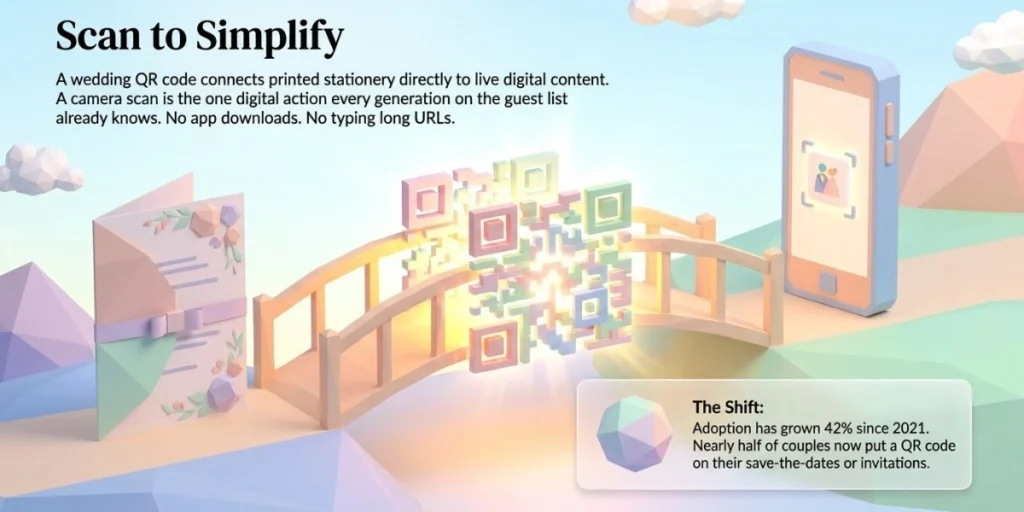
A wedding QR code is a scannable square that connects your printed stationery to digital content. A guest points their phone camera at it. A link pops up on the screen. One tap opens your wedding website, RSVP form, shared photo album, or venue map.
There is no app to download. Every modern iPhone and Android phone reads QR codes through the default camera. That is why they work so well at weddings. Your guest list spans three generations and every level of comfort with tech. A camera scan is the one digital action almost everyone already knows.
Behind the scenes, the code simply stores a link. A QR code generator encodes that link into the square pattern. You download the image and drop it into your invitation design, table cards, or welcome sign. Anything with a URL can sit behind it. That includes maps, playlists, videos, gift registries, and live photo albums.
One code can also carry more than a link. Event-type codes let guests save the date to their phone calendar in one tap. Form-type codes collect RSVPs and meal choices. Location codes open turn-by-turn directions to the venue. You pick the type based on the job you need done.
B. Why use a QR Code generator for your wedding?
Because it saves money, cuts stress, and gives guests one easy way to act. The average US wedding cost $34,000 in 2025 and hosted 117 guests, per The Knot 2026 Real Weddings Study. At that scale, small frictions multiply fast. A missed RSVP becomes a seating problem. A lost map becomes ten calls on the morning of the wedding.
Here is what a wedding QR code fixes:
- Slow RSVPs. Reply cards need paper, envelopes, and two-way postage. Many never come back. A scan-to-RSVP form collects answers in seconds and tracks them live.
- Scattered photos. Guests capture moments your photographer will miss. A photo-sharing code sends every shot to one shared album.
- Last-minute changes. A dynamic code lets you update the schedule or map after printing. The printed code stays the same.
- Cluttered stationery. One small code replaces long URLs, printed maps, and extra insert cards.
- Printing waste. Programs, menus, and directions can live behind a single code. That saves paper, money, and a few trees.
The math is easy to like. Reply cards alone need printing, envelopes, and postage both ways. For 117 guests, that line item can cross a hundred dollars fast. Printed programs and menus add more. Move those to a code and the savings show up in your budget sheet, not just in theory.
Esther Lee, Editorial Director at The Knot Worldwide, says modern couples are “blending creativity and innovation to design celebrations that reflect their values”. QR codes fit that shift perfectly. They are practical and personal at the same time.
“Wedding and event QR Codes are no longer just a convenient way to share information. They can turn a traditional invitation into an interactive experience, giving guests instant access to schedules, venue maps, RSVPs, and other event details while making it easier for organizers to keep everything updated.” — Siddharth Pangtey, Product Manager, Scanova
C. How do you create a Wedding QR Code?
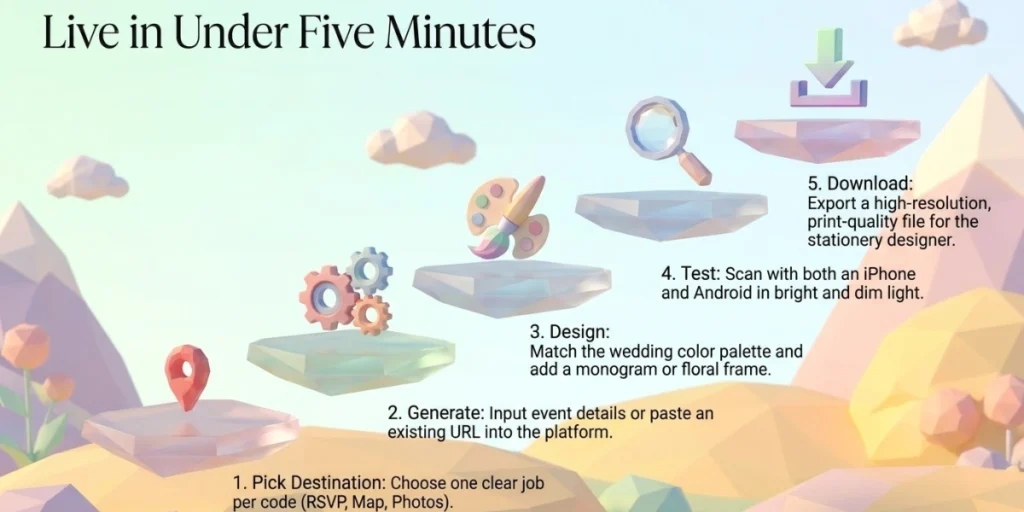
You can create a wedding QR code in eight quick steps, from sign-up to a print-ready file. We will use Scanova’s Wedding QR Code tool as the example, since every step happens in one flow. Set aside ten minutes:
- Open the Wedding QR Code tool. Go to Scanova’s Wedding QR Code generator. The wedding category is already selected for you. New to Scanova? Create your account with the 14-day free trial. No credit card needed. You land right in the page editor.
- Pick a page layout. Your Wedding QR Code links to a mobile page you build yourself. Start by choosing a pre-designed layout that suits your style. Think of it as your mini wedding website. You can edit everything later, so do not overthink this part.
- Add your wedding details. Fill in the essentials first: your names, the date, and the event schedule. Then add the venue with a map location so guests can navigate in one tap. Hosting a multi-day celebration? List each event with its own time and a dress code note.
- Make the page yours. Add photos of the two of you. Drop in a short video if you like. Use buttons to link out to your registry or hotel block. Everything guests need now lives on one page.
- Turn on RSVP. Add the RSVP option so guests can confirm attendance right on the page. Need more than a yes or no? Add a custom form with fields for meal choice, plus-ones, or song requests. Responses collect in your dashboard as they arrive.
- Name and design your QR code. Give the code a name you will recognize later, like “Invite RSVP.” Then open the design options. Add your monogram or logo, and pick colors from your wedding palette. Or try an AI-generated design for something artistic. Choose a frame with a label like “Scan to RSVP” so guests know why to scan. Keep the pattern dark on a light background.
- Test the scan on real phones. Point two phones at the code, one iPhone and one Android. Check it in bright light and dim light. Tap through to the page and submit a test RSVP. Fix anything odd now, not after 150 invites are printed.
- Download in print quality. Export a high-resolution or vector file for print. Send it to your stationery designer, or place it in your own template. Printing a big welcome sign? Vector files scale to any size without going blurry.
That is the whole job. Your Wedding QR Code is dynamic. You can fix a typo, update the schedule, or swap a photo anytime. The printed code keeps working, no reprint needed.
D. What can you use wedding QR Codes for?
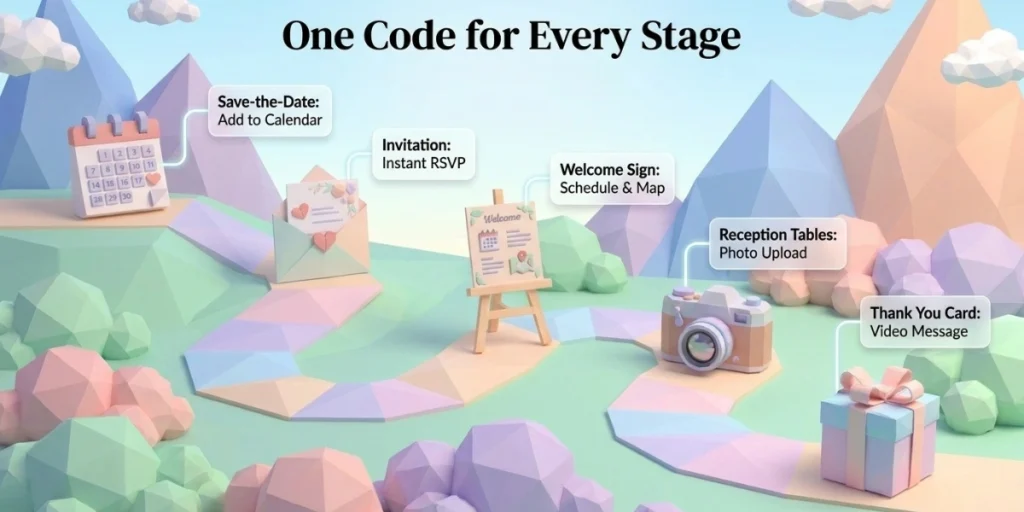
You can use QR codes at every stage of the wedding, from the save-the-date to the thank-you card. Give each code one clear job. This table maps the full journey:
|
Wedding stage |
What the QR code links to |
Where to place it |
|---|---|---|
|
Save-the-date |
Wedding website or add-to-calendar |
Back of the card |
|
Invitation |
RSVP form |
RSVP insert card or back of invite |
|
Welcome sign |
Day’s schedule and seating chart |
Venue entrance |
|
Reception tables |
Photo upload album or song requests |
Table cards |
|
Bar and menu |
Drinks list or dietary details |
Bar counter, menu cards |
|
Registry |
One page with all your registries |
Details insert card |
|
Thank-you card |
Video message or full photo gallery |
Back of the card |
Hosting a multi-day celebration? The same idea scales. Give each event its own code, or use one code that opens the full schedule. Guests always know where to be, what to wear, and when to arrive. Nobody has to forward the same PDF to forty relatives again.
1. Collect RSVPs without chasing anyone
An RSVP QR code links to a short mobile form. Guests confirm attendance, meal choice, and plus-ones in one scan. You watch responses arrive in real time instead of counting reply cards in a shoebox. When the caterer asks for a final headcount, you already have it.
2. Gather every guest photo in one album
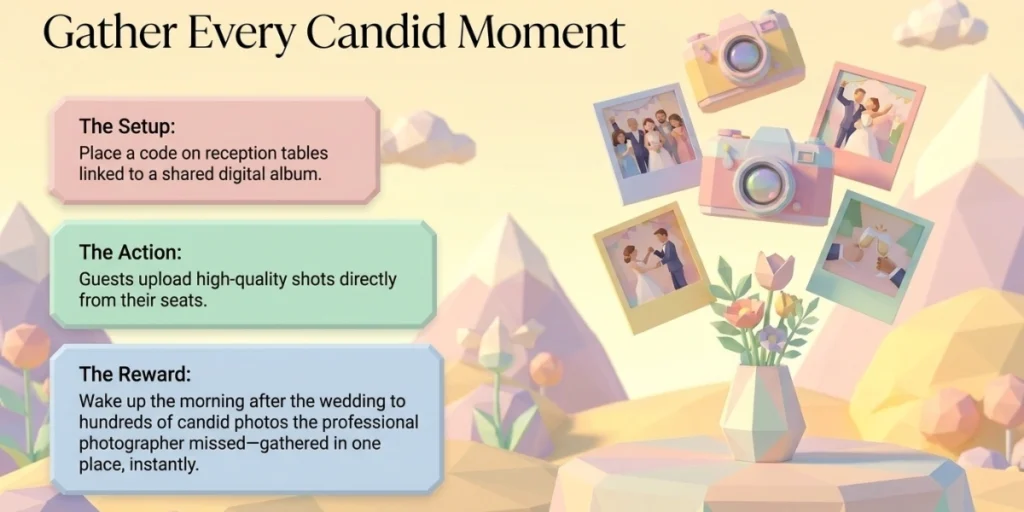
Photo sharing is the most loved use case of them all. Place a code on each table that opens a shared album. Guests upload their shots from their seats, at full quality. You wake up the next morning to hundreds of candid photos you would never have seen. No group chats. No compressed thumbnails.
3. Put your whole wedding behind one code
Do not want five codes on one card? Link a single code to your wedding website or a mobile landing page. List the RSVP form, map, registry, dress code, and hotel block in one place. Guests scan once and pick what they need. In Scanova, you can build this landing page in the same dashboard as the code.
4. Say thank you in your own voice
Thank-you cards get warmer with a code on the back. Record a short video message as a couple. Link the code to it. Guests hear you, not just read you. After the honeymoon, point the same code to the final photo gallery. One card, two gifts.
E. Should you pick a static or dynamic QR Code for your wedding?
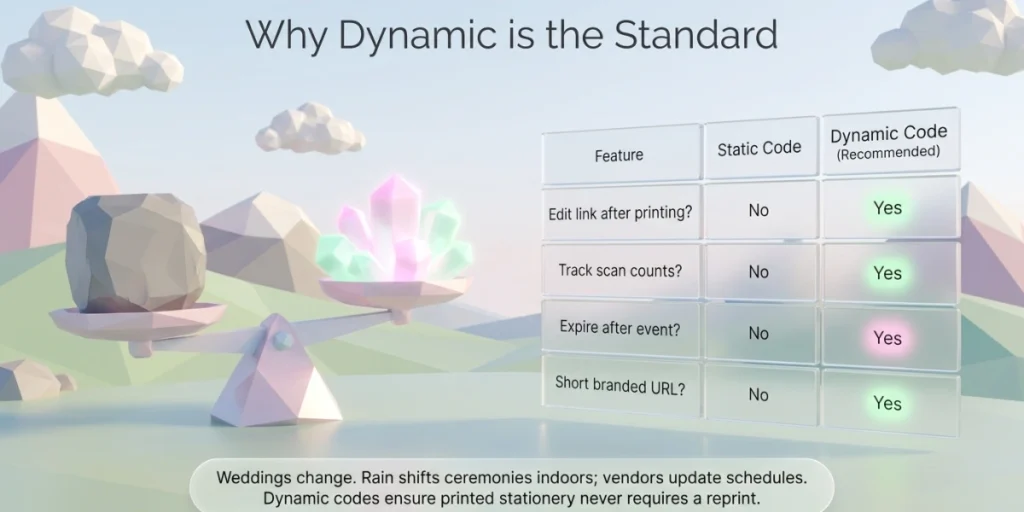
Pick a dynamic QR code for almost every wedding use case. A static code locks the link forever. A dynamic code lets you change the destination at any time, even after printing. Here is the difference at a glance:
|
Feature |
Static QR code |
Dynamic QR code |
|---|---|---|
|
Edit the link after printing |
No |
Yes |
|
Track scans |
No |
Yes |
|
Expire after the event |
No |
Yes |
|
Short branded URL |
No |
Yes |
|
Cost |
Free |
Usually paid |
Weddings change. A vendor cancels. The ceremony moves up an hour. Rain shifts everything indoors. With a static code, every change means a reprint. With a dynamic code, you update the link once and the printed code keeps working.
Dynamic codes also report scan counts. You learn how many guests opened the RSVP form before you start calling people. After the event, you can set the code to expire on a date you choose. Many couples prefer that for privacy.
This is why the Wedding QR Codes we offer at Scanova are dynamic by default. You can even swap the destination to your photo gallery after the wedding, using the same printed code.
F. How do you design a wedding QR Code guests will scan?
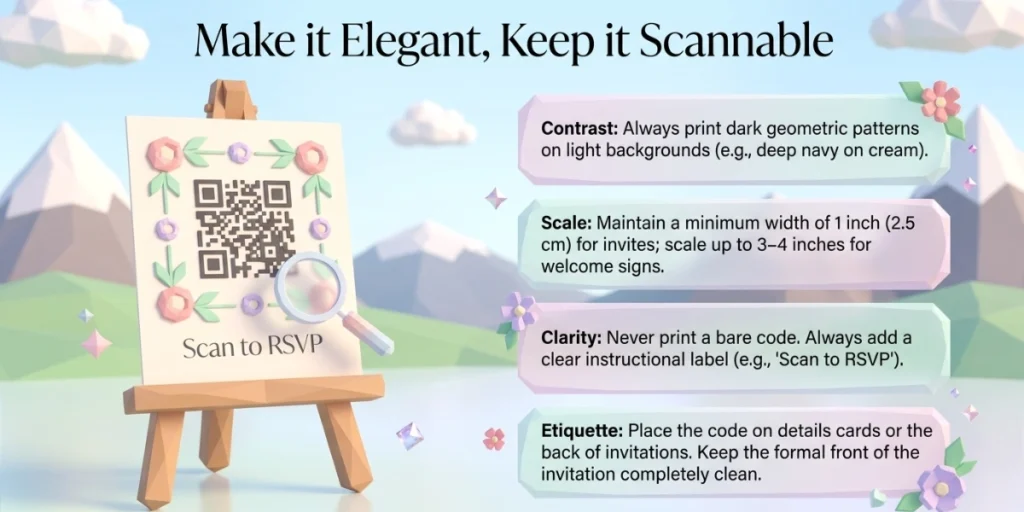
A good wedding QR code looks like part of your stationery and scans on the first try. Most scan failures trace back to four small mistakes. The fixes are just as small. Follow these rules and your code will work at the table, at the door, and in a dim reception hall.
1. Keep the contrast high
Print a dark pattern on a light background. Blush pink on ivory looks lovely and fails to scan. Deep navy, forest green, or charcoal on cream all work well. If you flip to a light code on a dark background, test it twice as hard.
2. Size it for the scan distance
On invitations and cards, keep the code at least 1 inch (2.5 cm) wide. On welcome signs read from a few feet away, go 3 to 4 inches or larger. Leave a clear margin around the code on all sides. Designers call this the quiet zone, and phones need it to lock on.
3. Add a label that gives a reason
Never print a bare code. Add a short line that tells guests what happens next. “Scan to RSVP.” “Scan to share your photos.” “Scan for directions.” A clear label lifts scan rates more than any design tweak. It also spares your parents from asking what the little square does.
4. Test at final size before the print run
Print one sample page at the real size. Scan it with an iPhone and an Android, in bright light and dim light. Reception lighting is not kind to weak codes. Two minutes of testing protects a print run you cannot redo.
Design tools make this part fun rather than fiddly. In Scanova’s design options, you can add a logo or monogram, pick custom colors, and use frames with a built-in call to action. There are also AI-generated design styles if you want something more artistic.
G. Is it tacky to put a QR Code on a wedding invitation?
No. A QR code on a wedding invitation is now standard, not tacky. The Knot’s etiquette editors confirm there is no etiquette rule for or against including one. And with nearly half of couples already using one, your guests have seen them before.
Placement is what separates elegant from awkward:
- Put the code on the back of the invitation or on a separate details or RSVP card. Keep the front clean and formal.
- Match the code’s colors and style to your suite so it reads as a design element, not a sticker.
- Print a short URL under the code for guests who would rather type.
- Keep registry codes off the formal invitation. A details card or your wedding website is the better home for them.
Handled this way, the code feels intentional. Your grandmother can still mail a reply card if she likes. Your college friends will scan from the couch and RSVP before dinner. Both groups feel looked after, which is the whole point of etiquette anyway.
H. FAQs: QR Code Generator for Wedding
1. Do guests need an app to scan a wedding QR code?
No. Every modern smartphone scans QR codes with its default camera app. Guests point the camera at the code and tap the link that appears. Guests with older phones can use Google Lens or any free scanner app.
2. Is a free QR code generator good enough for a wedding?
A free static code works if your link will never change. But you cannot edit it, track scans, or expire it after the event. For RSVPs, schedules, and photo sharing, a dynamic code is the safer choice. Weddings hold too many moving parts to bet on a link you can never fix. Most platforms, including Scanova, let you create and test a dynamic code on a free trial before you commit.
3. What size should a wedding QR code be?
Keep it at least 1 inch (2.5 cm) wide on invitations and cards. Use 3 to 4 inches on welcome signs and posters viewed from a distance. Always print and scan a sample at the final size before the full run.
4. Can one QR code handle the RSVP, photos, and registry?
Yes. Link the code to your wedding website or to a mobile landing page that lists all links in one place. Guests scan once and choose what they need. This keeps your stationery clean and your guests unconfused.
5. Do wedding QR codes expire?
Static codes never expire. Dynamic codes continue to work as long as your plan with the QR code platform remains active. You can also schedule a dynamic code to deactivate on a set date after the wedding. Many couples use this to keep their photo album private over time.
Make Your Wedding Easy to Scan
A wedding QR code is a small square with a big job. It brings RSVPs in faster, collects all guest photos into one album, and keeps your stationery clean. Create it with a dynamic QR code generator, design it to match your suite, and test it before you print. Your guests get convenience. You get your evenings back.
The best time to set this up is before your stationery goes to the designer. That way the code is part of the design, not a sticker added at the end. Ten minutes now saves a reprint later.