QR Code Integration: Connect Offline Scans to Google, Meta, LinkedIn & More
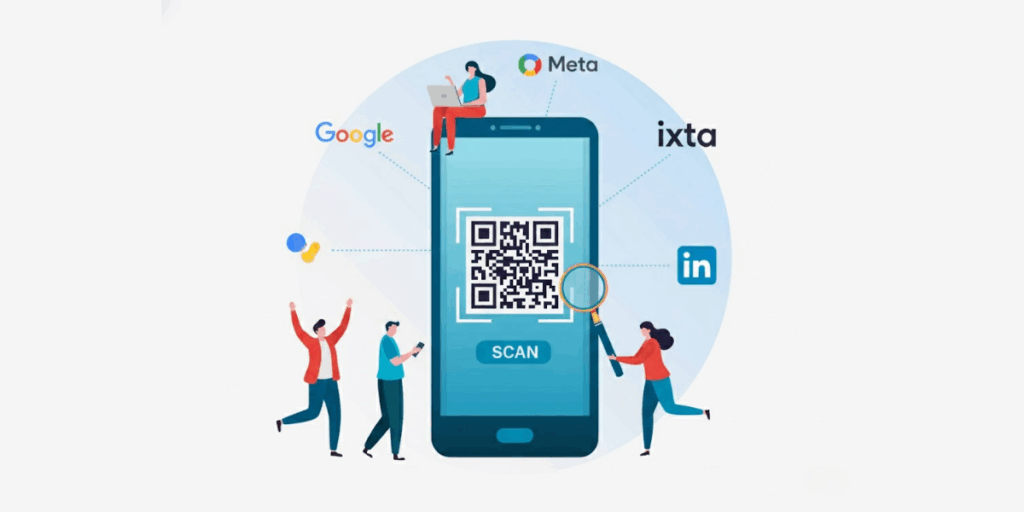
In a nutshell: QR Code integration turns offline scans into retargetable, trackable traffic. This makes print campaigns measurable and conversion-focused. Scanova integrates with Google Ads, Microsoft Ads, Meta Pixel, and LinkedIn Insight Tag to build ad audiences from QR scans.
Imagine someone scans a QR Code on your print ad; they show interest, but what if they don’t immediately act?
Traditionally, that opportunity might be lost. QR code integration changes this by giving your offline campaigns a “digital memory”.
It allows you to reconnect with those engaged users through online ads. This bridges the gap between offline and online interactions.
This is a game-changer for marketing ROI. Retargeting people who interacted with your brand offline can boost conversions.
You can connect your QR Code campaigns with Google Ads, Microsoft Ads, and Meta. Also, Pixel, and LinkedIn Insight Tag too.
These integrations embed tracking pixels into your QR Code scan process. When someone scans, they’re added to your online retargeting audiences.
The result? You can serve follow-up ads to those scanners on Google, Facebook/Instagram, LinkedIn, or Bing.
This keeps your brand in front of interested prospects and guides them towards conversion.
So, let’s get started!
46% of US marketers use QR codes in campaigns, with payments growing 200% in 2023. Businesses generate eight QR codes per minute globally, up 47% year-on-year. Dynamic QR adoption for data capture hits 95% in signage strategies. Source: electroiq
A. Why QR Code integration matters?
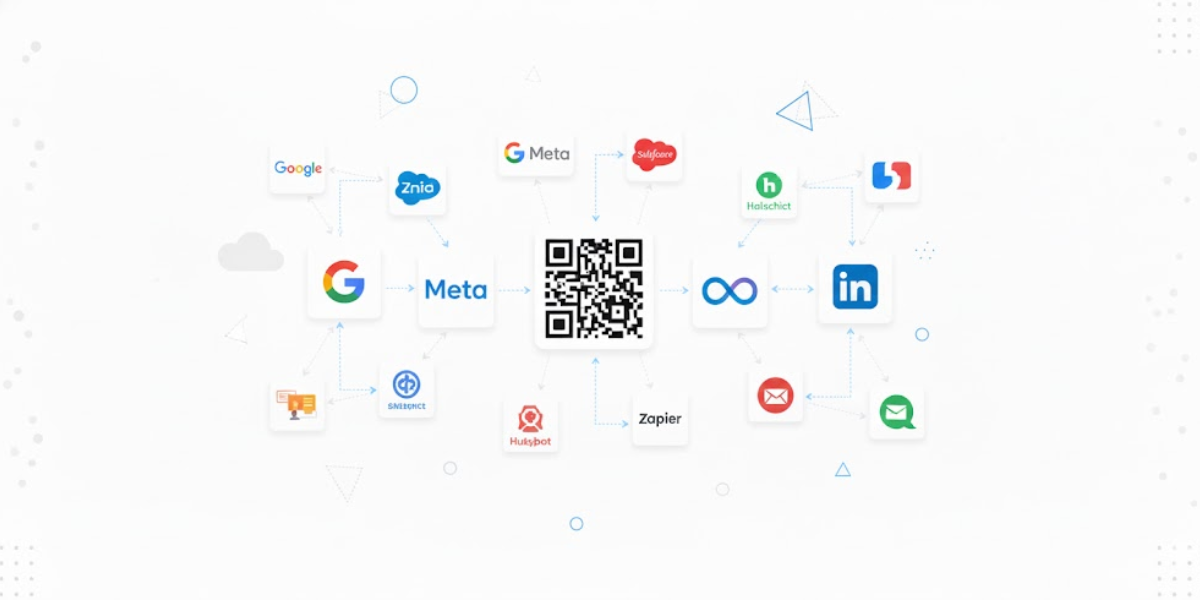
1. It keeps offline interest alive online
A QR scan is a high-intent action. Someone paused, pulled out their phone, and chose to engage. QR Code integration ensures that interest does not disappear after scanning.
It gives offline campaigns a digital memory. This helps you reconnect with the same people later through ads, analytics, and workflows.
2. It makes print campaigns measurable
Flyers, posters, packaging, and event signage were once hard to track. With QR Code integration, scans become visible in your marketing stack.
You can see what happened after the scan, whether it led to a visit or a signup. This connects physical marketing to digital performance, helping you justify spend with real data.
3. It improves ROI through smarter retargeting
Retargeting works because it focuses on people who have already shown interest. QR scanners fall into that group. By integrating QR Codes with ad platforms, you can re-engage these users across channels.
Retargeted audiences consistently outperform cold traffic. They often convert at much higher rates, which means more value from every printed QR Code.
4. It enables precise audience segmentation
QR Code integration allows you to group users by real-world context. Someone who scanned a trade show QR, a product label, or a magazine ad can each become a separate audience.
This makes messaging more relevant and personalized, thereby improving engagement and conversions.
5. It reflects how modern marketers work
QR Codes are no longer experimental. Most marketers are using them more year over year, and expectations have shifted. QR Codes are now expected to integrate with analytics, ads, design tools, and workflows.
Without integration, QR campaigns remain isolated. With integration, they become part of a connected, data-driven marketing system.

B. Different types of integrations available when using Scanova
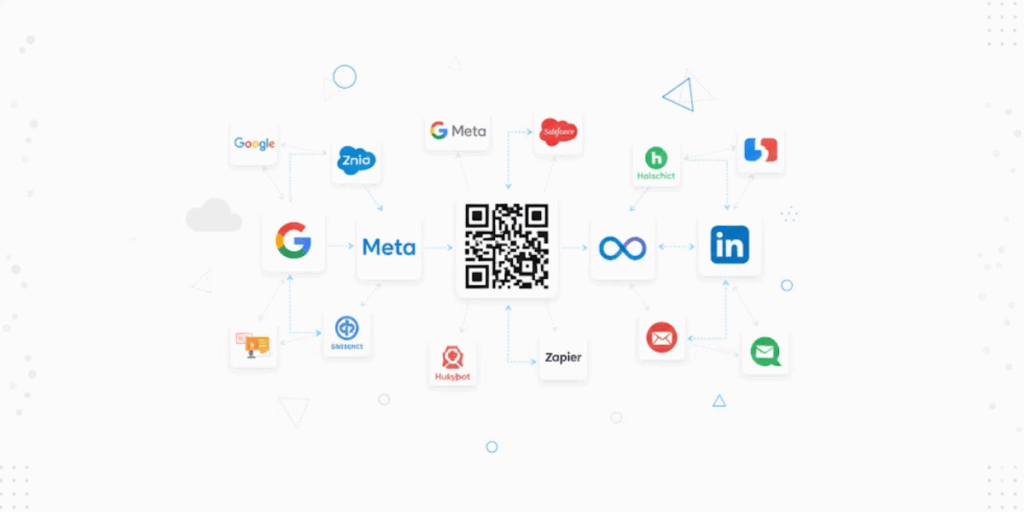
1. Webhooks
Webhooks are the “instant notification” layer of QR Code integration. When something happens, a webhook can send the event to another system in real time.
Why marketers care: it turns QR Codes into live campaign signals.
What you can do:
- Trigger a workflow the moment a QR Code is scanned (e.g., send scan event to your CRM or analytics pipeline).
- Route scan data to internal dashboards or alerts (Slack, email, reporting tools).
- Power hyper-fast attribution for offline campaigns.
Best fit: teams that want custom, flexible automation without being locked into one tool.
2. Zapier
Zapier is the “no-code bridge” that connects Scanova-style QR workflows to thousands of apps (CRMs, spreadsheets, email tools, project managers, Slack, etc.).
Why it’s useful: it lets non-dev teams automate QR-led workflows without engineering help.
Common outcomes:
- Push QR scan activity into Google Sheets or a CRM as rows/records.
- Trigger email sequences based on QR engagement.
- Notify teams when a campaign spikes (or drops) in scans.
Best fit: small businesses + lean marketing/product teams that want automation fast.
3. Google Analytics
Google Analytics makes QR Code campaigns measurable in a language every team understands. It includes sessions, users, source/medium, and conversions.
Why it matters: Without analytics, QR is “cool” but hard to prove. With GA, QR codes become trackable traffic you can optimize like any other channel.
What readers should know:
- QR scans are essentially visits. Analytics helps you see what happens after the scan: bounce, time on page, conversions.
- It’s ideal for answering questions like “Which print placement worked best?” and “Did scans become leads or sales?”
Best fit: everyone. This is the baseline integration for QR performance marketing.
4. Google Docs Add-on
A Google Docs add-on is about speed + workflow. It brings QR code creation and placement closer to where many teams create content: documents.
Why it’s valuable: less tab-switching, fewer “export/import” loops, fewer formatting issues.
What it enables:
- Teams generating QR Codes while drafting docs
- Consistency (same QR style, same brand rules) across documents.
Best fit: ops-heavy teams, education, HR, compliance, and any org that lives in Docs.
5. Canva
Canva integration is about making QR Codes “design-native.” Instead of treating QR codes like last-minute stickers, they become part of the layout.
Why it matters: design quality affects scan rates and trust.
What it unlocks:
- Faster production of QR-based creatives (posters, social posts, packaging mockups).
- Brand consistency (colors, logo placement, safe margins) across campaigns.
Best fit: marketing teams shipping lots of creative fast.
6. Adobe Creative Cloud
Adobe Creative Cloud integration is for design teams working in Pro Tools. This includes Illustrator, Photoshop, and InDesign.
Why it matters: Large brands and print-heavy teams need precision. This includes layout control, high-res exports, and print standards.
What it enables:
- QR Codes that are production-ready for packaging, retail signage, magazines, and brand guidelines.
- Cleaner collaboration between marketing + design (less manual handling of assets).
Best fit: enterprises, agencies, packaging/print-first brands.
7. Microsoft 365
Microsoft 365 integration is about putting QR Codes into the everyday tools. These include: Word, PowerPoint, Excel, Outlook (and often Teams).
Why it’s useful: QR becomes a built-in utility for decks, proposals, event materials, internal training, and customer docs.
What it unlocks:
- Faster distribution: “scan to access” assets inside presentations and docs.
- Simple internal enablement: teams can create and reuse QR Codes without learning new tools.
Best fit: enterprise teams and SMBs that run on Microsoft.
8. Google Ads
Google Ads integration connects offline scans to online remarketing and performance measurement.
Why marketers use it: QR codes are a strong signal of intent. With Ads integration, scanners can become an audience you can re-engage across Google’s network.
What it enables:
- Retarget people who scanned a QR Code but didn’t convert.
- Compare outcomes across different QR placements.
Best fit: Brands spending on acquisition. They want to turn offline touchpoints into measurable funnels.
9. Microsoft Ads
Microsoft Ads plays a similar role: retargeting and tracking across Microsoft’s ad ecosystem.
Why it’s relevant: Microsoft Ads can be effective and sometimes cheaper than alternatives.
What it enables:
- Reach scanners later on the Microsoft network.
- Add another paid channel to extend the value of offline campaigns.
Best fit: B2B, enterprise, and teams already running multi-platform paid campaigns.
10. Meta Pixel
Meta Pixel connects QR-driven visits to Meta’s ad ecosystem (Facebook + Instagram).
Why it matters: It’s one of the strongest tools for retargeting and lookalike audiences.
What it enables:
- Retarget QR scanners with follow-up ads in feeds/stories.
- Build lookalikes based on people who engaged offline (scanned) and then took action.
Best fit: D2C, retail, food & beverage, events, local businesses.
11. LinkedIn
LinkedIn integration connects QR-driven engagement to a B2B-friendly ad environment.
Why teams use it: QR codes at events, conferences, brochures, or sales collateral. These often reach high-value professional audiences.
What it enables:
- Retarget people who scanned your booth QR with a demo offer.
- Reinforce ABM campaigns by reconnecting offline interest to LinkedIn campaigns.
Best fit: B2B SaaS, recruiting, enterprise services, professional education.
12. Model Context Protocol (MCP)
MCP is the “next wave” of integration thinking — built for AI-first workflows. It’s a standard approach that enables AI tools to interact with systems.
Why it matters (in QR context): it can make QR campaigns AI-operational. Instead of pulling scan data and writing reports, an AI agent could access the right sources.
This is done through MCP-style connections to summarize performance. They also spot anomalies or generate campaign insights.
What it enables:
- AI assistants that can answer: “Which QR campaign performed best this week and why?”
- Faster experimentation loops: creative → deploy QR → AI reads performance signals → suggests improvements.
- Better internal enablement: teams ask questions in plain English. The systems respond with grounded data.
Best fit: product-led teams and modern marketing orgs building AI into analytics and ops.
C. Why Scanova is built for integration-first QR campaigns?
Most QR tools treat integration as an add-on. Scanova is built the other way around.
The platform is designed so QR Codes don’t live in isolation. They plug into the tools teams already use to run campaigns, measure performance, and automate workflows.
1. Breadth of integrations, not one-off connections
Scanova supports a wide range of integrations. It includes advertising, analytics, automation, design, documentation, and emerging AI workflows.
This breadth matters because QR Codes touch many teams and many touchpoints. A campaign does not stop at the scan.
It continues into analytics, retargeting, reporting, and follow-up actions. Scanova makes those connections native, not forced.
2. Designed for marketing, operations, and product teams
QR campaigns rarely fall under a single team. Marketing cares about reach, retargeting, and conversions. Operations teams care about automation, consistency, and scale.
Product and growth teams care about data, experimentation, and insights.
Scanova’s integration-first approach reflects this reality. Marketers can connect QR scans to ad platforms and analytics. Ops teams can route scan data into internal systems using Webhooks or Zapier.
Product teams can think beyond dashboards and start using scan data as an input. Everyone works from the same QR infrastructure, without duplicating effort.
3. Built to scale from SMBs to enterprise
Small businesses often start simple. They want QR Codes that work with tools like Google Analytics, Canva, or Zapier without heavy setup. Enterprises need more.
Teams can start with a few core integrations and expand as campaigns grow. They won’t have to switch platforms or redo workflows.
The same QR campaign model works. Whether you are running a local print promotion or a multi-region enterprise rollout.
4. Fits modern stacks, not isolated workflows
Modern marketing and operations stacks are modular. Data flows between tools. Actions trigger automations. Insights inform decisions across teams. Scanova is built to fit into that reality. QR Codes become data sources, not static links.
This makes QR Codes part of a connected system rather than a standalone tactic.
Instead of asking “Did the QR get scanned?”, teams can ask “What happened because it was scanned?” and get real answers.
QR Code payments grow from $5.4 trillion in 2025 to $8 trillion by 2029 (50% rise), via A2A schemes. In India, UPI QR acceptance hit 216 million devices in 2022, up 79.5%. Scans surged 57% across 50 countries, with 22% usage growth expected in 2025. Source: fintech.global
Summing up
QR Codes are no longer just links. With integration, they become signals of real-world intent.
QR Code integration keeps interest alive after the scan. It makes print measurable and enables smarter retargeting and audience building. It turns physical touchpoints into ongoing digital opportunities.
Scanova is built for this integration-first approach. In short, integration is what makes QR Codes work beyond the scan.
