Open Source QR Code Generator: A Complete Guide

In a nutshell (TL;DR): Open source QR Code generators are free tools whose code you can view, modify, and use. Most are either developer libraries or self-hosted platforms and mainly create static QR Codes, which can’t be edited or tracked after printing. Check the license before using them. MIT and Apache are generally business-friendly, while AGPL has stricter requirements. If you need dynamic, editable, and trackable QR Codes without managing your own infrastructure, a platform like Scanova is a better fit.
An open-source QR Code generator is a tool whose code is publicly available. You can read it, run it, and change it for free. I get asked about these tools often, and my honest answer is simple. They are great for some jobs and a poor fit for others.
QR Codes are everywhere now. In the United States alone, the number of people who scan them was set to pass 99 million by 2025, according to eMarketer data on Statista. They sit on menus, posters, packages, and payment screens. That growth is why so many people search for a free, open way to make them.
Here is the catch most guides skip. Most open source generators do one thing well. They turn text into a static black-and-white square.
That square cannot be edited or tracked once you print it. For a quick link or a side project, that is fine. For a brand that wants to measure scans and swap links later, it falls short.
In this guide, I will walk you through what these tools really are, the strongest options in 2026, the license traps to avoid, and how to choose. I build QR software for a living. So I will also be clear about where a managed platform like ours fits, and where it does not.
A. What is an open source QR Code Generator?
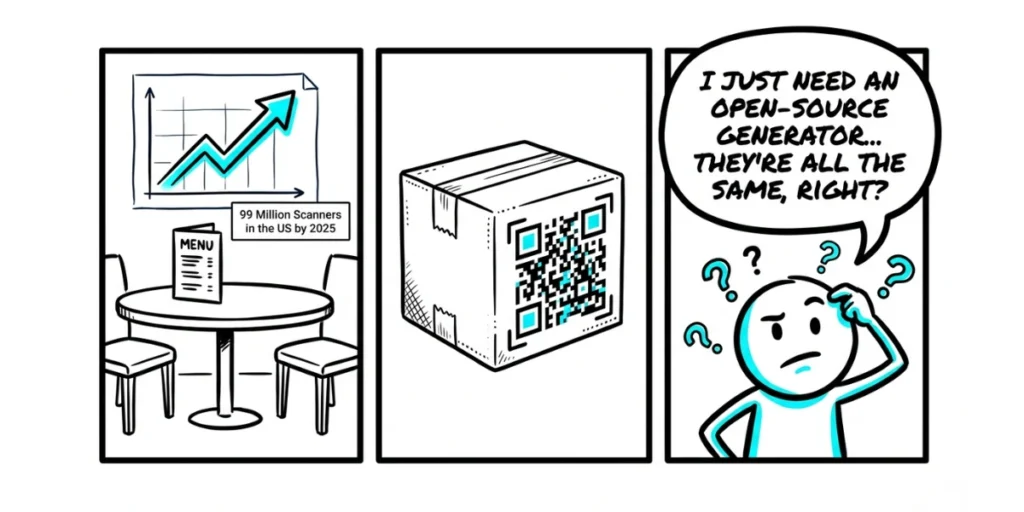
An open-source QR Code generator is software that creates QR Codes and shares its source code under an open license. You can use it for free, see exactly how it works, and change it to fit your needs. Nothing is hidden behind a paywall or a black box.
Here is the part most articles get wrong. Open-source QR tools are not a single thing. They come in two very different shapes, and the shape decides everything.
The first shape is a code library. This is a small piece of code that draws a QR image. It has no buttons and no screen. A developer adds it to an app, a script, or a backend. You “talk” to it with code, not clicks. Python’s qrcode package and the popular nayuki QR-Code-generator are good examples.
The second shape is a self-hosted platform. This is a full web app you run on your own server. It has a dashboard, a login, and sometimes scan analytics. You install it once, then your team uses it through a browser, much like a paid tool.
Mixing these two up is the most common mistake I see. A developer who wants a dashboard ends up with a bare library and spends a week writing glue code.
A marketer who wants a simple screen ends up staring at code they cannot run. So pick the shape first. Then pick the tool. The rest of this guide will help you do both.
B. What are the best open source QR Code generators in 2026?
The best open-source QR Code generator depends on your language and goal. There is no single winner. Below are strong, well-kept options, grouped by type. I have left out tools that look dead, since a repo with no updates is a risk you do not need.
Code libraries (for developers):
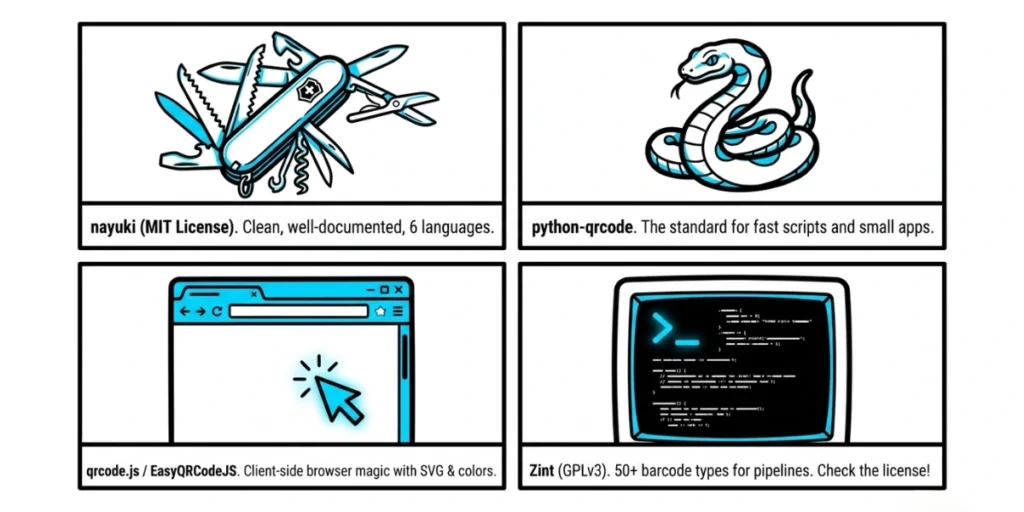
- nayuki QR-Code-generator (MIT): Clean, well-documented, and available in six languages, including Java, JavaScript, Python, Rust, C++, and C. A safe first pick because the MIT license is friendly to commercial use.
- python-qrcode (Python): Simple and very popular for scripts and small apps. You can make a code in a few lines.
- qrcode.js and EasyQRCodeJS (JavaScript): These run right in the browser. They support canvas, SVG, logos, and colors, which makes them handy for client-side tools.
- chillerlan/php-qrcode and Endroid QR Code (PHP): Common in web apps, ticketing systems, and receipts. Both are flexible and easy to drop in.
- QRCoder (C# / .NET): A simple library with no outside dependencies, which keeps your project light.
- Zint (C library and CLI, GPLv3): Supports more than 50 barcode types, not just QR. Great for pipelines and shell scripts. Note the GPLv3 license before you use it in a closed product.
Offline desktop apps (for privacy):
- Offline generators such as Mariano Ortu’s QR Code Generator (GPLv3, Windows): These work fully offline, with no tracking and no ads. Your data never leaves your machine. This is a strong choice when privacy is the whole point.
Self-hostable web tools:
- Several Node.js and web projects let you run a small QR generator on your own server. You get a user interface without paying for a service. The trade is that you handle hosting, updates, and security yourself.
A quick tip before you commit to any of these. Check three things. Is the project still up to date this year? Does the license fit your use case? Does it make the QR type you actually need?
If the answer to any of these is no, keep looking. The time you save now, you will lose later.
C. Static or Dynamic: Which QR Codes can open-source tools make?
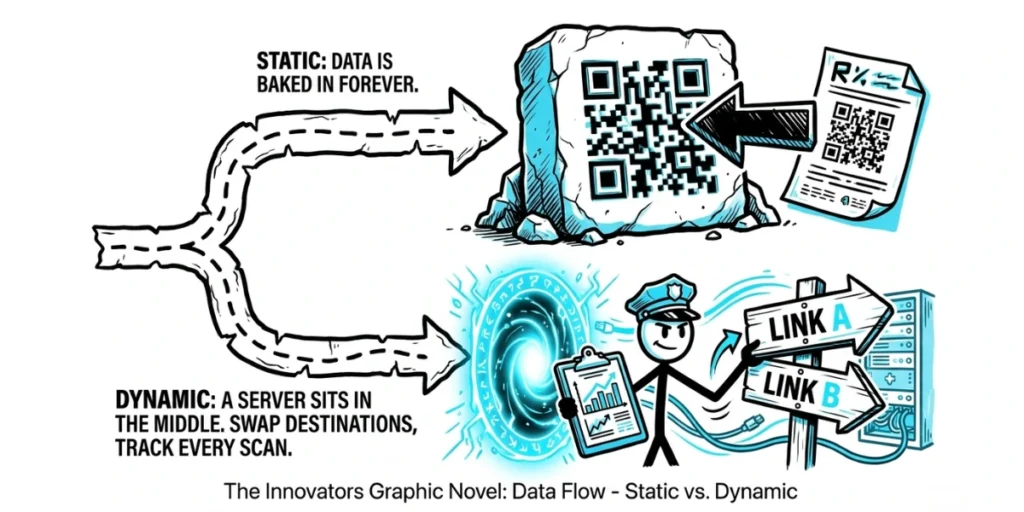
Almost every open-source QR Code generator only generates static codes. Static code holds your data inside the code itself. The link, the text, or the Wi-Fi details are baked into the pattern. Once you print it, you cannot change where it points, nor can you see who scanned it.
A dynamic QR Code works differently. It points to a short link that you control. Behind that link sits a server. So you can change the destination at any time, even after the code has been printed on a thousand flyers.
You can also track each scan, including when it happened and a rough location. Most open source libraries do not include any of this. They draw the image and stop there.
So how should you read this? If you only need a code for a poster, a business card, or a Wi-Fi password, a static open-source tool is perfect. It is free, fast, and private. If you run real campaigns, you will likely want dynamic codes instead.
You can build that on top of an open source library, but it is real work. You need hosting, redirect logic, an analytics store, and steady uptime. That is a small product, not a weekend task.
“Many teams start with a free static QR Code because it seems simple. But once printed, even a small mistake in the destination link means reprinting everything. That’s usually the moment they realize the value of a dynamic QR Code.” —Siddharth Pangtey, Product Manager at Scanova
D. Which license should you choose: MIT, Apache, or AGPL?
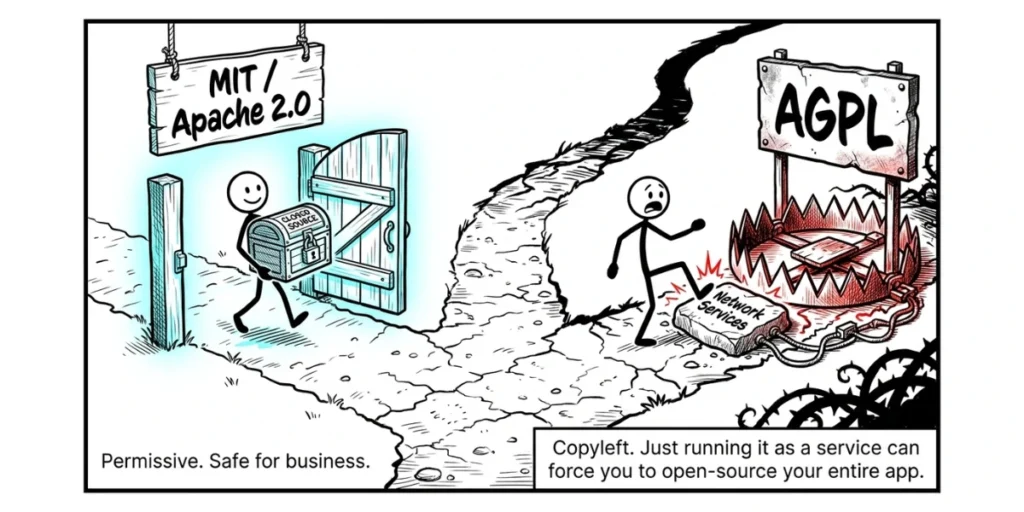
For most commercial projects, choose a tool under the MIT or Apache 2.0 license. Avoid the AGPL unless you plan to open-source your entire app or buy a commercial license. This single choice can save you a serious legal headache.
Here is why. An open license is not the same as a free pass. Each license sets rules. MIT and Apache 2.0 are permissive. You can use the code inside a paid, closed product, and you owe no duty to share your own code. They are the easy path for a business.
AGPL is a different animal. It is a strong copyleft license. If you build a web service on AGPL code, you may be required to release your entire app’s source to the public. The trigger is not even selling the software. Just running it as a network service can be enough. That is a huge surprise to find late in a build.
This is not a small or fringe risk. Google’s own policy is blunt about it. Its open-source guide warns that AGPL code must not be used at Google because the network rules are too hard to follow safely across a large codebase.
When a company of that size outright bans a license, smaller teams should take note.
So what should you do in practice? Check the license at the root of the repo, not just in the README, where the wording is sometimes loose. If a tool you love is AGPL and you need it for a closed product, look for a dual commercial license.
Many AGPL projects sell one. If not, pick an MIT or Apache option instead. For a quick internal tool, the license matters less. For a product you sell, it matters a lot.
E. Should you self-host or use a managed platform?
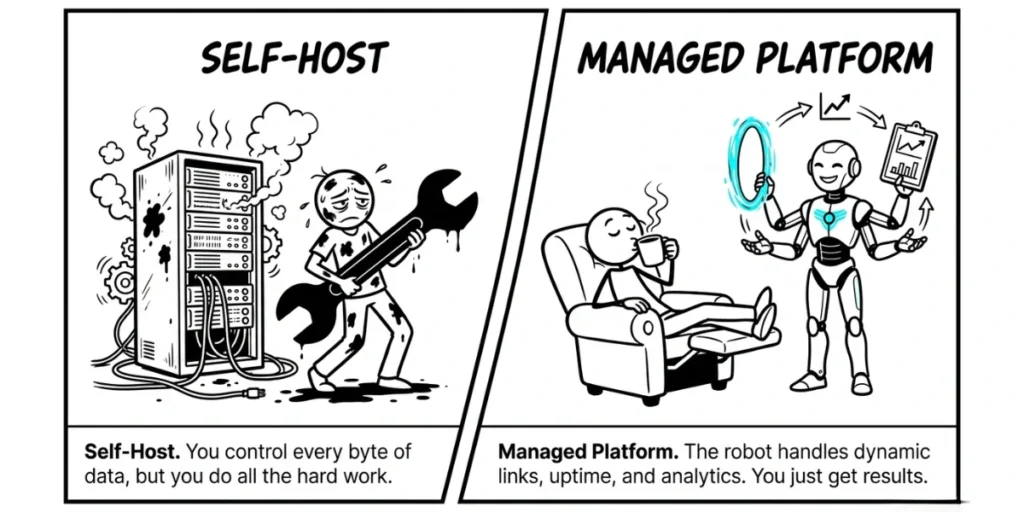
Self-host when you want full control of your data, and you have the time to run a server. Use a managed platform when you want dynamic codes, analytics, and zero upkeep. Both paths are valid. They just suit different teams.
Self-hosting sounds free, but it has a price. You pay it in time. You set up the server. You patch security holes when they appear. You handle backups, uptime, and scaling when a campaign sends scans through the roof.
For a team with engineers and a strict privacy rule, that trade can be well worth it. You keep every byte of scan data on systems you own. Nobody else touches it.
A managed platform flips the trade. You give up some control of the stack. In return, you get a ready tool with dynamic codes, scan analytics, bulk creation, and design options, all without running anything yourself. You log in and work. Updates and uptime are someone else’s job.
This is the exact gap we built our platform, Scanova, to fill. We are not open source, and I will not pretend otherwise. What we offer is the dynamic side that open source tools usually leave out.
You can edit a code’s link after it is printed, track scans by time and place, collect leads with QR Code Forms, and control what a code shows over time with QR Code Scheduling.
For teams that want results instead of maintenance, that is the point of a managed tool.
I want to be fair here, because this is the honest part. If your goal is to learn, embed QR generation in your own app, or keep everything offline, open source still wins.
Use the right tool for the job, not the loudest one. The point of this guide is to help you tell the difference, not to push one answer.
F. How do I choose the right open source QR Code Generator?
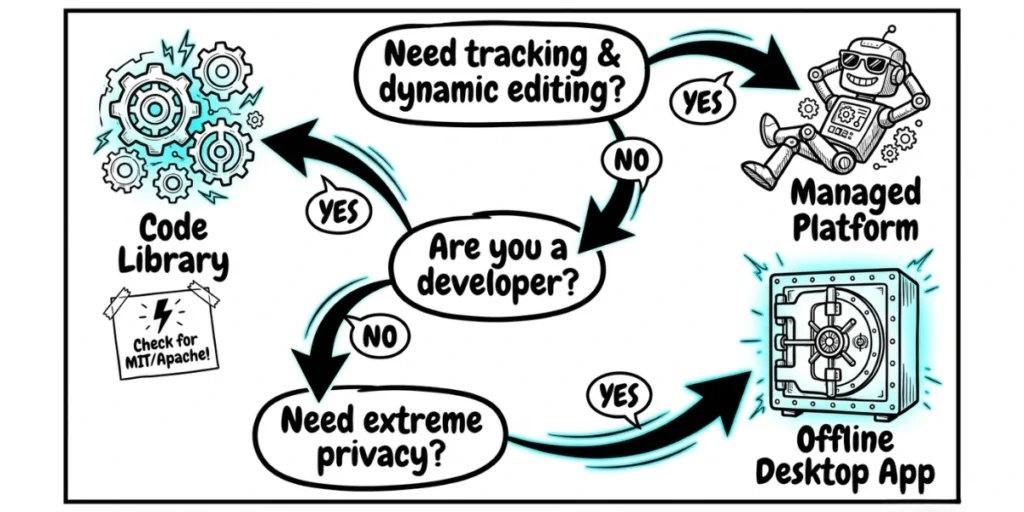
Match the tool to your use case. Your role, your skills, and your need for tracking decide the answer. Here is a short way to think about it.
- You are a developer adding QR to an app. Pick a maintained library in your language, under MIT or Apache. Nayuki’s library or Python-qrcode are safe starts.
- You want a private, offline tool. Pick an offline desktop app. Your data never leaves your machine, which is the whole appeal.
- You want a dashboard you fully control. Self-host a web QR tool, and plan for hosting, updates, and security from day one.
- You need dynamic, trackable codes with no server work. Use a managed platform. Ours, Scanova, is one option built for that, and there are others worth comparing too.
One more tip that saves a lot of pain. Write down your top need before you choose. Free, private, dynamic, or hands-off. You will rarely get all four in a single tool. When you know which one matters most, the right pick gets obvious fast.
G. FAQs: Open Source QR Code Generator
1. Is an open source QR Code generator free?
Yes. The software is free to use and to change. But a self-hosted version still costs you something. You pay for the server, setup time, and upkeep that keep it running.
2. Can open-source QR Codes be tracked?
Most cannot. Open-source tools usually produce static code with no built-in analytics. Tracking needs a dynamic code with a server behind it. You can build that yourself, or use a platform that already includes it.
3. Are open source QR Codes safe?
The codes themselves are safe to use. Offline open source tools are a strong choice for privacy, since they add no tracking and keep your data local. Always check the project’s license and confirm it was updated recently before you trust it.
4. What is the best open source QR Code library?
There is no single best one. nayuki’s library is a top pick for clean, multi-language code under the MIT license. For simple Python scripts, python-qrcode is a favorite. The right choice depends on your language.
5. Do open source QR Codes expire?
Static codes never expire. They keep working as long as the data inside them stays valid. Dynamic codes are different. They depend on the service or server that hosts the link, so they last as long as that link stays live.
Final Thoughts
Open source QR Code generators are a gift. They are free, open, and private. For static codes and developer work, they are hard to beat, and I reach for them often. But they stop where dynamic codes begin. If you need to edit links, track scans, and manage codes at scale, you will hit the edge of what a free library can do.
So know your need first. Pick the right shape, library, or platform. Match the license to your use. Do that, and you will not waste a single day on the wrong tool.