Digital Business Card for Apple Wallet: How To Create One

In a nutshell (TL;DR): A digital business card for Apple Wallet stores your contact details as a pass on your iPhone. You create the card online, save it to Apple Wallet, and share it with a quick QR Code scan. It updates in seconds, never runs out, and costs less than printing. In this guide, we cover how to create one, add it to your wallet, and share it properly.
You can add a digital business card to Apple Wallet in three steps. Create your card with an online card tool. Save the pass it generates to your iPhone. Then share it by letting people scan your QR Code.
Digital payments are projected to process US$37.45 trillion in transaction value worldwide in 2026, reflecting the continued shift toward mobile-first payments and digital interactions. This same trend is accelerating the adoption of QR codes and digital business cards. Source: Statista
I have watched paper cards fail at every trade show. People lose them, bins fill up with them, and the details on them go stale in months. A wallet pass fixes all three problems at once.
Here is what this guide covers. First, what these cards are and how they work. Then, the steps to create one and save it to your wallet. Last, how to share your card and keep it sharp.
A. Understanding digital business cards for Apple Wallet
1. Definition and function
A digital business card for Apple Wallet is a modern, digitized version of a traditional business card. Still, it’s much more than just an electronic transfer of contact information.
It’s a dynamic, interactive, and highly flexible tool that showcases your name, job title, contact details, social media profiles, websites, and more.
Designed specifically to be compatible with Apple Wallet, a digital business card is a virtual representation of your professional identity. It relays your basic contact details to reflect your brand and professional style. This makes it a versatile and robust networking tool.
2. How it works
Creating and using a digital business card for Apple Wallet is straightforward and user-friendly. It starts with selecting a digital business card provider that offers a wide range of design templates and customization options.
Once you’ve chosen a platform, you add your contact information to the card. It’s similar to how you would fill out a physical business card.
But digital cards also offer the opportunity to add assets such as hyperlinks, social media profiles, and multimedia.
The next step is to customize your card’s design. You can usually choose from a variety of styles and themes, allowing you to select one that best fits your professional image. You can also change the colors, font, and layout, and add logos or images.
Once you’ve created your card, you can then export it to Apple Wallet. From there, sharing your digital business card is as simple as taking out your iPhone and having the recipient scan your card’s QR code with their device.
Alternatively, you can also send your card via email or messaging apps. The recipient doesn’t need an iPhone or use Apple Wallet to receive your card; they can access it via a web link.
With a digital business card for Apple Wallet, you get an interactive networking tool, ready to share with a tap.
“A wallet pass stays with your customer long after the first meeting. Unlike paper business cards that are often misplaced or discarded, a digital pass remains accessible on a smartphone, making it easier to reconnect, update contact details, and build lasting professional relationships.” — Siddharth Pangtey, Product Manager at Scanova
B. Benefits of digital business cards for Apple Wallet
1. Cost-effective and eco-friendly
One of the most significant benefits of digital business cards for Apple Wallet is their cost-effectiveness. Traditional business cards often involve recurring costs to update details and reprint them (due to loss or damage).
However, with digital business cards, updates can be made instantly. And there’s no risk of physical harm or loss, making them a one-time investment.
Additionally, digital business cards are an eco-friendly alternative to their physical counterparts. Millions of business cards are printed annually, resulting in considerable paper waste. By opting for a digital version, you choose a sustainable solution that reduces waste and supports environmental well-being.
2. Professional networking
Digital business cards for Apple Wallet excel in professional networking. They enable quick, seamless exchange of contact information, even in large groups or at busy events.
As the cards are stored on the recipients’ devices, they’re unlikely to be lost or discarded. This increases the chances of future communication.
Moreover, digital business cards can showcase more than just your contact details. They can add your social media profiles, portfolio, and even promotional videos to better portray your professional identity.
3. Convenience
The convenience of digital business cards in Apple Wallet is unparalleled. Forget about carrying stacks of cards or worrying about running out at an event. With digital business cards, your professional details are always on your device, ready to be shared at a moment’s notice.
Furthermore, recipients of your card don’t need to worry about misplacing it, as it’s stored in their device. And if you need to update your details, you can do so without having to reprint and redistribute your cards. Your contacts will always have your most current information at their fingertips.
C. Creating digital business cards for Apple Wallet
1. Digital business card Solutions
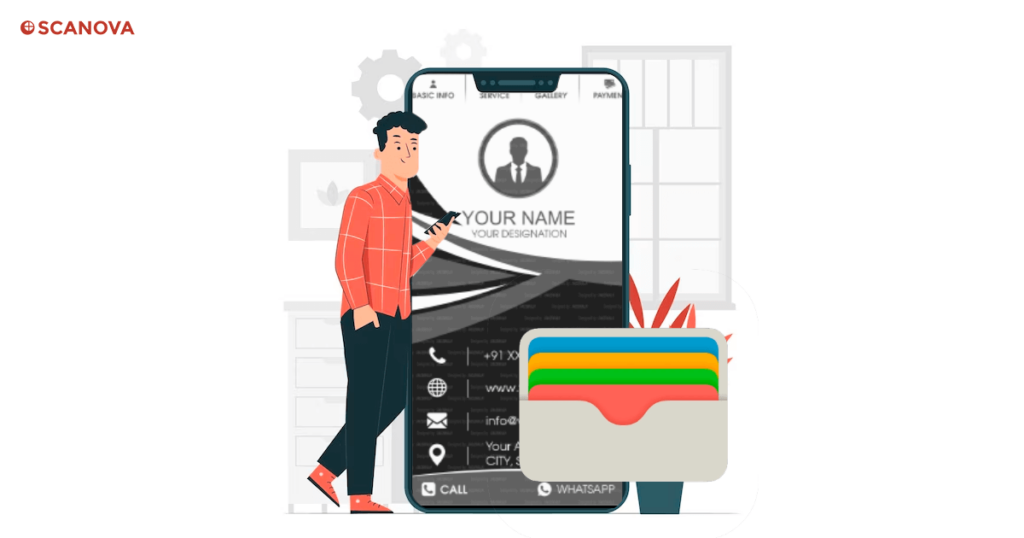
Creating a digital business card for Apple Wallet starts with choosing a solution. Several platforms, such as Scanova, offer this service, each with its own features, design, and pricing plans.
When selecting a solution, consider factors like ease of use, customization options, integration with Apple Wallet, and the ability to update your card information.
2. Creation process
Once you’ve selected your platform, the creation process can begin. It’s typically a straightforward process that involves filling out a form with your professional details. For example, your name, job title, contact information, and additional features like social media links or a website.
The next step is to design your card. Most platforms offer a variety of templates that you can customize to match your professional brand. You can change colors, fonts, layouts, and add images or logos.
After your card is complete, you can export it to your Apple Wallet. Some platforms may provide a QR Code to scan with your device to add the card to your wallet. With your digital business card now in your Apple Wallet, you’re ready to start networking in the digital age.
D. Sharing digital business cards for Apple Wallet
Sharing methods
Sharing your digital business card for Apple Wallet is simple and straightforward. You can use several methods, depending on what’s most convenient for you and the recipient.
One popular way is sharing via a QR Code. Most digital business card solutions generate a unique QR Code for your card. This code can be scanned on other people’s devices to quickly and easily add your card to their Apple Wallet or other digital wallets.
Another method is sharing via email or messaging apps. This is especially useful when networking remotely, as you can send your card to anyone, anywhere, in just a few clicks. Some platforms even allow you to embed your digital business card in your email signature.
E. Why should you switch from paper business cards?
Digital cards beat paper cards on cost, speed, and shelf life. Here is the side-by-side:
|
Difference |
Paper business card |
Digital card in Apple Wallet |
|
Cost |
Reprint every time details change |
One-time setup, free edits |
|
Updates |
New print run needed |
Edit once, live everywhere |
|
Loss |
Easy to lose or toss |
Saved on the phone |
|
Supply |
Runs out at events |
Never runs out |
|
Content |
Name and number only |
Links, portfolio, video, socials |
|
Waste |
Adds to paper waste |
No paper at all |
F. Best practices for digital business cards for Apple Wallet
1. Correct information
One of the most important aspects of your digital business card is the information it contains. Include all relevant professional information, such as your name, job title, contact information, and social media profiles or website.
Check that all details are accurate and up to date. Remember, many people can share and view your digital business card, so it must present you in the best and most accurate light.
2. Professional appearance
A digital business card is a reflection of your professional brand. Its design should therefore be professional, clean, and reflective of your brand identity.
Use colors, fonts, and images that align with your brand, and maintain a balanced and easy-to-read layout. Digital business cards allow for more creativity than traditional ones, enabling professional aesthetics and a positive, lasting impression.
3. Follow-ups
One key advantage of digital business cards is the ability to follow up with contacts easily. Since digital cards are stored in the recipients’ devices, they provide an easy reference for follow-up communications.
After sharing your card, consider sending a follow-up email or message to reinforce the connection and build a professional relationship.
G. FAQs: Digital Business Card for Apple Wallet
1. What is a digital business card for Apple Wallet?
A digital business card for Apple Wallet is a modern, convenient alternative to traditional physical business cards. They are designed to fit right into the Apple Wallet app, allowing easy sharing and storage of contact information. This digital format enables you to keep all your important contacts in one place, right at your fingertips, and share your details effortlessly with others.
2. How do I create a digital business card for Apple Wallet?
Creating a digital business card for Apple Wallet is easy with the right tool. Once created, the service will generate a digital file compatible with Apple Wallet. This can be shared directly with others or via a scannable QR Code.
3. Can I share my digital business card with people who don’t use Apple Wallet?
Yes, most digital business card services design their cards to be compatible with various digital wallet apps, not just Apple Wallet. So, whether your contact uses Apple Wallet, Google Pay, or any other digital wallet, they can easily access your digital business card.
4. What are the benefits of using a digital business card for Apple Wallet?
Digital business cards for Apple Wallet offer numerous benefits over traditional business cards. They are eco-friendly, cost-effective, easy to update, and hard to lose. They allow for fast and simple sharing of contact information, whether in person or remotely. Plus, their integration with Apple Wallet means they’re always conveniently accessible on your iPhone or iPad.
5. How can I ensure my digital business card for Apple Wallet is effective?
To ensure your digital business card is effective, make sure it includes all relevant contact and professional information. Also, remember to follow up with new contacts after sharing your card to reinforce the connection.
In conclusion, digital business cards for Apple Wallet provide a modern, convenient, and effective way to share your professional contact information. By following these tips and best practices, you’ll be well on your way to maximizing their benefits and boosting your networking efforts.