Event Marketing QR Codes: Your Guide to Hosting Better Events

In a nutshell (TL;DR): Event marketing QR Codes are transforming how organizers promote and manage events. By adding a simple scannable code to posters, tickets, and digital campaigns, you can boost registrations, streamline check-ins, and even track ROI. For attendees, scanning means instant access to details, tickets, or a calendar reminder. For organizers, it means less friction, lower costs, and more engagement.
If you’re promoting an event and still leaving the registration link to chance, typed out at the bottom of a flyer, buried in a caption, you’re losing sign-ups every day. A scannable QR Code turns physical materials into instant action: one tap, and your audience is already on the registration page.
This guide walks you through everything: what event marketing QR Codes are, how to create one on Scanova, real-world examples of brands doing it well, and best practices that make the difference between a code that gets scanned and one that gets ignored.
Event QR Codes demonstrate 3-4 times higher engagement rates than standard digital campaigns due to the high-intent nature of in-person scanning. Source: demandgenreport
A. What are event marketing QR Codes?
Event marketing QR Codes are QR Codes used to promote, inform, or manage events.
When scanned with a smartphone, an event QR Code instantly pulls up relevant event content on the user’s device, such as a registration form, a mobile event page with details, an RSVP confirmation, or even a ticket.
In essence, they bridge the gap between your printed event materials and online information, making static flyers or invites interactive and actionable.
These codes often use a dynamic QR Code format, meaning the linked content can be updated if event details change, without having to reprint the code.
Event QR Codes typically include essential details like the event name, date/time, location, and so on, along with quick-action options (e.g., RSVP or ticket link). You can even set up a QR Code that lets people add your event to their phone’s calendar with one QR scan.
Scanova’s internal platform data shows that 98% of QR Codes created on the platform are dynamic and trackable, highlighting how businesses increasingly prioritize measurable engagement over static, non-trackable campaigns. – Scanova Research Team
B. How to create an event marketing QR Code?
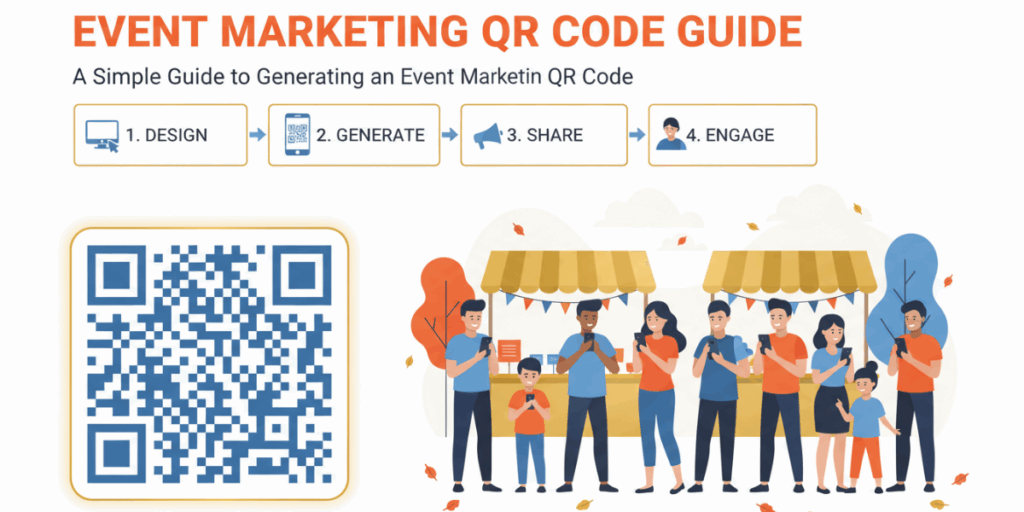
1. Go to scanova.io and log in. New to Scanova? Sign up for a free 14-day trial to get started.
2. In your dashboard, click Create QR Code and select the Event QR Code option. This opens the event creation form.
3. Fill in the basic event details — event name, date and time, and venue location. Add a short description and upload a banner image to make the landing page more informative and visually appealing.
4. Use the Button feature to link to an external resource (your event webpage, a video, or an image gallery). Enable social sharing buttons so attendees can share the event page directly.
5. Enable the RSVP option to collect responses. Add an email address to receive RSVP notifications and, optionally, set a guest limit or add custom questions to the form.
6. Customize your lead form with the Forms option. This lets you collect exactly the attendee information you need — whether that’s just an email address for a casual networking event or a full registration profile for a conference.
7. Scan the QR Code with your phone to test that everything works — including the RSVP form and any new scheduling settings. Then click Download to save in your preferred format (PNG, JPG, SVG). Your event QR Code is ready to go.
8. Set up QR Code Scheduling to control when your QR Code goes live and when it expires. This is particularly useful for events with early-bird registration windows or where you want the QR Code to automatically deactivate after the event date.
9. Click Continue, name your QR Code, and confirm it’s set as a Dynamic QR Code — this enables scan tracking and future edits. Click Create QR Code to generate it.
10. Click Edit Design to customize the code — adjust the pattern, colors, or add your logo. You can even overlay the QR Code on a background image that matches your event theme.
C. Why should you use QR Codes in event marketing?

QR Codes solve specific, tangible problems that every event marketer faces — from the moment you publish your first poster to the moment the last attendee walks out. Here’s how each benefit plays out in practice:
1. Instant action
Every marketer knows that if you make people wait, you lose them. If someone has to type a long URL from your flyer or remember to check it later, chances are they won’t. A QR Code removes that barrier. With one scan, they’re already on your registration page or ticket site.
Let’s say you are a fitness coach. You’re promoting weekend bootcamps and usually just print flyers with your website link. This time, you add a “Scan to Join” QR Code. Suddenly, sign-ups double because people can register instantly while they’re motivated.
2. More ticket sales
The easier you make the buying process, the more tickets you sell. QR Codes link directly to the ticketing page: no searching, no guesswork. This reduces drop-offs and increases conversions.
Assume that you are an independent musician. You’re handing out posters for your next show. Instead of just listing a ticketing URL, you include a QR Code that goes straight to checkout. Pre-sales climb by 30% because fans can grab tickets right away.
3. Connect print and digital
Print materials, posters, brochures, and invitations are great for visibility but limited in space. QR Codes turn them into interactive entry points to much richer content online: full schedules, videos, bios, FAQs.
Example: At SXSW, printed guides featured QR Codes that opened mobile-friendly pages with speaker bios, live agenda updates, and extra resources. Attendees got the best of both worlds: something to hold in hand and instant access to deeper details.
4. Track results with analytics
Traditional print ads are hard to measure; you never really know how many people acted on them. Dynamic QR Codes solve this by tracking scans. You can see how many people scanned, when they scanned, where they were, and what devices they used.
Imagine you are a fundraiser. You’re putting up posters across the city for your annual charity dinner. Later, analytics show that bus stop posters drove most RSVPs, while café posters barely got scanned. Next year, you shift focus to transit spots, cut wasted spend, and boost attendance.
5. Easy updates and flexibility
Events are dynamic; schedules shift, venues change, speakers drop out. If you’re using a static QR Code, you’re stuck with whatever you printed. But with a dynamic QR Code, you can update the linked content anytime.
Let’s say you are a student organizer. You print graduation brochures with a QR Code linking to ceremony details. When the schedule changes at the last minute, you simply update the link. Everyone scanning the same code instantly sees the new time: no confusion, no costly reprints.
6. Affordable and wide-reaching
Small businesses often have limited budgets. QR Codes are inexpensive to generate, but can reach hundreds or thousands when placed on the right materials. They also spread easily: once scanned, people can share the link digitally with friends.
Let’s say you are a student leader. You’re distributing graduation brochures with a QR Code linking to event details. When the ceremony time changes at the last minute, you update the link. Everyone scanning the same code instantly sees the new schedule: no need for reprints.
7. Contactless convenience
Since the pandemic, people expect and prefer touch-free solutions. QR Codes fit perfectly: no forms to touch, no cash to handle, no staff needed to distribute info. Just scan with your phone.
Let’s say you are a charity run coordinator. You add “Scan to Donate” QR Codes at water stations along the route. Runners contribute with their phones mid-race instead of waiting until later. Donations exceed past years because giving becomes instant and effortless.
“We consistently see event organizers choose dynamic QR Codes because they reduce operational risk. Instead of reprinting tickets after a venue or schedule change, organizers can simply update the QR Code destination and keep attendees informed through the same code.” — Siddharth Pangtey, Product Manager at Scanova
58% of businesses report measurable growth from adding QR Codes to customer touchpoints. Source: marketingprofs
D. What are some real-world examples of event QR Codes that worked?
1. Formula 1 Virtual Flood Relief Fundraiser (2023)
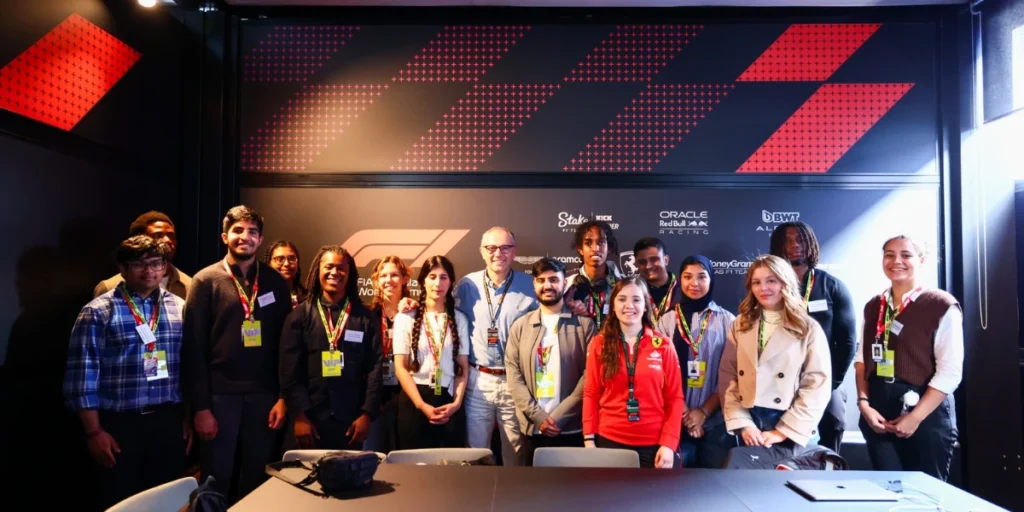
What happened: When the Emilia-Romagna Grand Prix was canceled due to flooding, F1 driver Max Verstappen organized a virtual sim-racing charity event. During the livestream, viewers were presented with a QR Code on screen. Scanning it, fans could instantly donate to relief efforts.
Why it works: It eliminated friction; viewers didn’t have to type URLs or hunt for donation pages. Instead, a quick scan led them directly to the donation platform, making it easy to contribute in the moment.
Source: brij.it+3Medium+3holtz.com+3
2. SXSW – Gamified Engagement with QR Codes (2024)
What happened: At the Coachella 2024 festival, organizers introduced “Coachella Quests,” a loyalty game blending virtual and physical experiences.
Attendees completed on-site scavenger hunts by scanning hidden QR Codes embedded in festival activations like “Disco Shark Quest” or the “AMEX Quest.” Completing these quests unlocked rewards like VIP lounge access, mystery merch, unreleased music, and even NFTs like the ultra-rare Coachella Key (which offered two free 2025 festival passes).
Why it works: Scanning QR Codes became an activity, not just a transaction. It merged exploration, gamification, and rewards, boosting engagement while offering a memorable blend of digital and physical experiences.
Source: Event MarketerNFT News TodayCoinTrustNFT Metria
3. SXSW – Drone Light Show Featuring a Sky QR Code (2022)
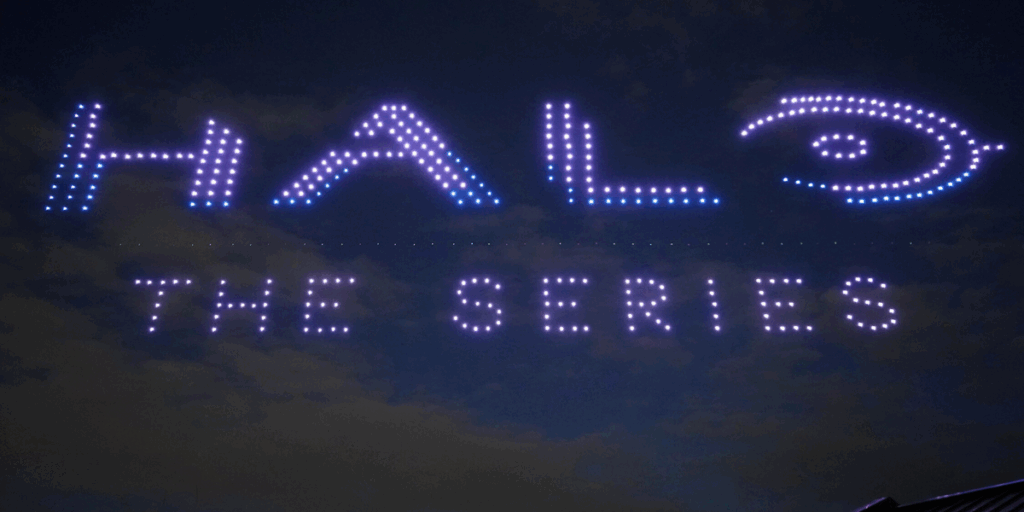
What happened: At the SXSW Film Festival in Austin, Paramount+ staged a 10-minute drone light show that mapped out a giant, scannable QR Code in the sky: a literal beacon visible across the skyline. Attendees and passersby could scan the airborne code, which directed them to the new “Halo” series trailer and series launch countdown page.
Why it works: It grabbed attention like nothing else, combining spectacle with interactivity. The jaw-dropping display was unforgettable and made scanning exciting rather than routine.
Source: skyelementsdrones.combrij.it
4. SXSW (2011) – Band Promotion via QR Codes

What happened: At SXSW 2011, Sonicbids promoted their artists by directing fans to RSVP via Facebook through QR Code scans. Passersby simply scanned a QR Code to go directly to the RSVP page for a musical showcase.
Why it works: It streamlined a common festival hassle; no need to manually find a band’s RSVP page or search online, making it easier for fans to commit and attend.
Event marketers using QR Code data report that 89% have positively influenced their marketing strategies. Source: marketingprofs
E. What are the event marketing QR Code use cases?

QR Codes can play a role at every stage of your event: before, during, and after. Here’s how they work in practice:
1. Before the event: Drive awareness and sign-ups
The first challenge for any event is getting people to know about it and commit to attending. QR Codes make this step much smoother:
- On posters and flyers: Instead of just showing a date and web address, you can add a QR Code that links directly to your registration or ticketing page. Imagine someone walking past a coffee shop bulletin board; they see your poster, scan it, and sign up instantly. This saves them from remembering your URL later.
Example: A theater in Chicago saw a 30% jump in pre-sales after adding QR Codes to flyers that linked straight to ticket checkout. - On invitations: Whether digital or printed, invitations can include a calendar event QR Code.
Guests scan it, and the event details are saved directly to their phone calendar. This reduces no-shows because people get reminders from their own calendar app.
- On social media posts: Embedding a QR Code in graphics or videos gives your followers a quick way to act. For instance, a music festival might post a teaser video on Instagram with a QR Code leading to early-bird ticket sales.
2. During the event: Simplify logistics and boost engagement
Once attendees arrive, QR Codes can improve their experience and reduce headaches for organizers:
- Check-in & ticketing: Each ticket or badge can carry a unique QR Code. At entry, staff scan the code to validate tickets instantly, speeding up lines and cutting down fraud. This is standard now at big events like Burning Man, where QR-Coded tickets help control access for tens of thousands of people.
- Navigation: Large events can be overwhelming. QR Codes displayed at the entrance or on signage can open a map of the venue on attendees’ phones. They can zoom in, search for booths, or find the nearest restrooms without needing bulky printed programs.
Example: At SXSW, guides included QR Codes that opened the full digital agenda and venue maps. - Audience engagement: QR Codes can connect attendees with interactive elements like live polls, surveys, or Q&A platforms.
These QR codes with ticketing and surveys can also be distributed via marketing automation platforms like GetResponse, Mailchimp, and ActiveCampaign to all attendees.
A speaker might display a QR Code on their final slide saying “Scan to Submit Your Question.” This makes participation simple and increases engagement in real time.
3. After the event: Extend the relationship
QR Codes aren’t just for getting people through the door; they’re also a great way to keep the conversation going after your event:
- Collect feedback: Add a QR Code to exit signage, thank-you emails, or table tents that lead to a feedback survey. Because it’s easy to scan and answer on the spot, you’ll get higher response rates than if you send a link later.
- Share photos and videos: Attendees love reliving the highlights. A QR Code printed on thank-you cards or posted on social channels can link to a gallery of event photos or a recap video. It’s a simple way to give value back to your guests.
- Promote future events or merchandise: Keep momentum going by linking QR Codes to your next event page or online shop.
For example, a nonprofit fundraiser might send attendees a thank-you note with a QR Code that lets them pre-register for next year’s event or purchase branded merchandise.
You can set the code to go live the morning of the event and switch off automatically once it ends, so attendees never land on stale info.
With our QR Code Scheduling feature, you set auto-activation and auto-deactivation by date and time, or cap it by number of scans.
F. What are the best practices for event QR Codes?
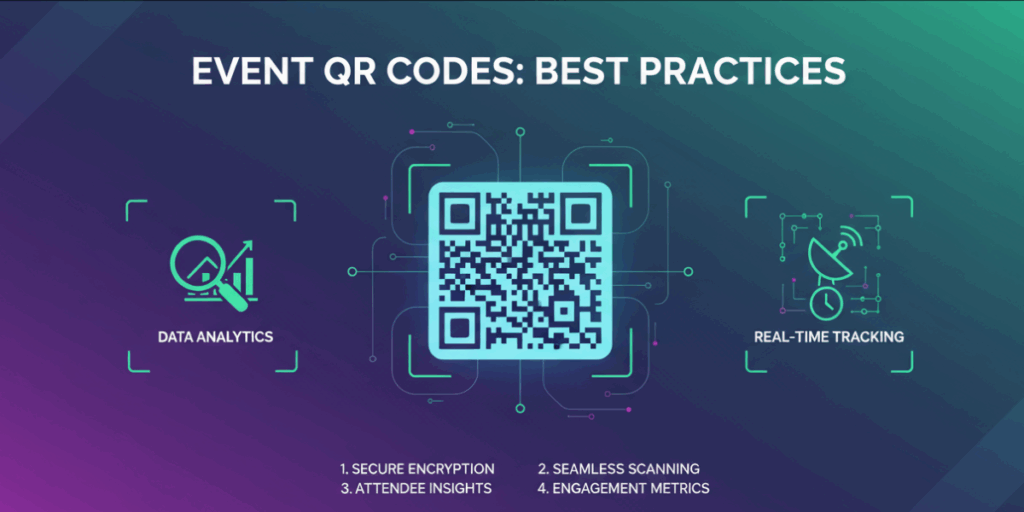
Getting your event QR Code scanned requires more than just generating the code. Here are the practices that separate codes that get ignored from those that actually drive action:
1. Use clear calls-to-action (CTAs)
A QR Code alone won’t convince people to scan. Always add short text that tells people what they’ll get. Examples: “Scan to RSVP,” “Scan for Schedule,” or “Scan to Buy Tickets.” Attendees are far more likely to scan when they know the benefit upfront.
2. Choose the right size
The size of your QR Code directly affects scannability. For flyers or handouts that people view up close, 1 inch (2.5 cm) is the minimum. For posters or banners viewed from several feet away, go larger, 2–3 inches (5–7.5 cm) or more.
A simple rule: QR Code width should be at least 1/10 of the distance from which it will be scanned. For example, if your poster is usually seen from 10 feet away, the code should be at least 1 inch wide; if from 30 feet, make it 3 inches.
3. Ensure contrast and clarity
QR Codes are easiest to scan when they have dark modules (squares) on a light background. Avoid light-on-light combinations (like yellow on white). Also, always export in high-resolution or vector formats (SVG, PDF, EPS) so the code prints sharp and doesn’t blur, even on large banners.
4. Place codes strategically
Put QR Codes where they’re convenient to scan. Good spots include:
- At eye level on posters and signage
- On tables at networking events or receptions
- On slides during breaks at conferences (not while speakers are presenting)
- On tickets or badges for quick check-ins
5. Link only to mobile-friendly pages
Almost everyone scans QR Codes with a phone, so the landing page must load fast and display well on small screens. Test the page on iOS and Android before launch. If it’s a form, keep it short; long forms discourage people from completing them on mobile.
6. Test thoroughly before deployment
Print a sample and test it across multiple devices (different iPhones, Androids, and QR-scanning apps). Test in real conditions: under different lighting, at the distance people will likely scan, and from various angles. This ensures attendees won’t face frustrating “not scanning” issues.
Event QR Codes support contactless experiences, address health and safety concerns, and reduce operational costs. Source: gevme
G. FAQs About Event Marketing QR Codes

Q1. How do I make an event QR Code?
You can create one using an event QR Code generator like Scanova. Select “Event” as the content type, then enter details such as event name, date, time, location, and registration link. Once the information is added, customize the design with your colors or logo to match your event branding. Finally, download the QR Code and test it across multiple devices before adding it to your posters, invites, or screens.
Q2. Can QR Codes be used on TV screens or projectors?
Yes, QR Codes work well on TV screens and large projectors during live events, conferences, or webinars. The key is to ensure the code is big enough and displayed clearly so attendees can scan it from where they are seated. It is also smart to test it on-screen at different distances to confirm scannability.
Q3. How secure are QR Codes for ticketing?
Dynamic QR Codes are very secure for ticketing. Each ticket can have a unique QR Code that cannot be duplicated. When scanned, the code can be instantly marked as “used,” preventing multiple entries for the same ticket. This makes them more reliable than traditional paper tickets and reduces the risk of fraud.
Q4. What’s the cost difference between static and dynamic QR Codes?
Static QR Codes are free to create, but they cannot be changed once generated. Dynamic QR Codes usually require a subscription, but they provide advanced features such as editability, scan tracking, password protection, and analytics. For professional event management, dynamic QR Codes are a better choice because they give you flexibility and measurable insights.
Q5. Do people still scan QR Codes?
Yes, QR Codes are widely used today. They have become second nature thanks to restaurant menus, contactless payments, ticketing, and product packaging. Attendees at events are now comfortable scanning codes to RSVP, buy tickets, or access event details.
Q6. Can I design QR Codes to match my event branding?
Absolutely. Many QR Code generators allow customization with brand colors, logos, or creative frames that align with your event theme. Just be sure to maintain sufficient contrast between the code and the background, and test it thoroughly to confirm it scans properly across different devices.
Q7. Can QR Codes work without the internet?
Yes, but with limitations. Static QR codes containing plain text, phone numbers, or contact information will work offline because the data is stored directly in the code. However, for event marketing, most QR Codes link to websites, forms, or ticketing platforms, which means an internet connection is required for the best experience.
Summing Up
Event marketing QR Codes work because they meet people at their most motivated moment, standing in front of your poster, reading your invite, watching your teaser video, and give them an immediate way to act.
Static codes work for fixed details. Dynamic QR Codes, the kind you create on Scanova, give you the flexibility to update content, track scans, schedule activation windows, and capture leads directly from the code. That’s the difference between a passive marketing asset and an active campaign tool. A scan is a behavioral signal as much as a contact capture. Someone who stops to scan has shown more interest than a passerby, and marketers increasingly read that as a signal a buying intent exists rather than just a lead record.