Google Contacts App Makes Adding Contacts Easy Using QR Codes

The year 2017 belongs to QR Codes. This year saw major QR Code related announcements from Apple, Pinterest, Venmo, and Firefox.
Google Contacts App
The latest announcement comes from Google. The company recently launched Google Contacts App for all Android devices.
The Shared Contacts for Google Workspace feature provides a seamless way to manage, access, and collaborate using contact information across your team, enhancing the overall user experience of the Google Contacts app.
Besides showing contact a list of ways to contact a person (SMS, call, video call with Duo), the app has an additional feature that currently only select users can access in the menu—Create QR Code.
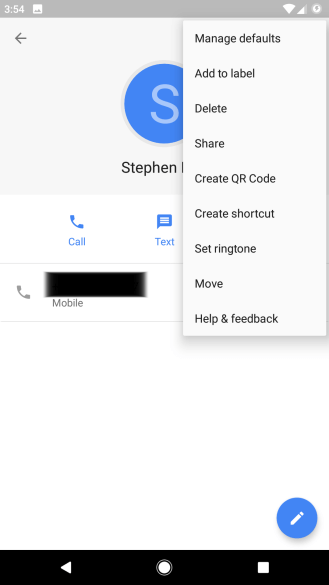
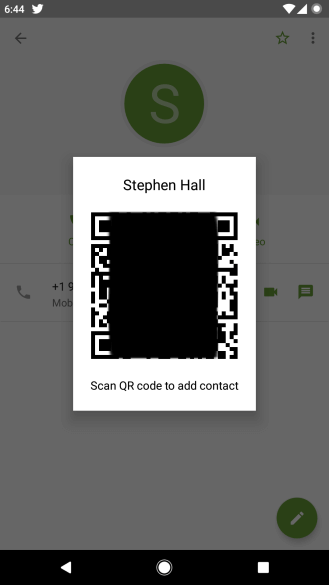
Users can now share contacts by creating a QR Code. Simply scan the QR Code to save the contact on your phone.
It is still unclear if Google plans to release this feature to the public.
This is not the first time that Google has used a feature that involves QR Codes. Earlier, in Feb 2017, Google launched an inbuilt QR Code scanning feature for iPhone app-v56.0.2924.79.
Users just need to search ‘Scan QR Code’ in the spotlight to access the feature.
This is similar to various messaging apps that offer profile QR Codes to their users.
What are your views on Google Contacts App’s latest feature? Share your thoughts in the comments section below.
