Best QR Code Generator for Nonprofits: 9 Tools Compared and the Expiry Trap to Avoid

Key Takeaways:
- Pick a QR Code generator for nonprofits by what you need after printing. For one permanent link, a free static code or your donation platform’s built-in code is enough. For links you can edit or track, you need a dynamic code on a paid plan.
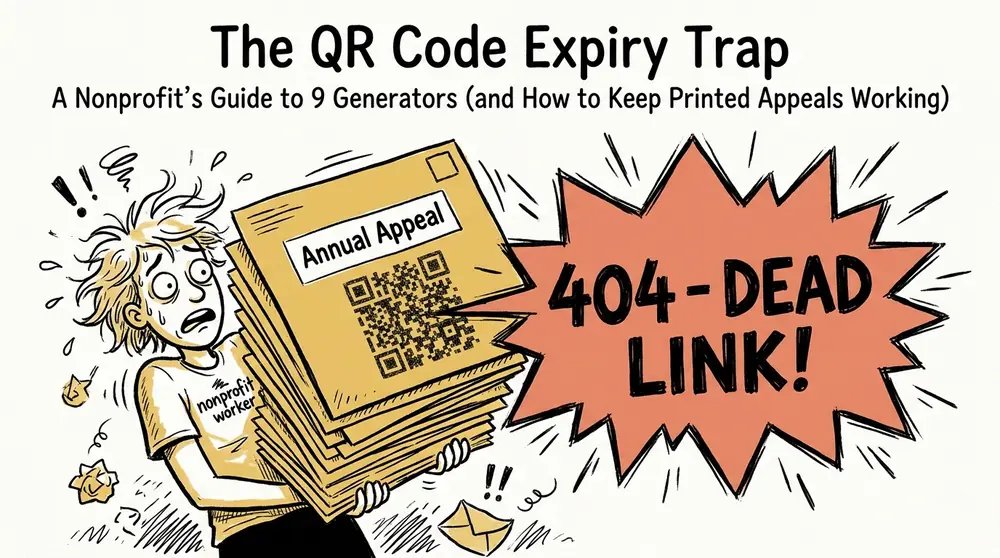
- Static codes never expire. Dynamic codes stop working when the plan, trial, or scan limit ends. One charity gala paid USD 120 to restore a code after its 14-day trial lapsed.
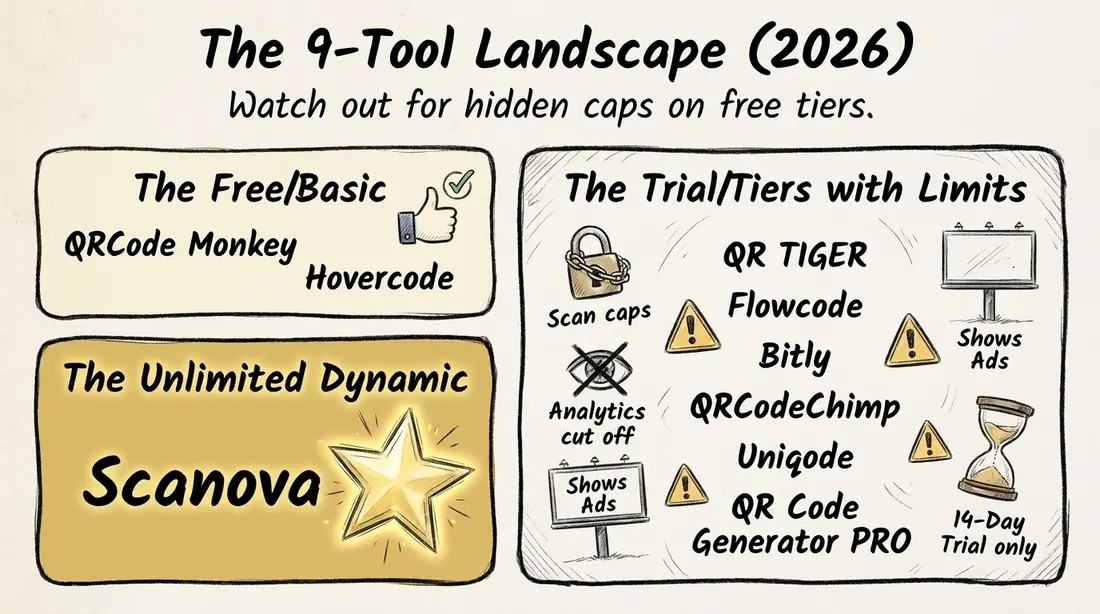
- Free dynamic plans come with caps. QR TIGER limits each free code to 500 scans and shows a logo popup, Flowcode’s analytics stop at 500 scans, and Bitly’s free plan shows ads and has no editable redirects.
- Paid dynamic plans typically start at about USD 5 to 25 a month across the 9 tools compared (prices checked November 17, 2026). Compare the yearly cost with the cost of one reprint.
- Give each printed piece its own dynamic code with UTM tags, and print a short URL beside it. Scan counts miss some mail donations, so treat them as one signal, not the full total.
- Protect donors from sticker scams. Use your own domain and check signs and donation boxes for tampering.
If your nonprofit sends donation appeals, prints fundraising materials, or organizes events, QR Codes can make it easier for supporters to reach your donation page. But choosing a QR Code generator for nonprofits involves more than finding a free tool and downloading an image.
A quick disclosure: this guide comes from the team at Scanova. Every price and limit below comes from each vendor's own pricing page.
You need to know whether the code will still work after hundreds of letters have been mailed or posters have been distributed.
That's where many nonprofits run into trouble. Some free QR Code generators offer dynamic codes that stop working when a trial expires, or a scan limit is reached. One reviewer described the problem bluntly: "Printed materials now worthless unless I pay up" (Central Bucks News, 2026). For a nonprofit with a limited printing budget, that can mean paying for a new print run or sending donors to a broken link.
The right choice depends on what you need the code to do. If you're linking to a permanent donation page, a free static QR Code may be enough. But if you expect URLs to change, want to track which printed appeals generate donations, or need different codes for multiple campaigns, a dynamic QR Code generator is worth considering.
In this guide, I'll compare 9 QR Code generators for nonprofits, including Scanova, based on their pricing, free-plan limits, scan allowances, and code expiry. I'll also explain when your donation platform's built-in QR Code is sufficient, how to track donations across printed materials, and what to check to protect supporters from QR Code scams.
Free vs. paid: Will your nonprofit’s QR Codes keep working after you print?
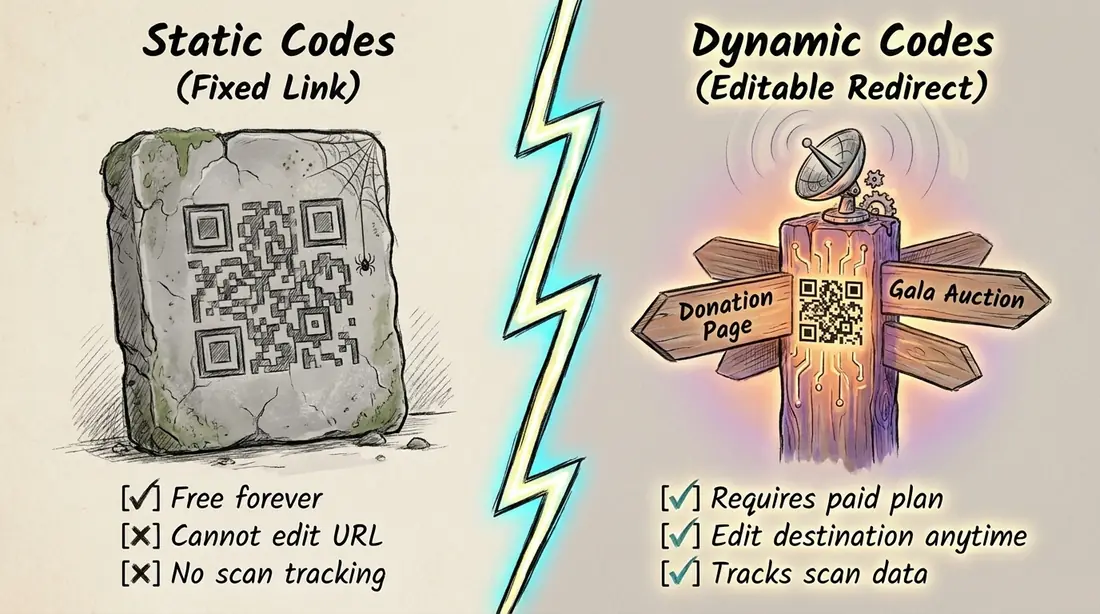
Static QR Codes are free and never expire, but you can’t edit or track them. Dynamic QR Codes let you change the destination and track scans, but they depend on an active plan, trial, or scan allowance.
If you’re looking for a free QR Code generator, start by understanding this difference. A static QR Code stores your URL directly in its pattern. A dynamic QR Code uses a redirect, which means the QR Code provider must keep the redirect active for it to work.
|
Code type |
Cost |
Edit after print |
Scan data |
Expiry |
|
Static QR Code |
Free on most tools |
No |
No |
Never expires |
|
Dynamic QR Code |
Paid plan, trial, or capped free tier |
Yes |
Yes |
May stop working if the plan or trial expires |
The expiry problem is more common than you might think. One Trustpilot reviewer said the codes they had paid to print "stopped working after a week." A charity gala program faced a similar issue when its QR Code expired after a 14-day trial. Restoring it cost USD 120 (North Penn Now, June 2026). Other reviewers mentioned annual costs of around USD 200 to 220.
Free dynamic plans have their own restrictions. Here is what the vendors' pricing pages showed on November 17, 2026:
- QR TIGER offers 3 free dynamic codes, each limited to 500 scans. Scanners also see a logo popup.
- Flowcode offers free codes, but analytics stop at 500 scans.
- Bitly has a free plan, but it doesn't offer editable redirects and displays ads.
Scanova's trial has a similar limitation. Dynamic codes pause after 14 days unless you choose a plan. Static codes continue to work. For more details, read our guide to a QR Code generator free with no expiration.
Pro Tip: If your donation URL will stay the same, a static QR Code is enough. You can create one using Scanova's free QR Code generator, without creating an account. If the destination might change, test a dynamic code during the 14-day trial. Choose a plan before the trial ends and before you send your materials to print.
So, whether you choose a free or paid tool, what should you look for? Use this checklist to compare your options.
What to look for in a QR Code generator for nonprofits
Compare tools on six things: long-term access, editable destinations, tracking, trust signals, an ad-free scanning experience, and cost per active code. Ask each provider these questions before signing up.
- Expiry terms: What happens to your printed QR Codes if you stop paying or your trial ends?
- Editable destination: Can you change the URL after the QR Code has been printed?
- Tracking: Does the tool provide scan analytics, UTM tags, or Google Analytics integration? Which plan includes these features?
- Trust signals: Can you use your own domain? What security certifications does the provider hold?
- No ads: Will donors see ads or the provider's branding when they scan your code?
- Limits and cost: Are there limits on the number of codes or scans? How much does each active code cost per year?
One additional detail worth checking if you organize events, make sure its QR Codes stay sharp and readable when printed on large signs.
For more ideas on how to use QR Codes across your organization, see our guide to QR Codes for nonprofit organizations. It covers donation appeals, events, and volunteer sign-ups.
With this checklist in mind, let's compare nine QR Code generators using prices from each provider's own website.
Best QR Code generators for nonprofits compared (2026 prices)
If you only need one donation link, a free static QR Code or the code built into your donation platform may be enough. But if you want to edit and track codes across multiple printed materials, paid plans typically start at around USD 5 to 25 per month.
The best QR Code generator for nonprofits depends on how many codes you need and whether you want to change their destinations or track scans after printing. The comparison below covers nine tools, including their free plans, entry-level pricing, code limits, and restrictions.
All prices and plan details are taken from the vendors' pricing pages, checked on November 17, 2026. Check the latest details before purchasing, as plans and limits can change.
|
Tool |
Free tier |
Entry paid plan (USD) |
Dynamic codes on entry plan |
Scan limit |
Ads or branding |
Best for |
|
Scanova |
Free static generator, 14-day trial |
Basic: 5/mo billed annually |
3 |
Unlimited |
None on any plan |
Long-term print campaigns that need editing and tracking |
|
Hovercode |
3 dynamic codes |
Pro: 12/mo or 120/yr |
100 |
Unlimited |
No ads (per its pricing page) |
Small teams that want free dynamic codes |
|
QRCodeChimp |
10 dynamic codes |
Starter: 6.99/mo billed annually, 9.99 monthly |
50 |
1,000 scans/month on free |
No ads (per its site); its branding on free display pages |
Teams that need multiple codes on a low budget |
|
QR TIGER |
3 dynamic codes |
Regular: 7/mo (annual rate not checked) |
12 |
500 per free code |
Logo popup on free |
Testing dynamic QR Codes |
|
Uniqode |
None (14-day trial) |
Essential: 9/mo billed yearly |
15 |
50,000 a year |
Not stated |
Teams that want to test a paid tool first |
|
Flowcode |
2 codes |
Pro Plus: 25/mo billed annually |
50 |
Analytics to 500 scans on free |
Ad free on the free plan (per its pricing page) |
Teams already using Flowcode |
|
QR Code Generator PRO |
None (14-day trial) |
Starter (price not published here) |
2 |
10,000 scans |
Not stated |
Nonprofits that want to request a discount |
|
Bitly |
2 QR Codes a month |
Core: 10/mo billed annually |
5 a month |
Unlimited clicks and scans |
Ads on free |
Teams that already use Bitly for link management |
|
QRCode Monkey |
Static codes only |
None |
0 |
No scan data |
None stated |
One donation link that never changes |
Zeffy and Givebutter also provide a free QR Code for each campaign. We'll cover those options in the next section.
Scanova
Scanova offers unlimited scans and no ads across all plans. Its Basic plan includes 3 dynamic codes, while Lite includes 10. The main limitation is that there is no free dynamic plan. You can create static codes for free, though.
Hovercode
Hovercode's free plan includes 3 dynamic codes. Its pricing page says scans are unlimited on every plan, including the free one. The Pro plan costs USD 12 a month, or USD 120 a year, and includes 100 dynamic codes.
QRCodeChimp
QRCodeChimp's free plan includes 10 dynamic codes, with a limit of 1,000 scans per month. Keep that in mind if you're sending out a large mailing or running a campaign with heavy traffic.
QR TIGER
QR TIGER's free plan includes 3 dynamic codes, but each is limited to 500 scans. Scanners also see a logo popup. We couldn't confirm the annual billing rate for its Regular plan, so check the billing terms before subscribing.
Uniqode
Uniqode doesn't list a free plan. Instead, it offers a 14-day trial. Its Essential plan includes 15 dynamic codes and allows up to 50,000 scans a year.
Flowcode
Flowcode's free plan limits analytics to 500 scans. Its Pro Plus plan includes 50 dynamic codes and costs USD 25 per month when billed annually. That's the highest entry-level price in this comparison.
QR Code Generator PRO
The Starter plan includes 2 dynamic codes and up to 10,000 scans. The pricing page we checked didn't display a price, so we've left that field blank rather than estimate it. The higher plans are billed annually.
Bitly
Bitly's free plan lets you create 2 QR Codes per month. However, it doesn't offer editable redirects and displays ads. It's worth considering if your team already uses Bitly to shorten and manage links.
QRCode Monkey
QRCode Monkey is a free option for static QR Codes. Its website says the codes "do not expire." However, you can't edit their destinations or access scan data. It's best suited to a donation link that won't change.
What a year of QR Codes costs a small nonprofit
Imagine your nonprofit needs 8 active QR Codes:
- One for the annual appeal
- One for the year-end mailer
- One for gala signage
- Four for donation-box cards
- One for the annual report
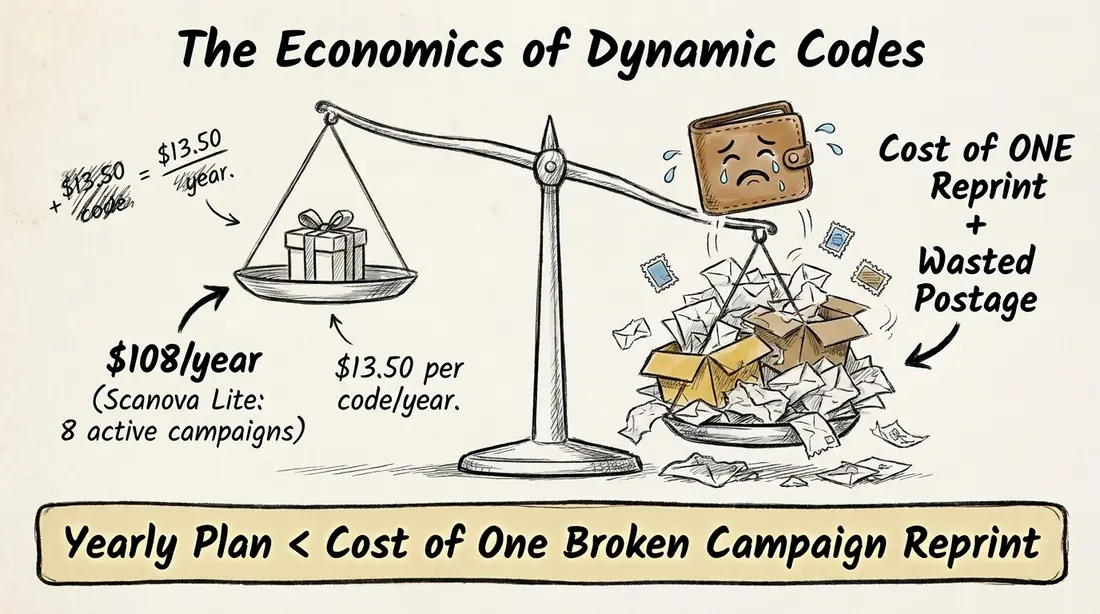
All 8 fit within Scanova's Lite plan at USD 108 a year. That's approximately USD 13.50 per code per year.
Now compare that with the cost of reprinting your materials. Multiply the number of printed pieces by the cost per piece, then add postage. If one reprint costs more than USD 108, the plan could pay for itself the first time you need to change a destination.
Every Scanova plan includes unlimited scans and no ads, so your cost per code stays the same no matter how many donors scan. A paid plan makes the most sense when you need ongoing access, editing, and tracking for your printed materials.
Did you know? QR Code Generator PRO and Hovercode both state on their pricing pages that nonprofits can request discounts (checked November 17, 2026). If you're considering either tool, ask about nonprofit pricing before subscribing.
If you only need static QR Codes, take a look at our roundup of the best free QR Code generator options.
Ready to test before you print? Create a dynamic code for your next appeal and test it before sending materials to the printer. Start a 14-day free trial of Scanova. No credit card needed.
But standalone QR Code generators aren't your only option. Your donation platform may already provide free QR Codes for individual campaigns. Let's look at when those built-in tools are enough.
Donation platform QR Code or a standalone generator: Which do you need?
Use your donation platform's built-in QR Code if you only need to share one campaign page. Choose a standalone generator if you need to edit codes after printing, link to different pages, or track results for individual materials.
Both Zeffy and Givebutter include free QR Codes with their campaigns.
Zeffy says that "every Zeffy campaign comes with its own free QR code," which you can download as a PNG. It doesn't mention built-in scan analytics and recommends using UTM tags to track campaign traffic.
Givebutter also "automatically generates a free QR code" for every campaign. However, its website doesn't explain whether you can customize, track, or edit these codes.
Keep in mind that these details come from the platforms' own websites.
|
Feature |
Built-in donation platform code |
Standalone generator |
|
Cost |
Free with the platform |
Free static code or paid dynamic plan |
|
Editable after print |
Points to the campaign page |
Yes, with dynamic codes |
|
Tracking |
Not described; use UTM tags |
Scan analytics, UTM tags, and Google Analytics on some plans |
|
Design |
PNG download |
Logos, colors, frames, and vector files on some tools |
|
Best for |
One donation page per campaign |
Long-term print materials, multiple destinations, and per-piece tracking |
A standalone generator becomes more useful when you need QR Codes for different purposes. For example, an annual report might link to your current appeal, impact page, volunteer sign-up form, or event agenda. You can also update the destination without reprinting the report.
The same flexibility helps with event signage. A QR Code at your gala could link to the auction page during the event and switch to a thank-you page afterward.
A QR Code for donations is just one way to use this technology. For more ideas, see our guide to a QR Code for charity donations.
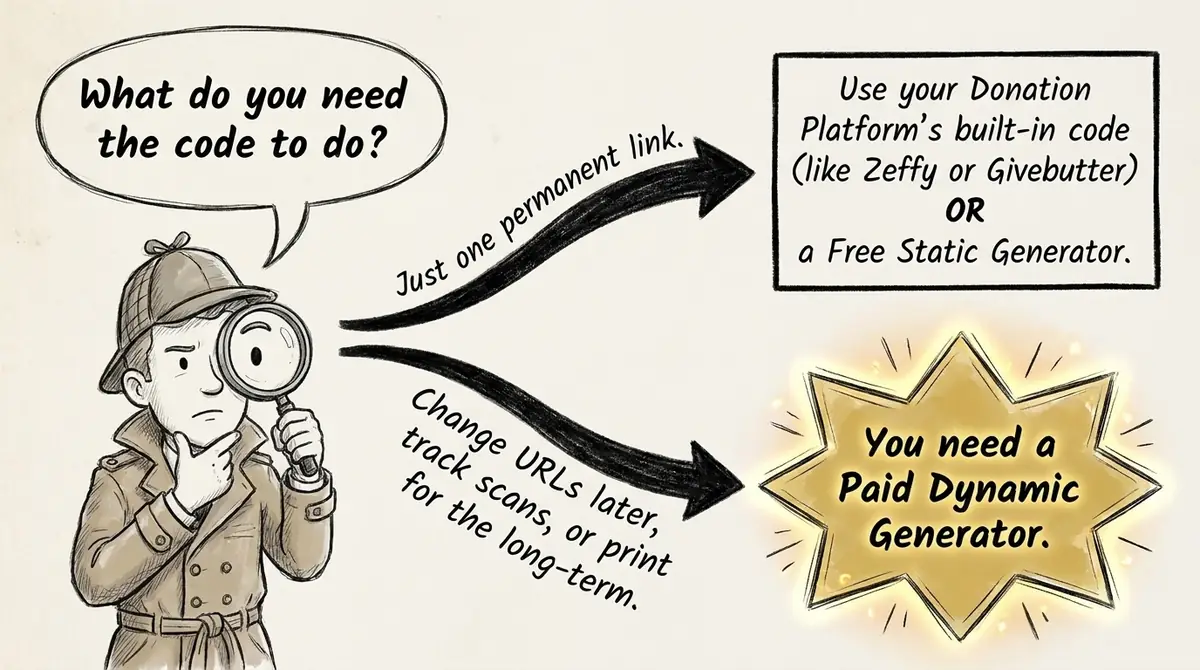
Whichever option you choose, you'll probably want to know the same thing afterward: which printed material actually brought in donations?
How to track which appeal, mailer, or sign brought in the gift
Give each printed piece its own dynamic QR Code, add UTM parameters to its link, and compare scans with donations in your analytics. This helps you see which materials attract attention and drive people to your donation page.
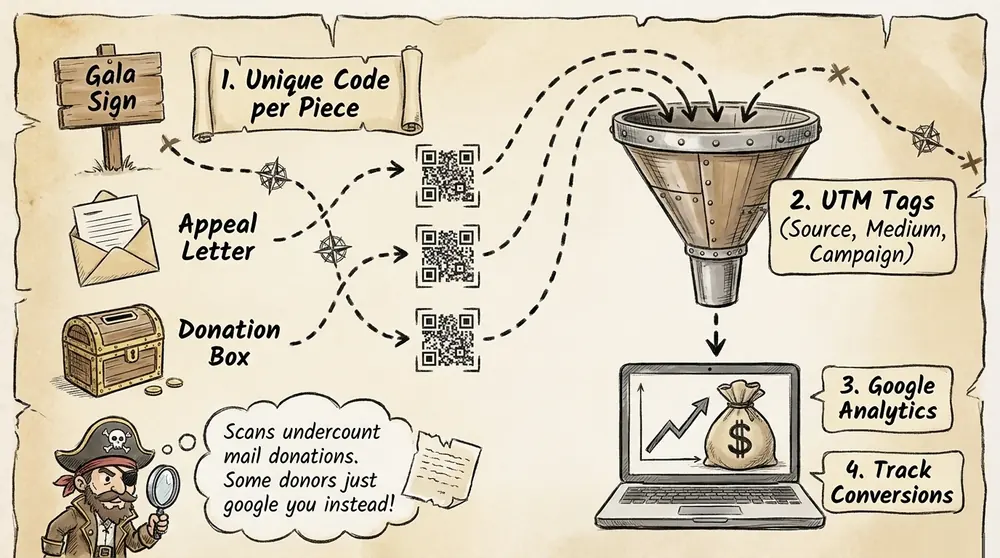
Here's how to set it up.
Step 1: Create one code for each printed piece.
Use separate dynamic QR Codes for your appeal letter, gala sign, and each donation-box card. This lets you identify where each scan came from.
Step 2: Add UTM tags to each link.
Use consistent naming conventions so your reports are easy to read. For example:
- Source: mailer
- Medium: print
- Campaign: year-end-2026
Our UTM QR Code guide explains how to create these tracking links.
Step 3: Connect Google Analytics.
Use Google Analytics to follow visitors from the QR Code to your donation page. If your donation setup supports conversion tracking, you can also measure completed gifts.
Step 4: Tell people what the code does.
Add a clear label such as "Scan to give" instead of leaving a QR Code unexplained. As The Baptist Paper points out, people are less likely to scan an unfamiliar code, and codes "should be tracked for efficacy."
Step 5: Compare scans with donations.
Once the campaign ends, compare the scan data and donations for each printed piece. This helps you understand which materials performed best.
Keep two limitations in mind:
- Scan data doesn't capture every donation from print. Dan Sonners, director of direct marketing at Judicial Watch, explains that QR Codes can undercount mail donations because people may search for the organization or visit its homepage instead of scanning the code (The Chronicle of Philanthropy). Treat scan numbers as one indicator of performance, not the full donation total.
- Not every donor will scan. Print a short web address beside the QR Code so people can type it into their browser instead.
Pro Tip: Scanova's Standard Plan lets you add UTM tags and conversion tracking to each code. You can also filter scan data by city and device to understand how different printed materials perform.
For more campaign ideas, see our guide to QR Codes for fundraising.
Tracking helps you understand how people use your codes. But there's one more thing to check: whether the QR Code they're scanning actually belongs to your organization.
Keeping donation QR Codes safe from scams
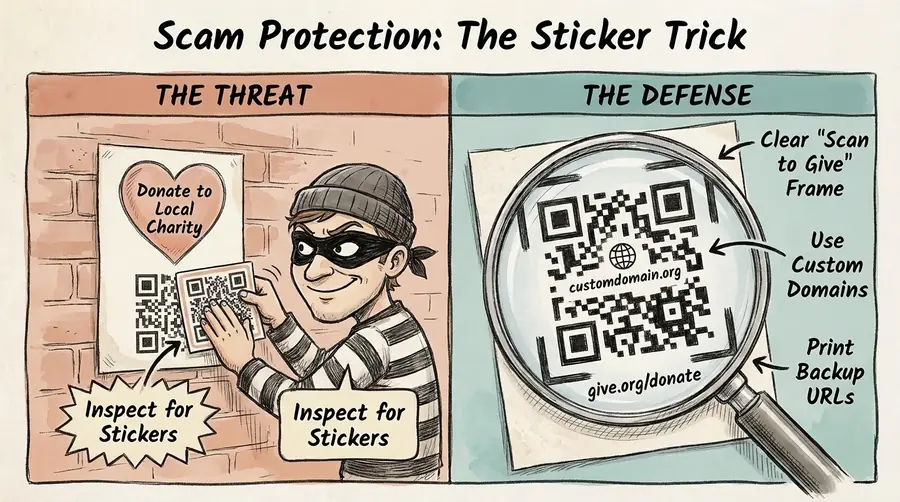
Use your own domain, check printed materials for tampered stickers, and make sure donors can recognize your official QR Codes. A QR Code generator can help build trust, but it can't prevent someone from placing a fake code over yours.
Scammers can cover a charity's genuine QR Code with a sticker that redirects donors to a fraudulent page. They can also repost campaign graphics with a fake code. Designer Per Axbom warns that this kind of attack "exploits the trustworthiness" of the organization behind the code (Axbom).
Here are four ways to reduce the risk:
- Use your own domain. A recognizable URL helps donors identify your organization when they check the link.
- Add your organization's name and logo. Include a clear "Scan to give" label so people know what the code is for.
- Inspect signs and donation boxes. Look for stickers or other signs of tampering, especially in public areas and on event day.
- Print a short URL as a backup. This gives donors another way to reach your official donation page without scanning.
Did you know? The BBB Wise Giving Alliance (Give.org) warns about charity impersonation scams, including fake QR Codes designed to look like those of legitimate organizations.
You should also check the security and trust features of the QR Code provider itself. Our checklist for a safe QR Code generator can help.
Editing, tracking, and security all depend on the tool and plan you choose. So, how does Scanova handle these needs, and what are its limitations? Let's take a closer look.
How Scanova fits a nonprofit's printed appeals
Scanova is a dynamic QR Code platform for nonprofits that want to keep printed materials useful even when their links change. You can compare Scanova's plans based on the number of codes you need and the features your campaigns require.
Here's how its features can help:
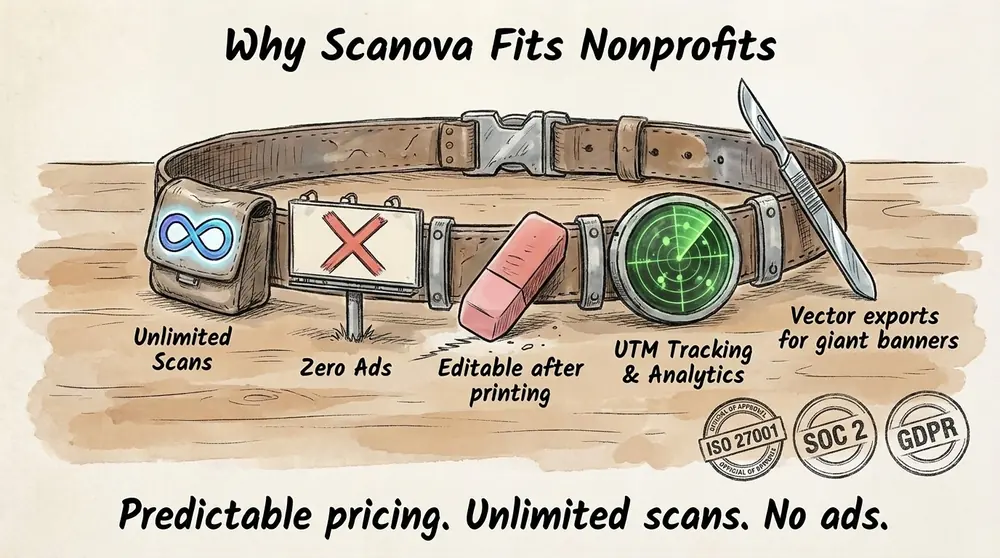
- Update links after printing. Dynamic QR Codes let you change the destination without creating a new code. If your donation page moves after the mail drop, the QR Codes on letters already sent out will still work. Scanova's Ultra Lite plan costs USD 150 as a one-time payment for one lifetime dynamic code. It's an option if you only need one long-term donation code.
- Track campaign performance. Basic analytics are available on the Basic plan. If you need UTM tags, Google Analytics integration, and conversion tracking, you'll need the Standard plan at USD 420 per year, billed annually.
- Use your own domain. Scanova's Pro plan includes the Custom Domain feature. It costs USD 900 per year, billed annually, and lets you use your own domain for QR Code redirects. This can help donors recognize your links. You can also retain your redirect if you switch tools.
- Make codes easier to scan. Add call-to-action frames such as "Scan to give" so donors know what to expect. Vector exports also help keep QR Codes sharp on large materials such as gala banners.
Scanova also lists ISO/IEC 27001:2022 certification, SOC 2 compliance, and GDPR compliance across its plans. The company has been operating since 2013 and holds G2 Momentum Leader and High Performer badges.
There are a few limitations to consider before signing up. Scanova doesn't offer a free dynamic plan. Dynamic codes pause after the 14-day trial unless you choose a paid plan. The Basic plan includes 3 dynamic codes, while the Custom Domain feature is available only on Pro.
On the other hand, all plans include unlimited scans and no ads.
For a nonprofit, the main benefit is predictable pricing and the ability to update printed links without paying for another print run. Just make sure the plan's code allowance and features match your campaign needs.
Conclusion
Choose a QR Code generator based on what you need after printing. Static codes are free and never expire, making them a good choice for donation links that won't change. Dynamic codes cost more, but let you update destinations and track campaign activity without replacing printed materials.
A donation platform's built-in QR Code is usually enough for a single campaign page. A standalone generator is more useful when you need editable links, tracking for individual printed pieces, or your own domain.
You don't need to make every QR Code dynamic. Use static codes for permanent links and pay for dynamic ones when you expect destinations to change or need campaign data. Compare the annual cost with the potential cost of reprinting your materials.
Scanova offers nonprofits editable and trackable QR Codes for appeals and events, with unlimited scans and no ads across its plans.
Print it once. Change it whenever you need to.
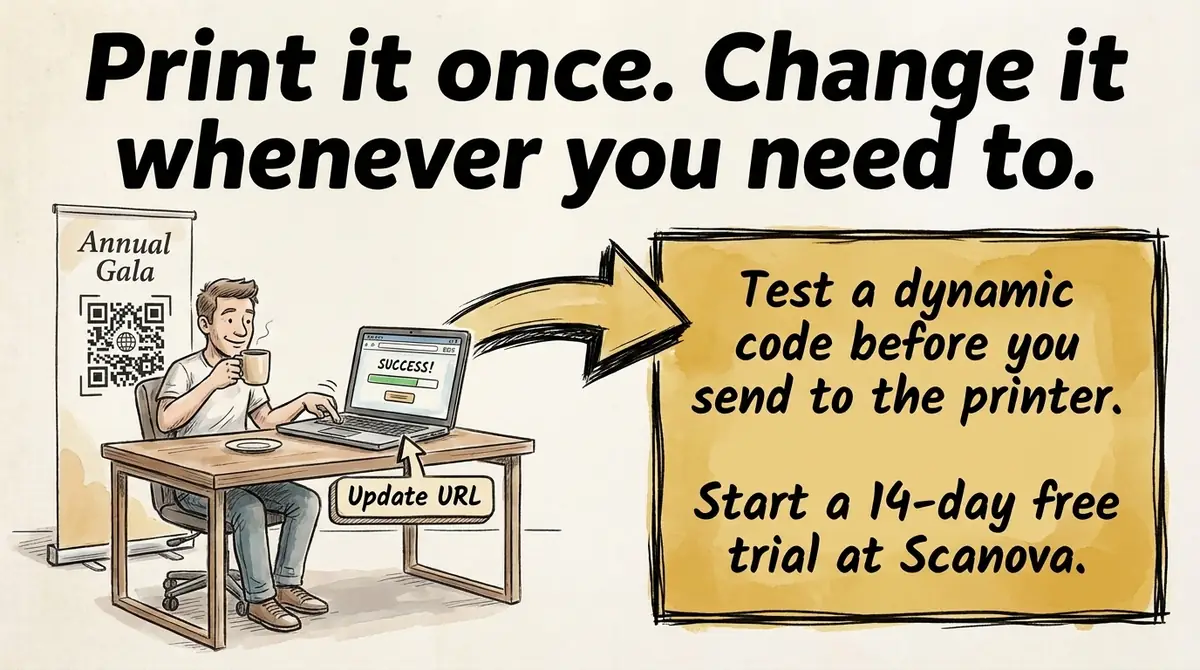
Ready to make your next appeal editable after it mails? Start a 14-day free trial of Scanova and create a separate tracked code for each printed piece.
FAQs
Is there a free QR Code generator for nonprofits whose codes never expire?
Yes, for static codes. QRCode Monkey and Scanova's free generator make static codes that never expire, but you can't edit or track them. Free dynamic tiers exist on Hovercode, QRCodeChimp, and QR TIGER, though they come with code or scan caps.
Do you have to pay a monthly fee for a QR Code?
Not for static codes. Dynamic codes need a plan, and some vendors bill annually. Scanova's Ultra Lite is a one-time USD 150 for 1 lifetime dynamic code.
Can someone take money from my QR Code?
Not from the code itself. But a sticker placed over it can send gifts to someone else. Check your printed pieces often, and use your own domain.
Does Scanova offer a free plan for nonprofits?
Scanova offers a free static generator with no account, plus a 14-day trial with no card. Dynamic codes pause after the trial unless you pick a plan. Paid plans start at USD 5 a month billed annually.
How do I create a QR Code for my nonprofit?
Pick static or dynamic, then paste in your donate or campaign URL. Add a "Scan to give" frame and your logo. Test it on 2 phones, then print it with a short URL beside it.