Generate Dynamic QR Codes in Bulk: An In-Depth Guide

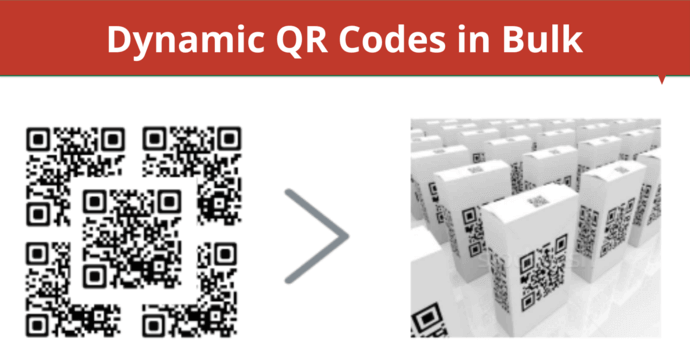
In a nutshell: Generating dynamic QR Codes in bulk allows you to manage large-scale print or digital campaigns with flexibility, branding, and real-time tracking. This guide walks you through the benefits, use cases, setup steps, and how tools like Scanova make bulk QR generation easy, fast, and scalable.
More than 70% of people worldwide scan QR Codes each month (Statista). They scan to see menus, get offers, visit websites, or check product info.
For businesses, this is a big chance to connect the real world with the online world. But creating one QR Code at a time is slow and hard.
Imagine making hundreds of dollars from a product launch or a big event. It can take hours, even days.
And if you make a mistake with a static QR Code, you have to reprint all of them. That wastes time and money. This is where bulk dynamic QR Codes help.
You can create many codes at once. You can change the links later. You can also track when and where people scan them. In this guide, you’ll learn why dynamic codes are better than static ones.
You’ll also learn how to create them in bulk, use them in your business, and track their success.
We’ll show you how Scanova makes it all easy and fast.
Related: Types of QR Codes
A. What is a Dynamic QR Code?
Before proceeding, you should first know in detail what a Dynamic QR Code is. Dynamic QR Codes are more advanced than static QR Codes. They can store a lot more information than their static counterparts.
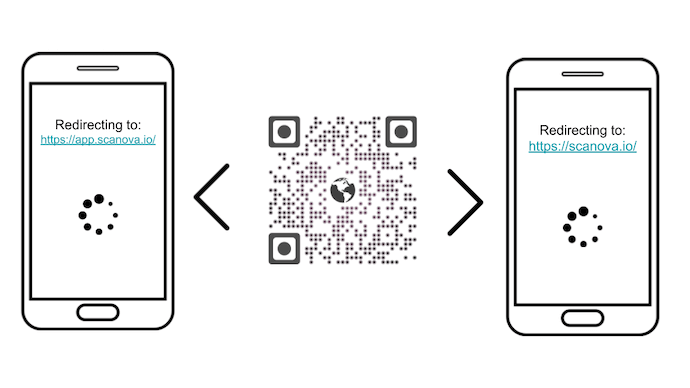
How? Well, a dynamic QR Code never stores the target data directly. It stores a short URL that redirects the end-users to the target data.
Hence, you can edit the content anytime you want without the need to create a new QR Code altogether.
In addition, they also offer various features such as
Hence, you get better flexibility over the encoded content and performance analytics.
Now let’s discuss all the benefits of a dynamic QR Code in detail.
B. How to generate dynamic QR Codes in bulk?
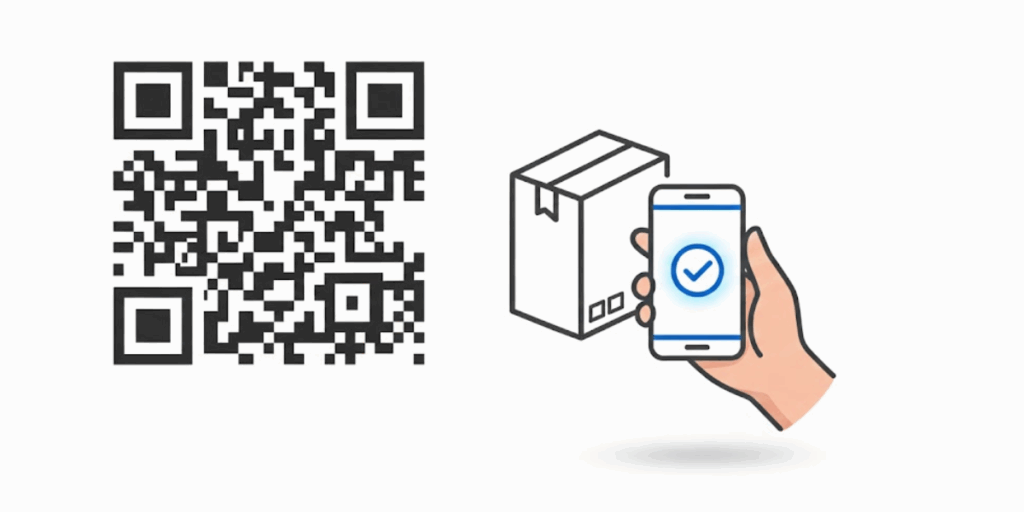
You can easily generate dynamic QR Codes in bulk using a tool like Scanova. It lets you create hundreds, or even thousands, of dynamic QR Codes in just a few simple steps, making the process fast and hassle-free.
Creating many dynamic QR Codes at once may sound hard. But with the right tool, it’s very easy. With Scanova, you can make hundreds or thousands of QR Codes in just a few steps. Here’s how you do it.
1. Prepare Your Data File
First, open a spreadsheet tool like Microsoft Excel or Google Sheets. Create a file containing all the details you want to add to your QR Codes.
At the very least, your file should have two columns. One column is for each QR Code’s name.
The other is for the URL or link you want the code to open. You can also add extra columns for tags or labels if you want to group your codes later.
For example, your file might look like this:
|
Name |
URL |
Tag |
|
Store_NY |
https://yourbrand.com/ny |
New York |
|
Store_LA |
https://yourbrand.com/la |
California |
Save this file as a CSV file. CSV stands for “comma-separated values.” It’s a format that Scanova and most other QR Code tools can easily read.
2. Log in and Open Bulk Operations
Next, log in to your Scanova account. On your dashboard, go to the left menu and click Bulk Operations. This tool helps you create multiple QR Codes at once. Click the New Operation button. Then choose the Generate Dynamic QR Codes option.
3. Upload Your CSV File
Now, upload the spreadsheet you made in Step 1. Scanova will check your file to ensure all links and names are correct. If there are any mistakes—like a missing URL or blank row—you’ll get a message so you can fix it. This step helps ensure all your code works as it should.
4. Choose Your Design and Format
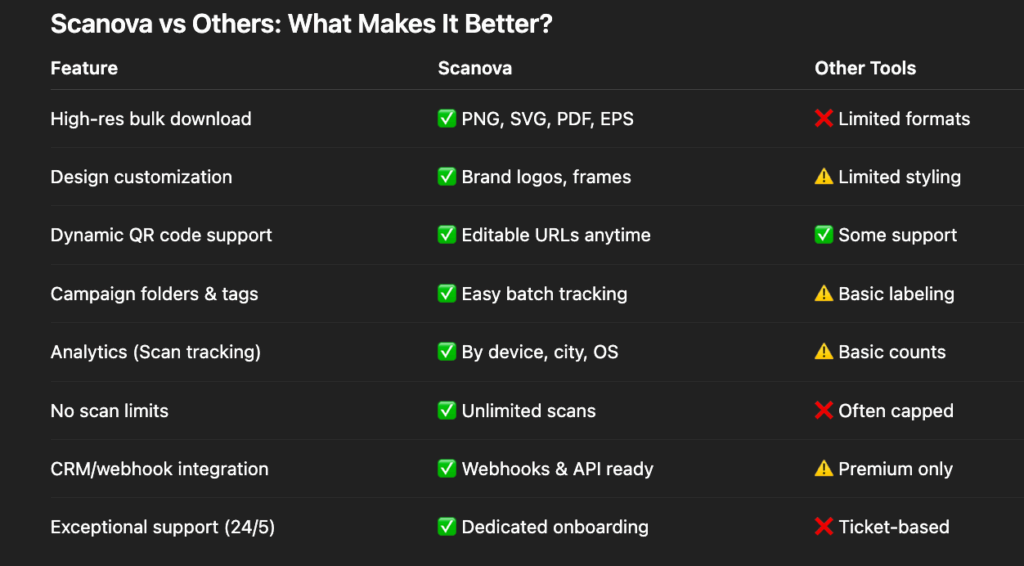
Once your file is uploaded, it’s time to choose how your QR Codes will look. You can add your brand logo, pick colors, and choose from different styles. You can also add a call-to-action (CTA) frame, like “Scan to Learn More.”
Then, choose the format for your QR Code images. Scanova lets you download your QR Codes in high-quality formats like PNG, SVG, PDF, or EPS. These are perfect for printing or digital use.
5. Click to Generate Your QR Codes
Now you’re ready to go. Click the Generate button to begin the process. Scanova will start creating your dynamic QR Codes in bulk. Depending on how many you’re making, this may take a few seconds or a few minutes.
Once it’s done, you’ll see a message. You can now download a ZIP file that contains all your QR Codes. You can use them in your campaigns right away.
6. Track, Edit, and Manage Anytime
The best part of using dynamic QR Codes is that you can control them even after printing. If you want to change the link, you can edit it in your Scanova dashboard. You don’t have to reprint the QR Code.
You can also track how many people scanned each code. You can see the date, time, device, city, and country. This helps you understand what’s working in your campaign.
You can group your codes by project, add tags, or sort them by folder. This makes it easy to manage hundreds or thousands of QR Codes from a single location.
C. What are the benefits of a dynamic QR Code?
As mentioned above, dynamic QR Codes offer various advantages. Here are some of them:
1. Editability
Say you created a Website URL QR Code for a particular product. This QR Code, when scanned, will take the end-users to the encoded website. But say after some time, for some reason, you need to change the encoded web link.
And while you want to change the encoded data, you don’t want to recreate an all-new QR Code again. This is where a dynamic QR Code comes in handy. You can make changes to it anytime you want yet your QR Code will remain the same.
2. Trackability
If you’re a marketer, you know how important it is to know your audience’s behavior. It helps you understand them better and optimize your subsequent campaigns.
And a dynamic QR Code helps you do this. It helps you track the scanning activity based on various parameters such as:
a. Date/time
b. City/Country
c. Exact GPS location
d. Device
e. Browser
f. Operating system
These parameters help you gain a deep insight into your campaign. In addition, dynamic QR Codes also offer a feature called Event Tracking. This feature tells you how your end-users interact with the encoded content after scanning the QR Code. This could be through anything such as clicking on the ‘Sign-up’ button or the ‘Register’ button.
3. Customization
If you are planning to use QR Codes for promotional purposes, consider adding design to them. That’s because they are attractive in nature and catch your target audience’s eye.
You can do it by adding colors and logos to them. In fact, custom QR Codes attract 50%-200% more scans than generic black-and-white ones.
4. Clean and small QR Code
As you know, QR Codes store the data in the data modules. And as the encoded content increases, the QR Code becomes denser. And extremely dense QR Codes not only look but also become unscannable.
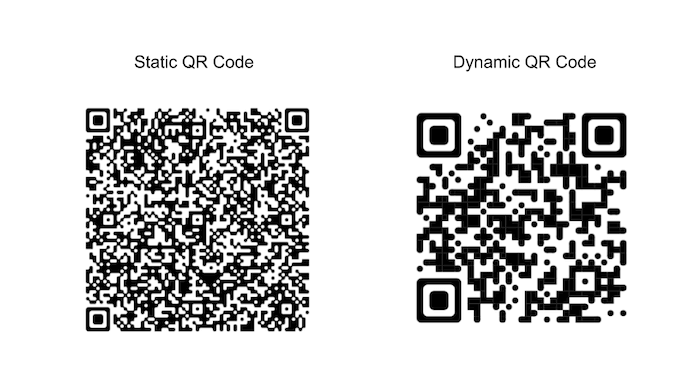
But dynamic QR Codes have got you covered. As discussed, a dynamic QR Code only stores a short URL. Hence, it does not become cluttered. No matter how much data you encode in it.
This way, you get a clean and small QR Code despite storing as much information as you want. And the cleaner a QR Code is, the higher is its scannability.
5. Activate or deactivate the QR Code any time
Say you are using QR Codes for a particular campaign. And now the campaign has ended. So, you now want to stop your QR Code from showing encoded content.
Here you need to—deactivate your QR Code. And dynamic QR Codes are easy to deactivate. In fact, you can activate/deactivate them again any time you want.
D. Why generate dynamic QR Codes in bulk?
You generate dynamic QR Codes in bulk to save time, reduce errors, and manage large-scale campaigns efficiently.
Bulk generation lets you create hundreds or thousands of editable, trackable QR Codes in minutes instead of hours. It’s the fastest way to launch, update, and optimize QR-driven campaigns at scale.
With the right tool, like Scanova, you can create many QR Codes in one go. You just upload a simple file, like a spreadsheet. Then the tool makes all the codes for you. This saves you hours of work.
Generating QR Codes one by one is fine if you only need a few. But most businesses need more. You might need hundreds or even thousands of QR Codes at once.
When you use dynamic QR Codes, you get even more power. These codes let you change the link at any time—even after printing. You can track how many people scan your codes. You can see when and where they scan. This helps you know what’s working.
Let’s say you print QR Codes on a product box. Later, you want to update the link to show a new video or website. With a dynamic code, you don’t need to print new labels. You just change the link online. This saves money and time.
Bulk dynamic QR Codes are perfect for large projects. You can use them for marketing, events, product tags, ID cards, and more. And with Scanova, you can also style your QR Codes with logos and colors to match your brand.
In short, bulk dynamic QR Codes help you move fast, stay flexible, and keep control. They make your campaigns smarter and your work easier.
E. What are the common use cases across industries?
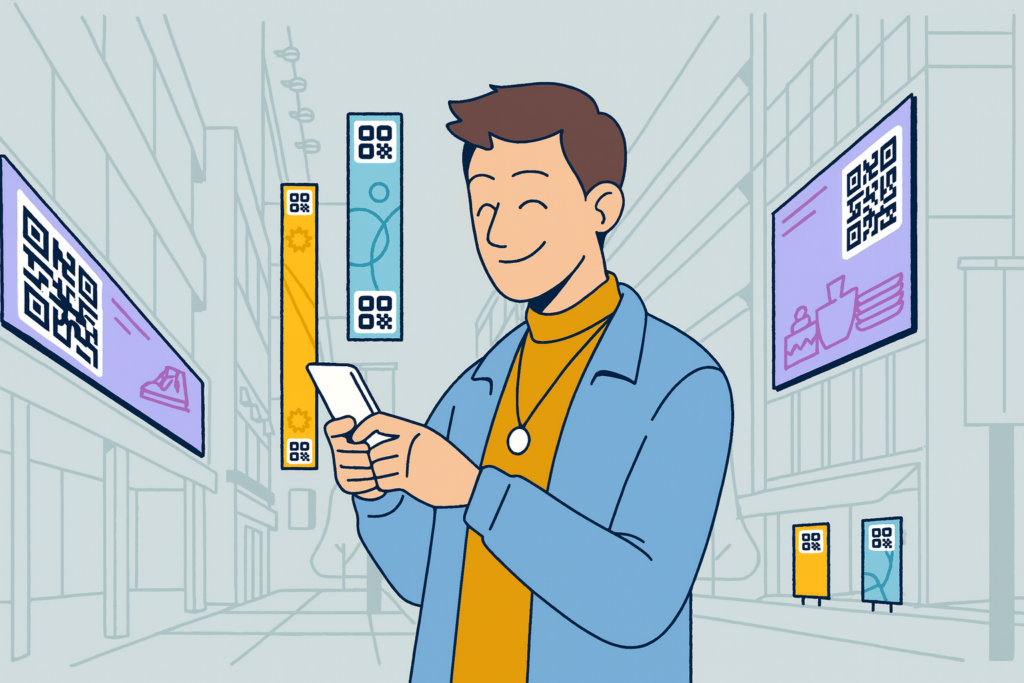
Bulk dynamic QR Codes are useful for many tasks across industries. They save time, lower printing costs, and make it easy to update or track content.
Let’s look at how different teams and businesses use them every day.
1. Events and Conferences
Big events often have hundreds or thousands of guests. Each person needs a badge, ticket, or pass. With bulk QR Codes, event teams can make a code for each person. These codes can link to their schedule, seat, or profile.
People can scan the code to check in or get updates. Organizers can track who came and when. If a speaker or room changes, you can update the link without printing new badges.
2. Retail and Product Packaging
Stores and brands use QR Codes to connect products with digital offers. For example, each product box can have a code that leads to a coupon, how-to video, or feedback form. With bulk creation, you can make a different QR Code for every item or store.
You can track how often each code is scanned. This helps you learn which stores or items get more attention. You can also update links to show new content over time.
3. Real Estate and Property Listings
Real estate teams use QR Codes on signs, brochures, and ads. Each QR Code can link to a house or building listing. With bulk dynamic codes, you can make a new code for each property. If a home sells or details change, just update the link.
No need to reprint flyers or signs. Agents can also track which listings get the most views by checking scan data.
4. Employee and Member IDs
Companies, clubs, or schools often need to create ID cards in large numbers. Each card can have a QR Code that links to that person’s contact page or role.
If someone changes teams or gets a new phone number, you can update the link without reprinting the card. Bulk tools help you make all these codes at once—fast and easy.
5. Healthcare and Check-Ins
Hospitals and clinics use QR Codes for faster check-in. Patients can scan a code on their phone or at the counter. Each department or doctor can have a special QR Code.
Bulk QR Codes help you create all of these in minutes. You can also track visits and change the link if clinic hours change.
6. Product Tracking and Inventory
If your team handles tools, parts, or stock items, QR Codes can help keep track. Each item can have its own QR Code. When scanned, it can show details such as the item name, how many are left, and where it’s stored. If info changes, just update the link in the dashboard.
You don’t need to reprint the code. Bulk creation makes it easy to set up codes for hundreds of items at once.
7. Education and Training
Schools and training centers can use QR Codes on books, handouts, and posters. Each QR Code can lead to a video, quiz, or class notes. Teachers can change the links if the content is updated. Bulk tools help you make codes for each topic, grade, or room—fast.
8. Marketing and Direct Mail
Marketers often send flyers, postcards, or coupons to thousands of people. With dynamic QR Codes, each person can get a unique link. This link can lead to a landing page, sign-up form, or survey. You can track which customer scanned their code and when.
If a URL changes, you can fix it online, even after printing. Bulk QR Code tools enable smart, targeted campaigns at scale.
The QR Code payment market is valued at USD 15.95 billion in 2025 and is forecast to reach USD 73.44 billion by 2035, with a 16.5% CAGR. The overall QR code market was USD 1.5 billion in 2023 and is expected to reach USD 3.5 billion by 2033, with an 8.7% CAGR. Source: futuremarketinsights
F. Pro Tips for Success
Using bulk dynamic QR Codes is simple, but a few smart tips can make your work even better. These tips will help you get more scans, avoid problems, and make your campaigns shine.
1. Always add a clear call to action
A QR Code alone may not be enough. People need a reason to scan it. Add a short message next to the code like “Scan to Watch the Video” or “Scan for a Discount.” This tells people what they’ll get when they scan. Make sure the text is easy to read and stands out on your design.
2. Test your codes before printing them
After you make your QR Codes, scan a few using a phone. Try both Android and iPhone if you can. Make sure each one goes to the right link. If a link is wrong, you can fix it if the code is dynamic. This helps you catch mistakes before you print hundreds of copies.
3. Use dynamic QR Codes, not static ones, for anything that may change
With static codes, the link is locked in and cannot be changed. But with dynamic codes, you can edit the link anytime. This is helpful if your website changes, if you need to update a video, or if there’s a mistake in the link. You won’t have to throw away printed materials.
4. Group your codes using tags or folders
If you make many QR Codes, things can get messy. Use campaign names, labels, or folders to keep them in order. For example, you can group all “Event 2024” QR Codes together. This makes it easier to track them and find them later.
5. Track your scans to measure success
Scanova and other tools let you see when and where people scan your QR Codes. You can see the date, city, device, and even which campaign worked best. This helps you learn what works and what to change next time.
6. Keep your design simple and clear
You can add colors, logos, and frames, but don’t make the code too busy. Make sure there is strong contrast between the code and the background. A dark code on a light background works best. Always test the design to be sure it scans well.
7. Use a custom domain for your links
Instead of using a random link, you can use your own brand’s name in the short link. For example, your code could lead to qr.yourbrand.com/promo. This builds trust and looks more professional. Scanova lets you do this with its white-label feature.
G. FAQs About Dynamic QR Codes in Bulk

A dynamic QR Code is a smart QR Code that you can change later. It does not store the full link in the code. Instead, it points to a short link that you can edit at any time.
This means you can update where the code goes, even after printing it. It also lets you see scan data, such as how many times it was used and where.
2. What is the difference between static and dynamic QR Codes?
A static QR Code is fixed. Once it is made, the link or text inside cannot be changed. If you need to update it, you must create and print a new code.
A dynamic QR Code is flexible. You can change the link later, turn it off or on, and track who scans it. This makes it better for most business and marketing use cases.
3. Why should I create QR Codes in bulk?
If you need many QR Codes at once, bulk generation saves you hours of work. You can upload a spreadsheet and make hundreds or even thousands of codes in just a few minutes. It’s perfect for events, product packaging, store campaigns, ID cards, or any project that needs lots of unique codes.
4. What kind of file do I need to create QR Codes in bulk?
You need a spreadsheet file—usually a CSV file. Each row in the file is one QR Code. You should include a name (to label the code), a URL (the link it should open to), and any extra info, like tags or folders.
This file is uploaded to a QR Code tool, such as Scanova, to generate all the codes at once.
5. Can I use different links for each QR Code?
Yes, you can. Each QR Code in your bulk upload can point to a different link. This is useful when you want to track each product, store, or person separately. Just make sure each row in your spreadsheet has a unique link in the URL column.
6. Can I change the link after printing the QR Code?
Yes, if you use dynamic QR Codes. This is one of their biggest benefits. You can log in to your account and change the link at any time. You don’t have to print new codes. This is great if you made a mistake or want to update your content later.
7. Can I track how many people scanned each QR Code?
Yes. With dynamic QR Codes, you can see real-time scan data. You’ll know how many scans each code receives, when and where it was scanned, the city or country the person was in, and the type of phone or device they used. This helps you measure your campaign’s success.
8. Can I add my logo or colors to the QR Codes?
Yes. Most professional QR Code generators, like Scanova, let you customize your codes. You can add your logo, use brand colors, and choose from different frames or styles. This makes your QR Codes look better and fit your brand design.
9. Will my QR Codes stop working if too many people scan them?
Not with Scanova. All dynamic QR Codes created with Scanova include unlimited scans. That means no matter how many times people scan them, they will keep working. Some free tools have scan limits, so always check the plan details.
Summing Up
Bulk dynamic QR Codes make it easy to handle large projects. You can create many codes fast, change links later, and track how people use them. It saves time and gives you more control. With a tool like Scanova, you get smart features, easy setup, and strong results. It’s the best way to scale your QR Code use.