The Rise of Personalized QR Code: Tailoring Technology to Your Brand

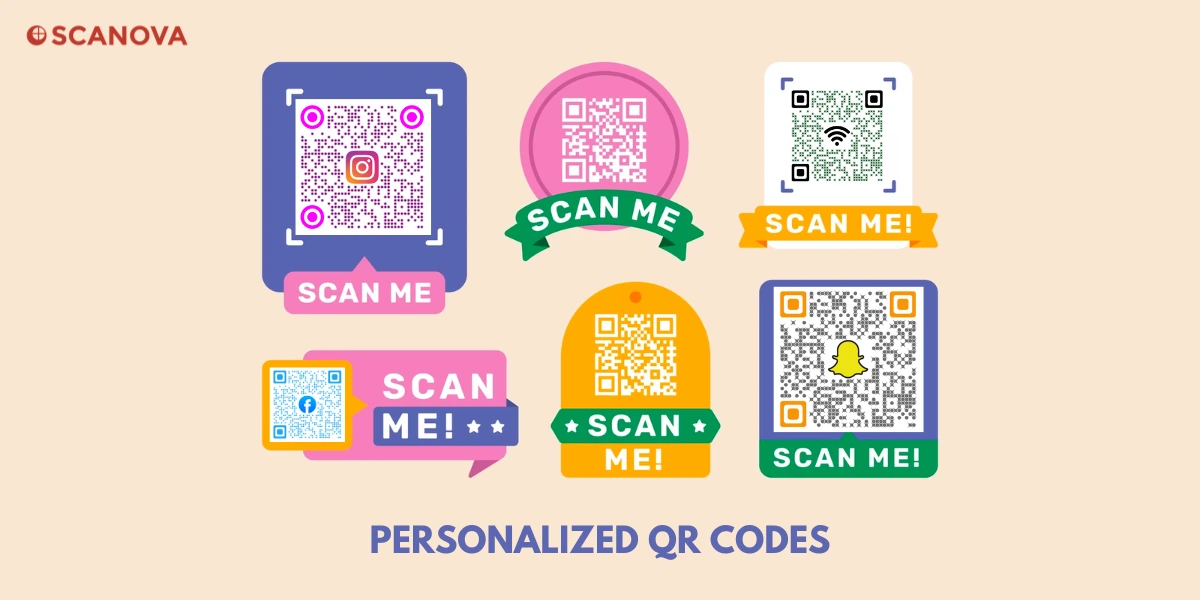
In a nutshell: A personalized QR Code boosts engagement by adding your logo and brand colors, making it more inviting to scan. With dynamic QR Codes, you can update links anytime and track scans in real time. As QR usage continues to grow, tools like Scanova make it easy to create, manage, and measure custom QR campaigns with clear, trackable ROI.
QR Codes aren’t just black-and-white squares anymore; they’ve become powerful, personalized marketing tools for businesses of all sizes.
And it’s not just hype: 230 million U.S. smartphone users scanned QR Codes in 2025 (52% of adults), up from 143 million in 2022. Projected 245 million by 2026. Source: Statista
Why the surge?
When someone pulls out their phone and scans a QR Code, they’re actively choosing to engage.
In short, people love the quick, convenient bridge that QR Codes create between offline and online experiences.
Personalized QR Codes take this engagement to the next level. Instead of a generic code, you can design a QR Code that reflects your brand – think company logos, brand colors, or even custom shapes. These branded touches make your QR Code more appealing and trustworthy to scan.
At the same time, using dynamic QR Codes (as opposed to one-time static codes) lets you change the code’s destination and track scans behind the scenes.
The result is a smart, flexible marketing tool that not only catches the eye but also gives you data on customer behavior.
A. What is a Personalized QR Code, and how does it work?
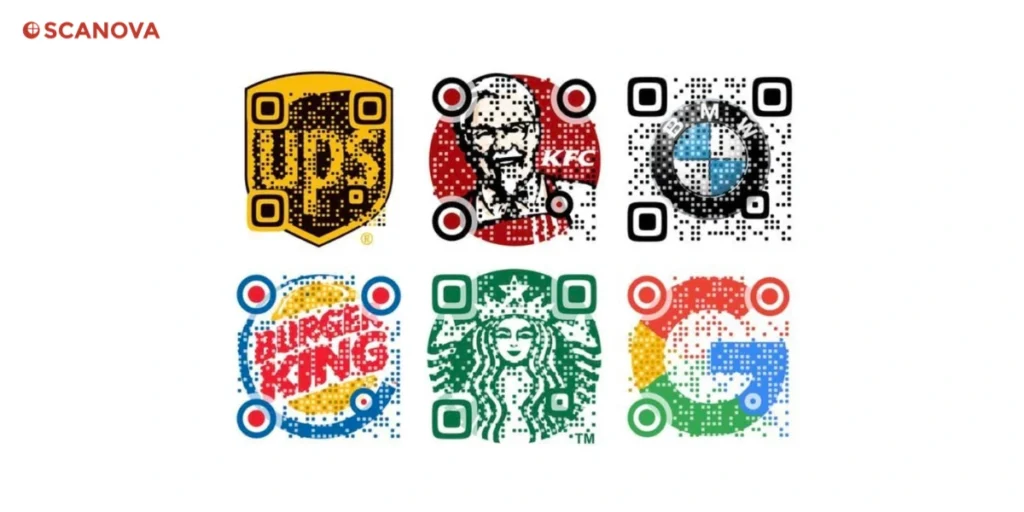
Personalized QR Codes are customized to reflect your brand or campaign. Instead of the standard black-and-white pixel pattern, a personalized QR Code might feature your company’s logo at the center, use your brand’s color scheme, or even take on a thematic shape.
The goal is to make the code aesthetically pleasing and instantly associated with your business, so that people are more likely to trust it and scan it.
Think of a personalized QR Code as a branded call to action. Just as you’d design an eye-catching ad or a beautiful package, you can design your QR Codes to fit your style.
For example, a boutique coffee shop could create a QR Code shaped like a coffee cup, or a festival organizer might style a QR Code with musical icons.
Even simple tweaks – like rounding the QR Code’s corners or adding a colorful frame with text (e.g., “Scan me for a surprise!”) – can significantly boost its appeal.
In fact, businesses and brands today use QR Codes to do much more than just share a link; they use them to spark curiosity, encourage interaction, and then measure what works by tracking QR performance.
It’s important to note that personalizing a QR Code isn’t just about looks. Often, personalized QR Codes are also dynamic, meaning they are powered by a short URL redirect.
This allows you to edit the code’s content (the URL or landing page it points to) even after printing the code. It also lets you gather analytics on scans. In essence, a dynamic personalized QR Code is both branded for engagement and equipped for tracking – the best of both worlds for marketers.
B. How to create a personalized QR Code?

Step 1: Open Scanova’s QR Code Generator
- Open your browser.
- Go to Scanova’s QR Code Generator
- You’ll see a list of QR Code types (like Website URL, Business Card, PDF, etc.).
Step 2: Pick the right QR Code type
- Click Website URL.
- This tells Scanova: “When someone scans this QR Code, open this webpage.”
Step 3: Add your website link
- In the URL field, paste your full website link.
- Use the complete format: https://yourdomain.com/page
- Double-check for common issues:
- No extra spaces at the start/end
- Correct spelling
- Correct page (home page vs landing page vs product page)
- Click Create/Continue/Generate (button name may vary slightly).
Step 4: Decide if you need Static or Dynamic (important)
Before you customize, pick the right type based on your goal:
- Static QR Code (simple + usually free):
- The link is “locked” once created.
- Best for permanent URLs that won’t change.
- Dynamic QR Code (best for marketing):
- You can edit the destination link later without reprinting.
- You can track scans (date, device, location, etc.).
- Best for posters, packaging, campaigns, and anything printed in bulk.
If you want editing + tracking, choose Dynamic when Scanova prompts you (this usually requires signing up / trial).
Step 5: Open the design editor
- After the QR Code is created, click Edit Design / Customize Design.
- You’ll enter a design screen where you can change how the QR looks.
Step 6: Personalize the QR Code (make it branded but still scannable)
A) Choose a good base style (recommended)
- Start with a clean template or default style.
- Make small changes first, then test.
B) Change QR colors the safe way
- Set your foreground color (the QR pattern) to a darker brand color.
- Keep the background light (white or very light shade).
- Avoid:
- Light QR pattern on dark background (unless the tool confirms high contrast)
- Low contrast combos (like yellow on white)
Rule of thumb: Dark code + light background scans best.
C) Add your logo (center branding)
- Click Add Logo / Upload Logo.
- Upload a PNG/SVG of your brand mark.
- Resize carefully:
- Keep the logo small to medium
- Don’t cover too much of the QR pattern
- Keep the logo small to medium
- If Scanova offers “remove background” or “knockout” options, use them so the logo looks clean.
D) Adjust shapes (eyes + data pattern)
- Find options like:
- Eyes (the 3 corner squares)
- Data (the dots/squares in the middle)
- Choose rounded or stylized shapes if you like—but don’t go too extreme.
E) Add a frame + call-to-action (boosts scans)
- Add a Frame if available.
- Add CTA text like:
- “Scan to view menu”
- “Scan for 10% off”
- “Scan to register”
- Keep CTA short (3–6 words).
Step 7: Preview and test scan (do this every time)
- Use Scanova’s preview (if shown).
- Then test in real life:
- Download a quick PNG
- Open it on your laptop screen OR print a rough copy
- Scan using:
- iPhone camera
- Android camera / Google Lens
- Test from:
- Near and far distances
- Different angles
- Normal lighting and low lighting
If it’s slow to scan:
- Increase contrast
- Reduce logo size
- Go back to a simpler pattern
Step 8: Pick the best download format
When you’re happy, click Download and choose:
- PNG → best for web use, social posts, email, digital banners
- SVG / EPS → best for printing (sharp at any size)
- PDF → best for documents and sharing with printers/designers
Printing tip: Always prefer SVG/EPS for flyers, standees, packaging, and large posters.
Step 9: Choose the right size (so it scans easily)
A quick practical guide:
- Business card: ~0.8–1 inch (2–2.5 cm)
- Flyer/poster: 1.5–3 inches (4–7.5 cm)
- Large poster/hoarding: bigger, and test from the real scanning distance
Distance rule: People should scan comfortably from where they stand. If it’s far away, make it bigger.
Step 10: Use it the right way (so scans don’t drop)
Before publishing/printing:
- Make sure the QR Code has “quiet zone” (empty margin around it).
- Don’t place it on busy backgrounds.
- Don’t stretch or warp the QR in Canva/Photoshop.
- If printing, use high-res / vector format.
C. Why should businesses use personalized QR Codes?
Personalized QR Codes aren’t just pretty to look at; they deliver real marketing benefits:
1. Higher scan rates and engagement
A branded QR Code can instill trust. People are more likely to scan a code that clearly comes from a reputable brand (for example, if they see your logo or a familiar color).
This can translate into significantly higher scan rates. One industry report found that QR Code campaigns achieved an average click-through rate of 37%, vastly outperforming typical email or banner ad engagement. Source: Forbes
When used effectively, a QR Code on print can convert passive viewers into active participants, as every scan represents a user taking initiative to learn more.
2. Bridging offline to online
QR Codes provide an instant bridge from physical media to digital action. With a quick scan, a customer can go from looking at a flyer or product packaging to watching a video, filling a form, or making a purchase on their phone.
This is invaluable for small businesses and marketers trying to connect print ads, posters, product packaging, or business cards to online outcomes (such as website visits, app downloads, or sign-up forms).
As Forbes notes, brands across industries are leveraging QR Codes to enhance omnichannel customer journeys and even drive sales directly. A personalized QR Code, with a clear call-to-action in its design (“Scan to get 10% off!”), makes that bridge even more effective by telling users exactly what to expect.
3. Stronger brand recall
When your QR Code carries your brand identity, it reinforces your marketing message. Imagine a designer creating event posters – a QR Code styled to match the poster’s design will feel like a natural part of the experience. It’s less intrusive and more memorable.
Consistency in branding (even in little things like a QR Code) can increase recall. If a user scans a code and lands on your site, the visual continuity from code to content creates a smoother user experience. It subtly tells the user, “Yes, that scan was from our company.” This professionalism can reflect positively on how people perceive your brand’s tech-savviness and attention to detail.
4. Measurable engagement and ROI
Perhaps the biggest advantage – especially for marketers and enterprise teams – is the ability to track and measure. Dynamic personalized QR Codes come with analytics dashboards that let you see how many people scanned, when and where they did so, and which devices they used. You can even integrate with Google Analytics or your CRM to see if those scans led to further actions (like conversions).
This means you can calculate the ROI of print campaigns much more easily. Instead of guessing how many people acted on your brochure or poster, you’ll know the exact number of scans and can gauge interest in real time.
This data is gold for refining campaigns – you can experiment with different designs or calls-to-action on your QR Code and see which gets more scans, a bit like A/B testing your print materials.
5. First-Party Data Collection
In a world moving away from third-party cookies, QR Codes offer a friendly way to collect data with users’ consent. When someone scans and maybe fills out a quick form or interacts with a landing page, you’re getting data directly from them.
In a 2025 survey, 94% of marketers reported positive ROI from QR Codes; 91% use them for first-party data. Source: Hubspot
Every scan can be the start of a direct customer relationship, and personalized QR Codes encourage that by making the experience engaging.
Make sure your next flyer or product package sports a personalized QR Code. A simple logo or color tweak could mean more scans and more customers taking action.
D. Use Cases: Where can you leverage personalized QR Codes?
To get your creative juices flowing, here are some popular use cases for personalized QR Codes among small businesses, marketers, designers, and enterprise teams:
1. Marketing Collateral
Include branded QR Codes on flyers, brochures, postcards, or magazine ads.
For example, a travel agency prints a QR Code (with a little airplane icon in the center) on brochures that leads to a video of tour highlights.
It not only looks inviting but also lets the agency track which brochures are driving inquiries.
2. Product Packaging
Turn your packaging into an interactive experience. Many brands now put QR Codes on product boxes or labels – a personalized code on a food item might lead to recipe ideas, or a cosmetics package QR code could show a tutorial video.
Stat: QR Code scans reached 9.5 billion globally in 2025, projected to reach 11.2 billion in 2026. Source: emarketer
A well-placed, well-designed QR Code on your product can encourage customers to engage at the moment of unboxing.
3. Events and Business Cards
Networking and events are all about quick info exchange. A personalized QR Code on your business card (with your brand logo in it) can share your contact details or portfolio with one scan – much faster than typing an email.
At events or trade show booths, a big, branded QR Code can be used to collect leads (“Scan to enter our giveaway” or “Scan to download our app”). These codes should be friendly and part of your booth design – e.g., use your brand mascot or colors to attract attention.
4. Posters and Out-of-Home Ads
If you’re a marketer designing billboards, posters, or even digital signage, adding a QR Code creates an instant action step. Make it large and clear enough to scan from a distance. Use a custom frame text like “Scan to Learn More” around the code.
Placement and context matter – you want it to feel natural for someone to pull out their phone. For instance, a poster in a mall for a new store could have a code that offers a map and a discount coupon. By personalizing the code (using the store’s colors or a tag line in the design), it becomes a cohesive part of the ad rather than an afterthought.
5. Teams & Enterprise
For larger organizations, personalized QR Codes can help maintain a professional look across all materials. For example, a sales team might use a standardized QR Code style (with the company logo and a specific color) on all one-pagers and presentations, linking to a landing page for that product.
The marketing department can then track all scans from various sales materials in one place. Enterprises also use QR Codes internally – think of a training manual with QR Codes linking to video demos, or office posters with QR Codes for employees to give feedback.
Consistent, branded QR Codes assure users that the code is officially from the company (important for security awareness, too).
E. Best practices while using personalized QR Codes
1. Choose the right type of QR Code
Depending on your use case, choose the appropriate type of QR Code. Carefully consider your requirements and end goal while choosing the category.
QR Codes can encode different types of information, such as URLs, text, or contact details. Selecting the right format ensures optimal functionality.
2. Ensure high-quality printing
If using QR Codes in print materials, ensure high-quality printing to maintain the integrity of the code.
Low-resolution or poorly printed QR Codes may lead to scanning issues. Use vector files like EPS and SVG which can be scaled easily without losing print quality for sizable print projects.
3. Consider error correction and avoid clutter
Enable error correction to enhance the QR Code’s ability to withstand damage or distortion. This ensures that even if the code is slightly damaged, it can still be successfully scanned.
Remember to place QR Codes in uncluttered spaces, away from distracting graphics or conflicting visual elements. This ensures that users can easily locate and scan the code without any interference.
4. Update content dynamically and perform audits
If linking to online content, consider using dynamic QR Codes that allow you to update the linked information without changing the physical code.
This flexibility is valuable for ongoing campaigns and promotions. Perform regular audits of your campaign’s QRs to maintain the relevancy of information encoded in the QR.
5. Include a Call to Action (CTA) and direct users
Accompany the personalized QR Code with a clear and concise call to action, instructing users on what to expect after scanning.
Whether it’s “Scan for Exclusive Offers” or “Unlock Special Content,” a well-crafted CTA encourages users to engage with the QR Code.
Include brief instructions or a visual guide near the QR Code to educate users on how to scan it. Custom frames could be one way to guide the users.
Not all consumers may be familiar with QR Codes, and providing guidance can enhance the user experience and promote inclusivity.
6. Test your personalized QR Code
Before deploying personalized QR Codes in your marketing materials, conduct thorough testing to ensure that the codes are scannable across various devices and under different lighting conditions.
A non-functional QR Code can lead to a poor user experience and negatively impact your brand’s reputation.
Recognize that many users will be scanning QR Codes using their mobile devices. Ensure that the linked content is mobile-friendly, providing a seamless experience across different screen sizes and resolutions.
By following these best practices, businesses can maximize the effectiveness of personalized QR Codes, creating a positive user experience and achieving their marketing objectives.
F. FAQs: Personalized QR Code
1. What is a personalized QR Code?
A personalized QR Code is a customized Quick Response code that incorporates brand-specific design elements, such as logos, colors, and other visual features, to align with a business or individual’s unique identity.
Unlike generic QR Codes, personalized ones aim to reinforce brand recognition and offer a more visually appealing and branded experience for users.
2. How do I get a personalized QR Code?
To get a personalized QR, you can follow these steps:
- Go to Scanova QR Code Generator and select your preferred QR Code category.
- Input the information you want the QR Code to contain. This could be a website URL, contact information, or any other relevant data.
- Generate your QR and click on the Edit Design option to customize the design of the QR Code. Typically, you can add your brand colors, logo, and other design elements. Adjust settings to make it visually appealing and aligned with your brand identity.
- Once you’ve customized the QR Code to your liking, generate it and download the image file.
You can then use this image in your marketing materials, product packaging, or any other relevant context.
3. How do I create a personal QR Code?
Creating a personal QR Code is a straightforward process, there are various options available online, such as Scanova QR Code Generator.
Add your personal touch by incorporating colors, logos, or other branding elements that align with your preference, and voila! there you have your personal QR right where you want. You can then use this QR Code wherever you see fit.
4. Can QR Codes be customized?
Yes, QR Codes can be customized. Traditional black and white QR Codes have evolved, and now many QR Code generators allow users to customize the appearance of the codes.
Customization options often include adding colors, logos, and other design elements to make the QR Code more visually appealing and aligned with a brand’s identity.
5. How do I make my QR Code attractive?
Making your QR Code attractive is essential to capture attention and encourage users to scan it. Here are some tips:
- Incorporate Branding Elements: Add your brand colors, logo, and other visual elements to make the QR Code consistent with your brand identity.
- Choose a Visually Appealing Design: Opt for a design that is visually appealing and complements the overall aesthetic of your marketing materials.
- Use High Contrast: Ensure a high contrast between the foreground (the QR Code pattern) and the background. This helps with readability and ensures that the QR Code can be easily scanned.
- Select a Suitable Size: Find the right balance between size and clarity. Ensure that the QR Code is large enough to be easily scanned but not so large that it dominates the space.
- Include a Call to Action: Accompany the QR Code with a clear call to action, instructing users on what to expect when they scan it. This encourages engagement and provides context.
- Test for Scannability: Before finalizing the design, test the QR Code to ensure it can be easily scanned across different devices and under various lighting conditions.
Conclusion
The rise of personalized QR Codes represents a dynamic shift in the way businesses approach technology in their marketing efforts.
By tailoring QR Codes to align with their brand identity, companies can create a more engaging and memorable experience for their customers.
As technology continues to advance, personalized QR Codes will likely play an even more significant role in fostering meaningful connections between brands and consumers.
Embracing this trend allows businesses to stay ahead in the competitive landscape, leveraging the power of customization to leave a lasting impression on their target audience.